Hey TBCers! If you are drafting interior plans and you need to accurately determine building geometries from point clouds or measured points, here is a critical tip for using the Capture Outline tool in Trimble Business Center. This feature helps you quickly derive corners by intersection, saving you from manually trimming or extending lines.
1. Open the Capture Outline Command: Navigate to the CAD tab and look within the Lines group. This tool is designed to work in Plan View, 3D View, and Station View, giving you flexibility depending on your data source.
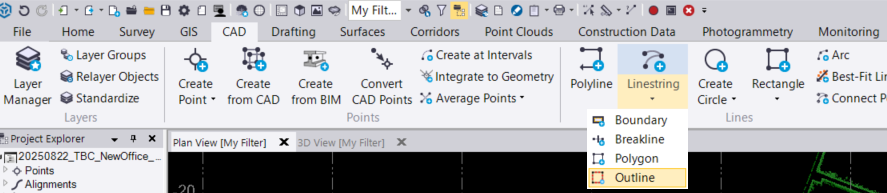
2. Define Your Settings: In the command pane, optional settings allow you to streamline your drafting:
◦ Layer: Assign the destination layer for your new lines.
◦ Elevation: Specify a fixed elevation for the linestring or allow it to be derived from your first selected point automatically. This value is fixed for the entire linestring.
◦ Feature Code (optional): Select a line feature (e.g., Wall) or a polygon feature (e.g., Room).
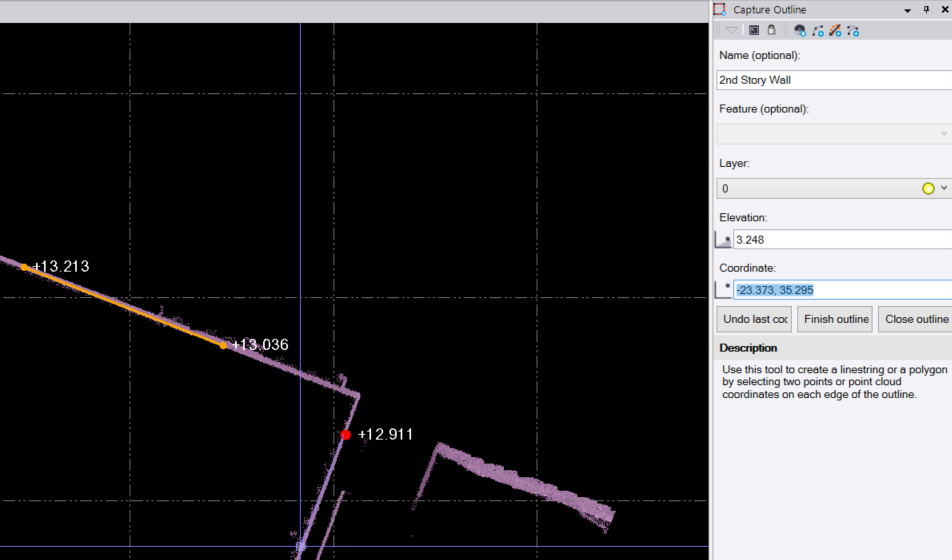
3. Digitize Walls by Intersection: Instead of trying to click exact corners, which can be hard to see or plastered over, select two points on a wall segment using the Coordinate field. Move to the next adjacent wall and select two more points. TBC will automatically calculate the corner where these two wall segments intersect.
‘
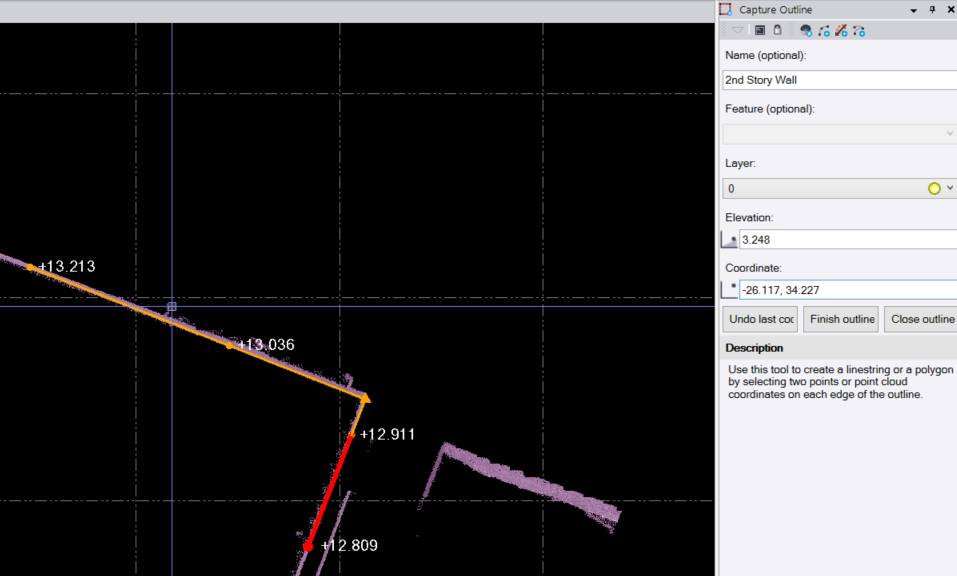
4. Edit on the Fly: If you make a mistake during selection, use Undo last coordinate to remove the selected coordinates one by one without losing the whole progress.
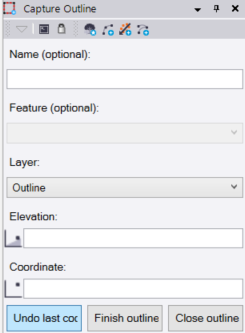
5. Close or Finish the Outline: After selecting point pairs for each outline, do one of the following:
-
Click “Close outline” to intersect the last line with the first line, creating a closed polygon for whatever you are creating an outline of.
-
Click “Finish outline” to store the current geometry as an open linestring and immediately start capturing a new one.
Extra Tip: The outline capture feature in TBC can be used for more than just walls. Any object that has a discernable geometry can be used. Need to create a plan that includes the outline of electric boxes? This is your tool! This command is great for anything with corners.
You’re all set! Maximize your TBC experience and ensure smooth workflows by utilizing learning & support material most aligned with your needs and personal preferences.
To download the latest version of TBC, you can head to https://geospatial.trimble.com/en/products/software/trimble-business-center/download
Complete free self-paced workflow-based courses with hands-on guided software experiences on Learn.Trimble: https://learn.trimble.com/pages/422/trimble-business-center-tbc