Hey TBCers! If you are working with mobile mapping data and need to push your processed pavement condition index (PCI) features directly to an Esri ArcGIS system-of-record, here is a critical tip for using the Write Features to GIS command in Trimble Business Center. This workflow allows you to upload or update feature data, making it visible to downstream GIS workflows for accurate asset lifecycle management. If you aren't already connected to a feature service, checkout Tip #253: Establishing a Connection and Reading Features from GIS to learn how.
-
Ensure Schema Compatibility: Before writing data, verify that your TBC feature definitions exactly match the Esri feature class names. If you are not sure how to check this, checkout Tip #254: Creating a PCI Schema to see how.
-
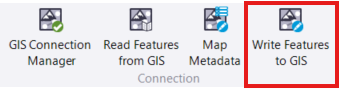
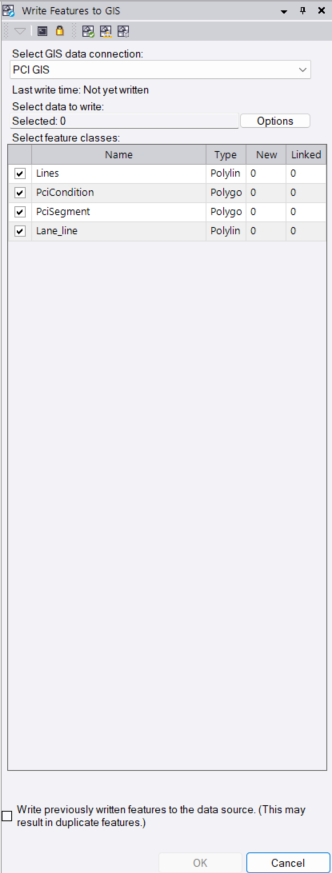
Open the Command: Navigate to GIS > Connection > Write Features to GIS and select your established connection from the Select GIS data connection drop-down list.
-
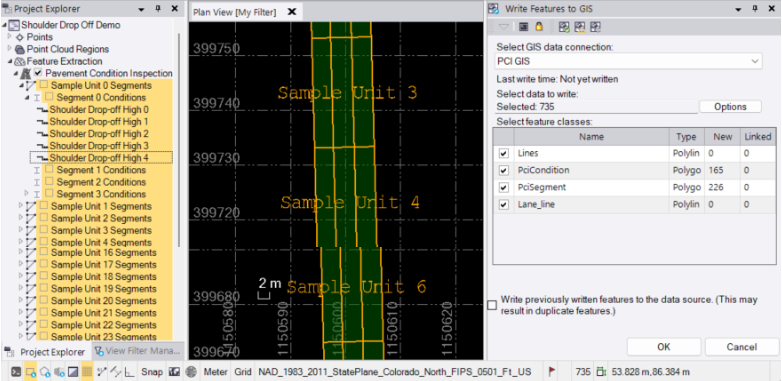
Select Data to Upload: Click into the Select Data to Write field and choose the objects you want to upload using a graphic view or the Project Explorer. You can optionally uncheck any specific features in the list that you wish to exclude from the upload.
-
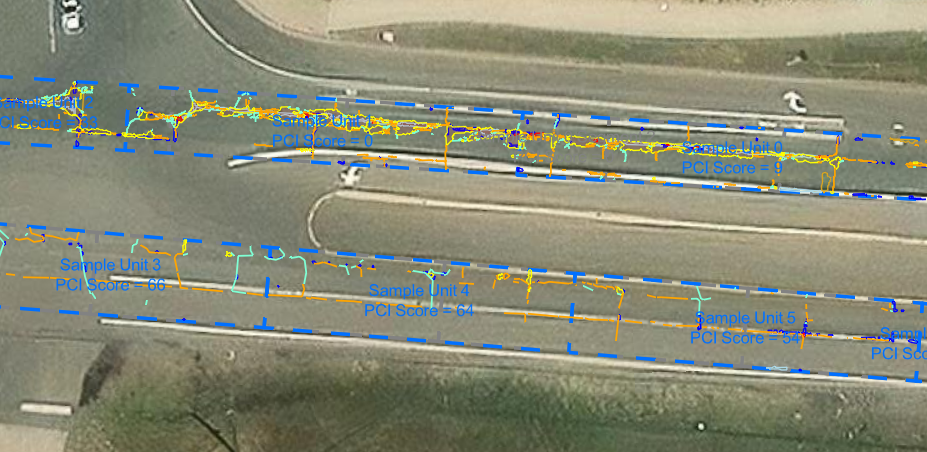
Execute and Verify: Click OK to initiate the upload. TBC will automatically compare schemas for compatibility, and when finished, you can click Yes in the pop-up dialog box to view a comprehensive report detailing the features written and coordinate system information. When you are done, this is what you should see on your ArcGIS Feature Service:
You’re all set! Maximize your TBC experience and ensure smooth workflows by utilizing learning & support material most aligned with your needs and personal preferences.
To download the latest version of TBC, you can head to https://geospatial.trimble.com/en/products/software/trimble-business-center/download
Complete free self-paced workflow-based courses with hands-on guided software experiences on Learn.Trimble: https://learn.trimble.com/pages/422/trimble-business-center-tbc