TILOS

 View Only

 Global Edit - Update Task Name with Distance Information in Chainage instead of Decimal

Ryan Lemenchick's profile image
Ryan Lemenchick posted 11-22-2021 05:35
Good morning,

I'm a relatively new TILOS user. I've been working with it for a little under a year now, and only recently discovered the Global Change function. I was testing it out last week to see if it would make it very simple to start placing Task Templates in with basic information then mass updating other info with Global Change. 

When updating the name field with the {Start (distance)} field info, the output is in decimal format - ex. distance 200+099 appears as 200099.43 when the name is updated. 

I looked in the Options under Distance and changed all the Default-Base/Location Units to km+ and ran the Global Change again, but that did not resolve the problem. 

Appreciate if anyone knows of a solution.

Thanks

Ryan
roberto brogi's profile image
roberto brogi
Hi Ryan,
I have not understood completely your question; in any case you should set  the distance base unit like below
I have tried your case, but I have not your result.
Which Tilos version are you using ?
Roberto
Lorne Duncan's profile image
Lorne Duncan

I also may have misunderstood your question but if you want to display the distance as km+ then the correct token is {start.distance.schedule.km+}  For example, in a file that I am currently working in all the distances are displayed as km+. I have set the distance display in this file to KM+

Here are the settings:
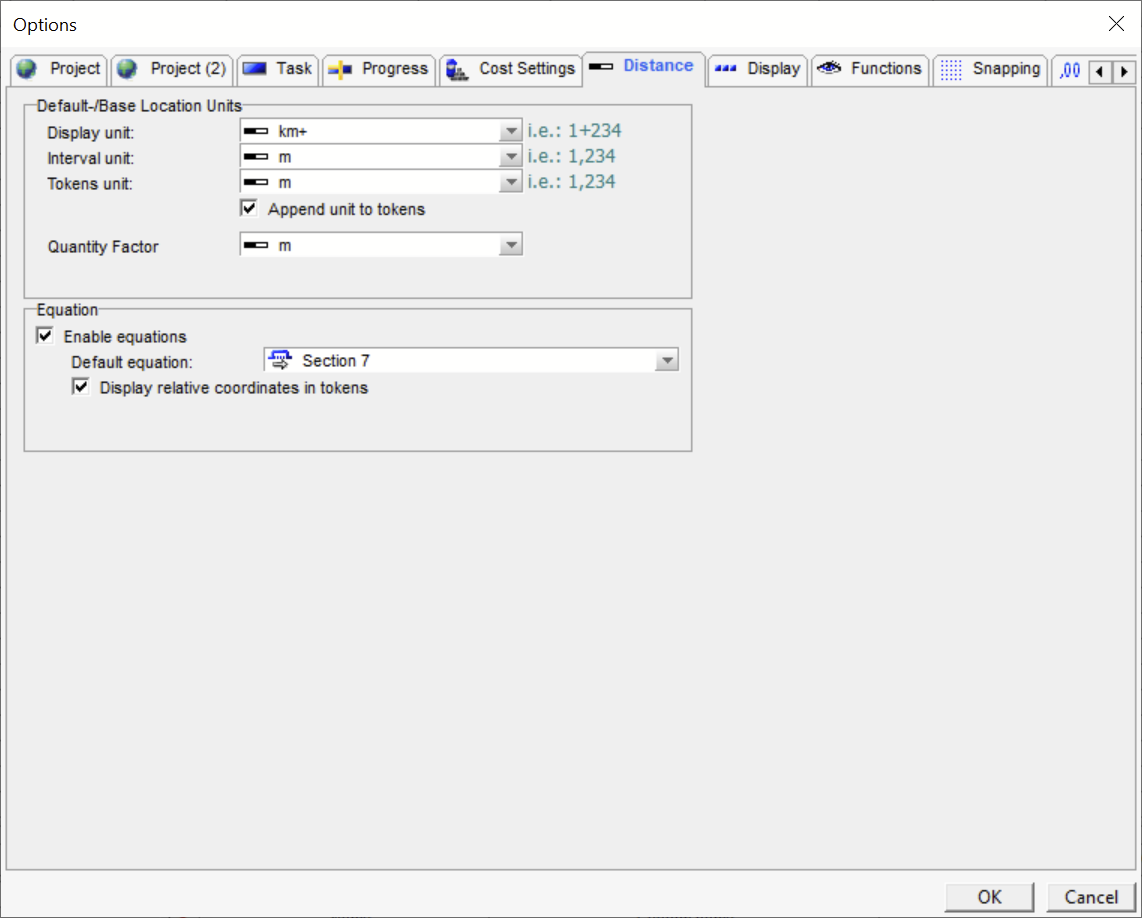
In this case, I am using Tilos 10.3 MR1 but this works in all versions.

Let me know if this works.

Thanks,

Lorne Duncan
Petroglyph Projects

Ryan Lemenchick's profile image
Ryan Lemenchick
Hi Guys,

Appreciate the feedback. I'm using 10.3 MR1. I didn't think to add attachments here sorry about that, first post to the community.

I believe that the token {start.distance.schedule.km+} is unavailable to this action, I think I already tried it by copy/pasting it from the tokens available in the Task Annotation field. 

Here you can see the output from the above where it only updates the {End (Distance)} token in the name field. 

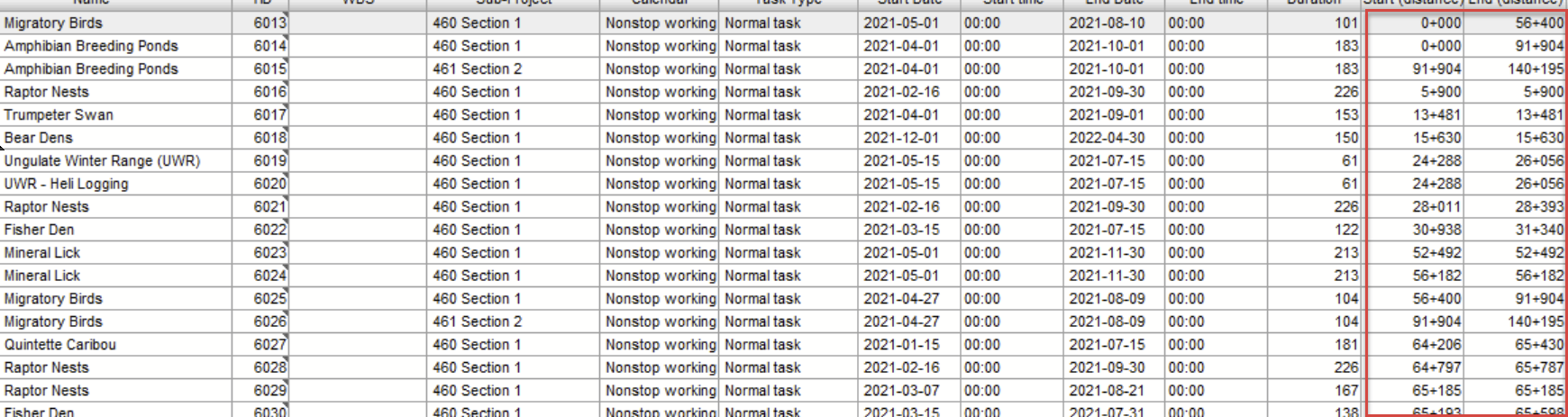
This is the only reference anywhere where I've found that the distance does not appear in km+ format. As you can see in the Task List below, it's showing in km+ format.

Here's the configuration - i've tried pretty much all the combination of options there.
Lorne Duncan's profile image
Lorne Duncan

Hi Ryan,
I just tried this on another file that I opened in 10.3 MR1. 
Here are the steps: 
1. I first changed the display units to km+ because it was set to m
2. I then created this action in the global change.  At first it didn't work because I had a space between {name} and start distance token. I just used a "-" separator and it worked.  I hope this helps.

Cheers,

Lorne

Ryan Lemenchick's profile image
Ryan Lemenchick

Hi Lorne,

Thanks for looking at it again. I'm beginning to suspect it's something in my configuration somewhere else, I've tried just about everything and still cannot get it to change the name to the start or end distance in km+ format. I checked my Distance Unit settings and it seems like it should be fine, maybe there's something else under the hood that I'm missing. 

Lorne Duncan's profile image
Lorne Duncan
Hi Ryan,
We are looking at a number of approaches and I will let you know if we are successful. At this point it seems that the distance is reported in m despite the obvious settings. 
Thanks,
Lorne
Ryan Lemenchick's profile image
Ryan Lemenchick
Hi Lorne,

Thanks for looking at it. If that is how everything is working for everyone then at least I'm not doing something wrong. It is funny though how you the Global Change field has access to change certain fields like Start.Distance.Schedule however it does not have access to that token when setting another field.
Lorne Duncan's profile image
Lorne Duncan
Hi Ryan,
It has been a long standing issue that not all tokens are available from every interface.  We do a have a work around for you that I will share via email.

Lorne