Trimble Connect User Forum

 View Only
Expand all | Collapse all

HOW DO i CHANGE THE COLOR OF ALL OBJECTS WITH THE SAME NAME

  • 1.  HOW DO i CHANGE THE COLOR OF ALL OBJECTS WITH THE SAME NAME

    Posted 07-08-2020 15:48

    I have several objects in my model with the name of "spine".  I want to turn them all a specific color.


  • 2.  Re: HOW DO i CHANGE THE COLOR OF ALL OBJECTS WITH THE SAME NAME

    Posted 07-09-2020 00:36

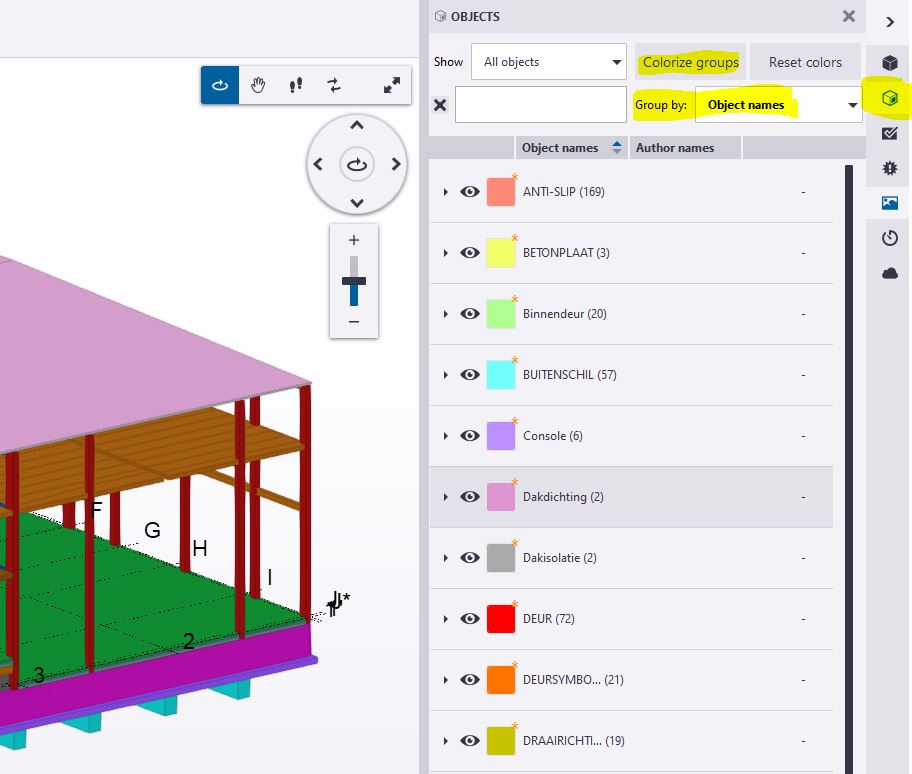
    In TC for Windows: Open the objects panel; Group by "Object name" and click "Colorize groups"


    In TC for Web: Open the Data Table: group by "Name" and click the paint can.