Hi Melissa,
Assuming I understand you correctly I fear you can only get closer to your wish - but not fully.
So there is a difference between a symbol and a photo.
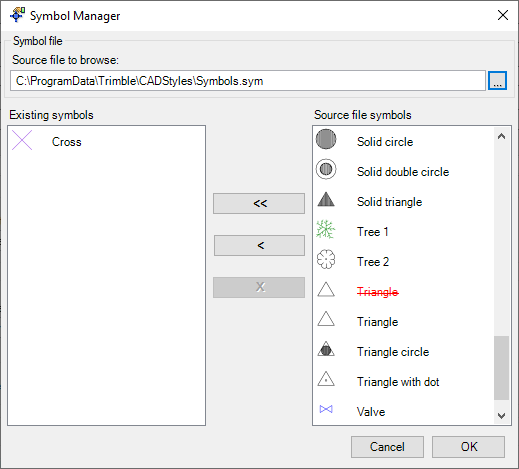
Symbols are pre-defined drawings - usually imported via a 'sym' file or dxf etc. The screenshot shots the default Symbols file shipping with the Feature Code Definition Manager
On the other side Photos are dynamic attributes:
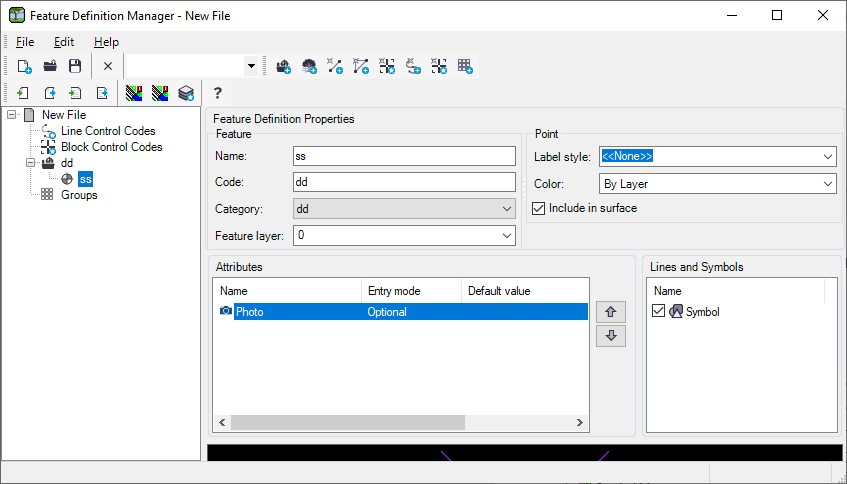
So if your symbol library contains different symbols for trees you can change the feature code of the point to switch from tree symbol 1 to tree symbol 2. But it will still be a symbol - no real-like photo.
The photo gets referenced in the job file (so the path to the jpg is recorded in the job/ jxl).
In the end you can have multiple tree symbols - and maybe try to make them more 'real life' likeish. But afaik you can't load images into a symbol. Plus those images would also not be shown on the map. So maps are usually tuned to show lightweight symbols (for performance) - they don't load images... At least not in GIS/ survey type of applications (not talking about Google Maps or what so ever).
So TASDK won't help much.
Nico