Hi Jürgen,
indeed that is a bit tricky, but there is a solution:
1. Assumption: The Tunnel drilling task is profile calculated and the field quantity is calculated from the lenth of the task. Quantity factor is 1 to keep it simple. (Meaning: 1 Meter Tunnel created per Meter Lenght of the task)
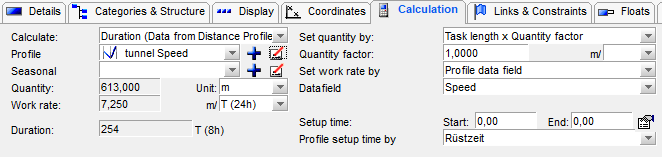
2. create a material resource called "Tunnel-Meters"
3. assign this ressource to the profile calculated Tunnel drilling task. Use the model Quantity per task qiuantity and as operation value choose 1. As you see: The Effort now shows the sum of the Tunnel-Meters.

4. Create a time histogram on the side, and report this Tunnel-Meters resouce. Check cumulate to get a cumulated value.
Important: In the display settings of the histogram change the interval to "day" to get the dayly changed values. Yu may find it useful to change the Number format to 0.00 to have not only full meters, but fractions of meters to be displayed.
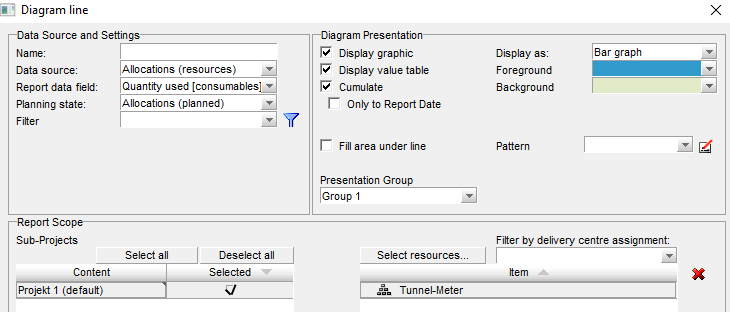
The histogram then shows now for each day the (calculated) distance reached.
5. Now right click on the histogram and choose "Export data to clipboard". Paste the result in an empty Excel file.
6. Voilá: The List shows the dates and the reached Tunnel-Meters per day/date.