Hi all
I had the same problem, but I could easily fix it by choosing 'None' as 'IFC entity'. This is a userdefined attribute.
With this entity 'None', the objects will not be exported in IFC or to Trimble Connect.
Best regards.
------------------------------
Tijs Van de Moortel
------------------------------
Original Message:
Sent: 09-24-2023 21:33
From: Ashish Kumar
Subject: Exclusion of Dummy or reference and others object from Trimble connect.
Hello shivam
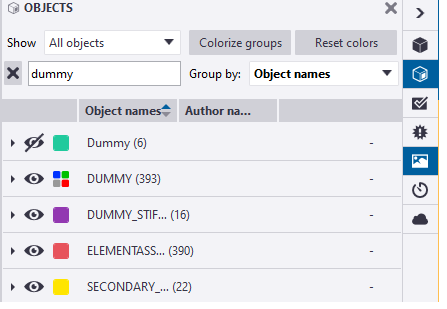
In Tekla, you can't directly upload selected members. However, in Trimble Connect, you can filter out unwanted members like 'DUMMY' using the object filter in the right-side panel. With this you will be able to see only the required members.
------------------------------
Ashish Kumar
------------------------------