Let me clarify: when using clip plane tool object that are cut appear holow: 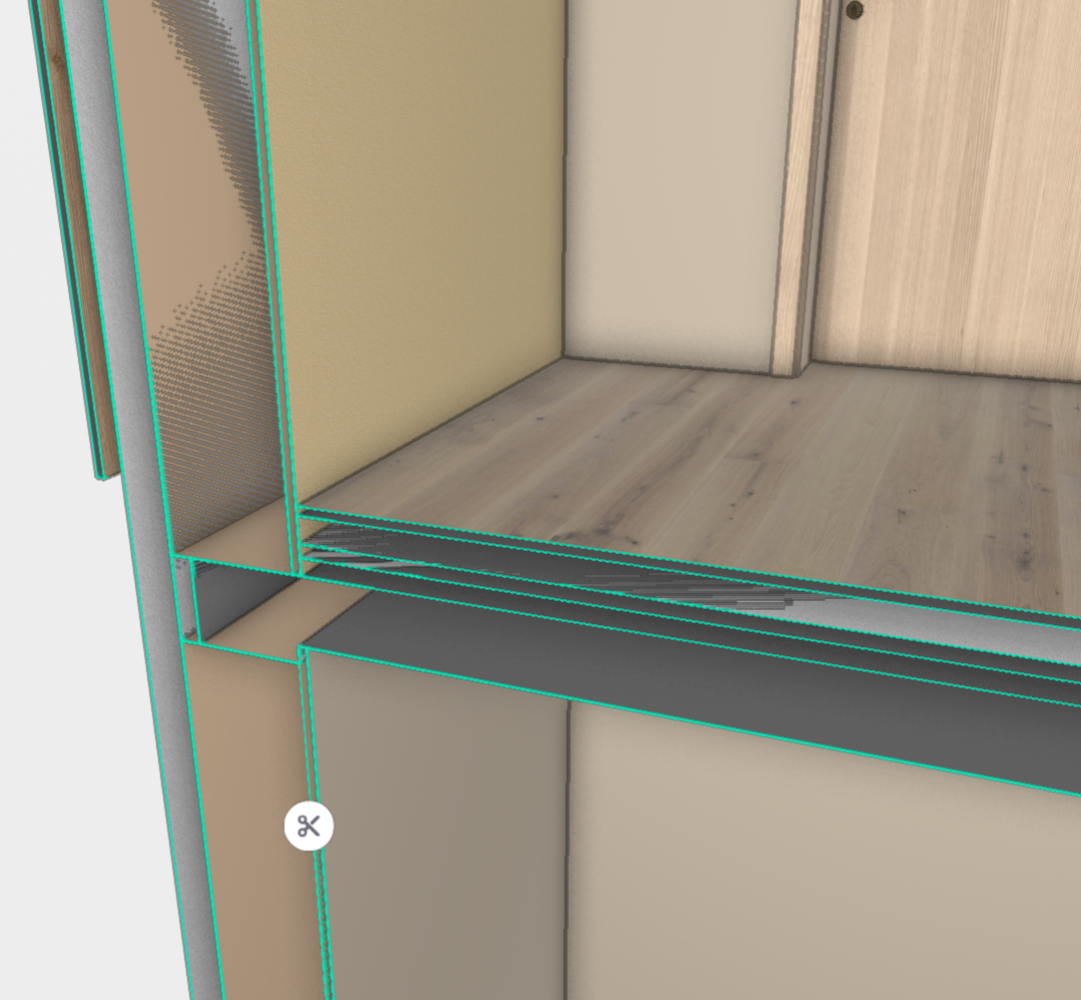
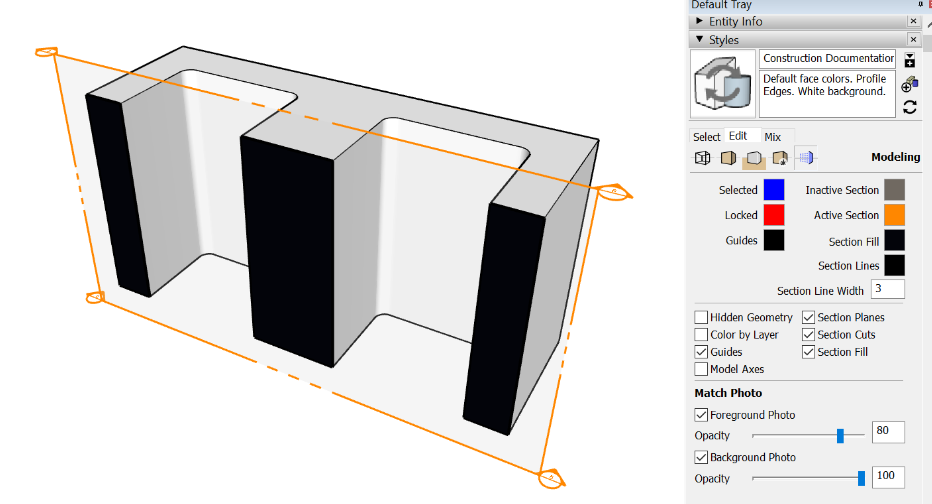
Instead I would like object to appear solid, just like in Sketchup where you can turn on 'Section Fill'. Ideally "section fill" would inherit color/material of parent.
------------------------------
Jure Judež - Celovito
------------------------------
Original Message:
Sent: 02-06-2024 23:43
From: Darshan Rajaram Kamat
Subject: Feature request: Section Fill
Thanks Jure for clarifying. In the Trimble Connect for Browser 3D Viewer, it is possible to move the clip planes (with the scissor icon) which help to have the cut sections back.
Could you please check if that helps your use case (Reference - Documentation).
Regards
------------------------------
Darshan Rajaram Kamat
------------------------------
Original Message:
Sent: 02-06-2024 23:37
From: Jure Judež - Celovito
Subject: Feature request: Section Fill
Yes, sorry I was referring to clip planes...
------------------------------
Jure Judež - Celovito
Original Message:
Sent: 02-06-2024 20:47
From: Darshan Rajaram Kamat
Subject: Feature request: Section Fill
Hi Jure,
Could you please confirm if you are referring to clip planes (by section cuts) in the Trimble Connect Browser 3D Viewer ? If not, could you please clarify what is section cuts ?
Regards
------------------------------
Darshan Rajaram Kamat