Verified with what browser? Support and I have discovered that Chrome and Firefox give errors most of the time, and Edge seems to work mostly, but not always. Needs to work with ALL browsers.
Original Message:
Sent: 05-31-2026 20:18
From: Vijay Raghunathan
Subject: Missing data when uploading full site folders into Works Manager from outside location
Hello Delton, thanks for sharing the test folder. We took the content, verified it, and it uploaded fine. We also checked the logs for your upload, and it appears to have gone through. Let us know.
------------------------------
Vijay Raghunathan
------------------------------
Original Message:
Sent: 05-28-2026 08:47
From: Delton Searles
Subject: Missing data when uploading full site folders into Works Manager from outside location
Vijay, similar issue here, when there are nested folders with subfolders and files in multiple folders, the upload fails. I've attached an example typical site folder we would upload.
------------------------------
Delton Searles
Original Message:
Sent: 05-28-2026 08:41
From: Scott Thomson
Subject: Missing data when uploading full site folders into Works Manager from outside location
Hi Vijay, one more quick question. Unless I'm doing something wrong, I can't seem to select multiple folders to upload at the same time. Is this a limitation for the Device Data uploads, and if so could this be an option in the future? Thanks.
------------------------------
Scott Thomson
Original Message:
Sent: 05-28-2026 08:05
From: Scott Thomson
Subject: Missing data when uploading full site folders into Works Manager from outside location
Thank you Vijay. I tried again with a few different job folders and it worked for me as well.
------------------------------
Scott Thomson
Original Message:
Sent: 05-28-2026 07:31
From: Skyler Shearer
Subject: Missing data when uploading full site folders into Works Manager from outside location
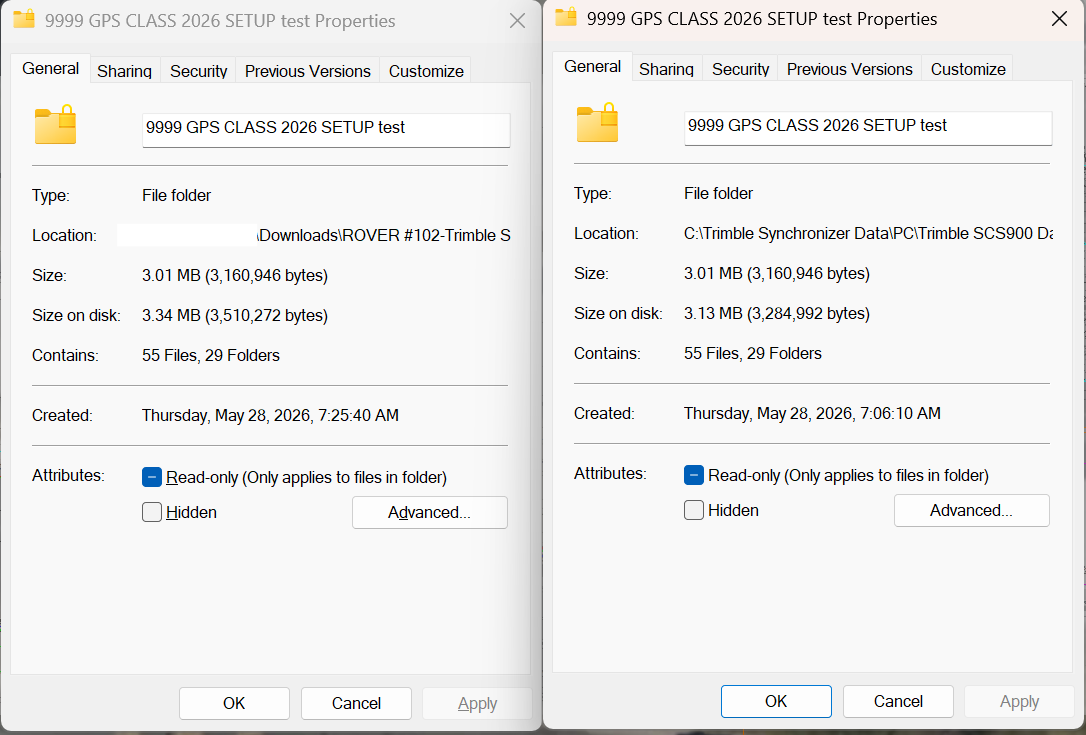
I just tried this. It seemed to work fine. I uploaded a job folder to works manager then downloaded and compared it. It had the same number of files but the file size from the downloaded version was slightly larger. When I loaded the Job into Siteworks it worked as I would expect. Thank you for the fix.
------------------------------
Skyler Shearer
GPS manager
Ghilotti Construction Company
Original Message:
Sent: 05-28-2026 01:58
From: Vijay Raghunathan
Subject: Missing data when uploading full site folders into Works Manager from outside location
Hello Scott, Skyler, regret inconvenience. There was a bug in a specific scenario, and its fixed now. Can you give another try today and let us know if its working?
------------------------------
Vijay Raghunathan
Original Message:
Sent: 05-26-2026 15:22
From: Skyler Shearer
Subject: Missing data when uploading full site folders into Works Manager from outside location
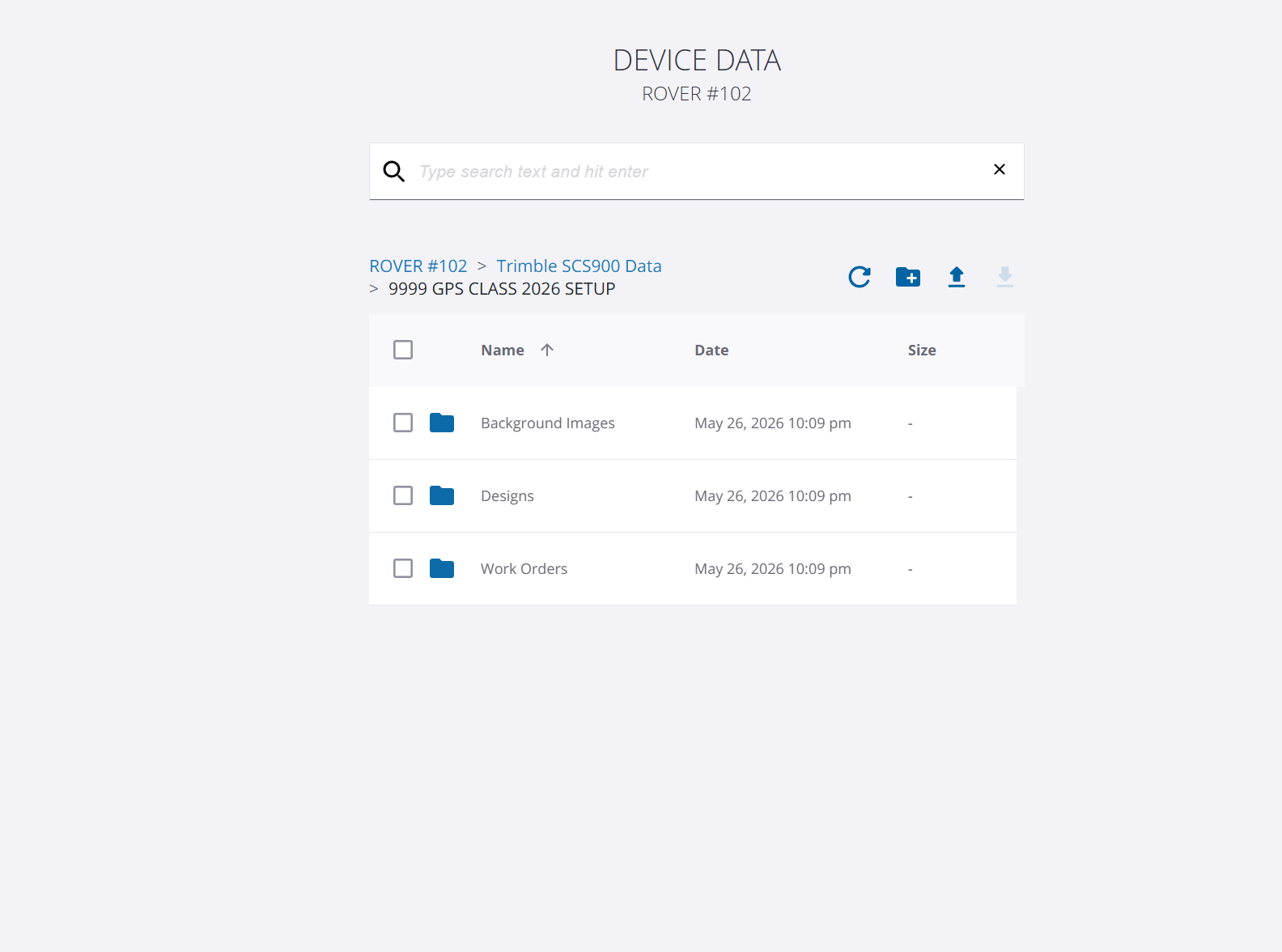
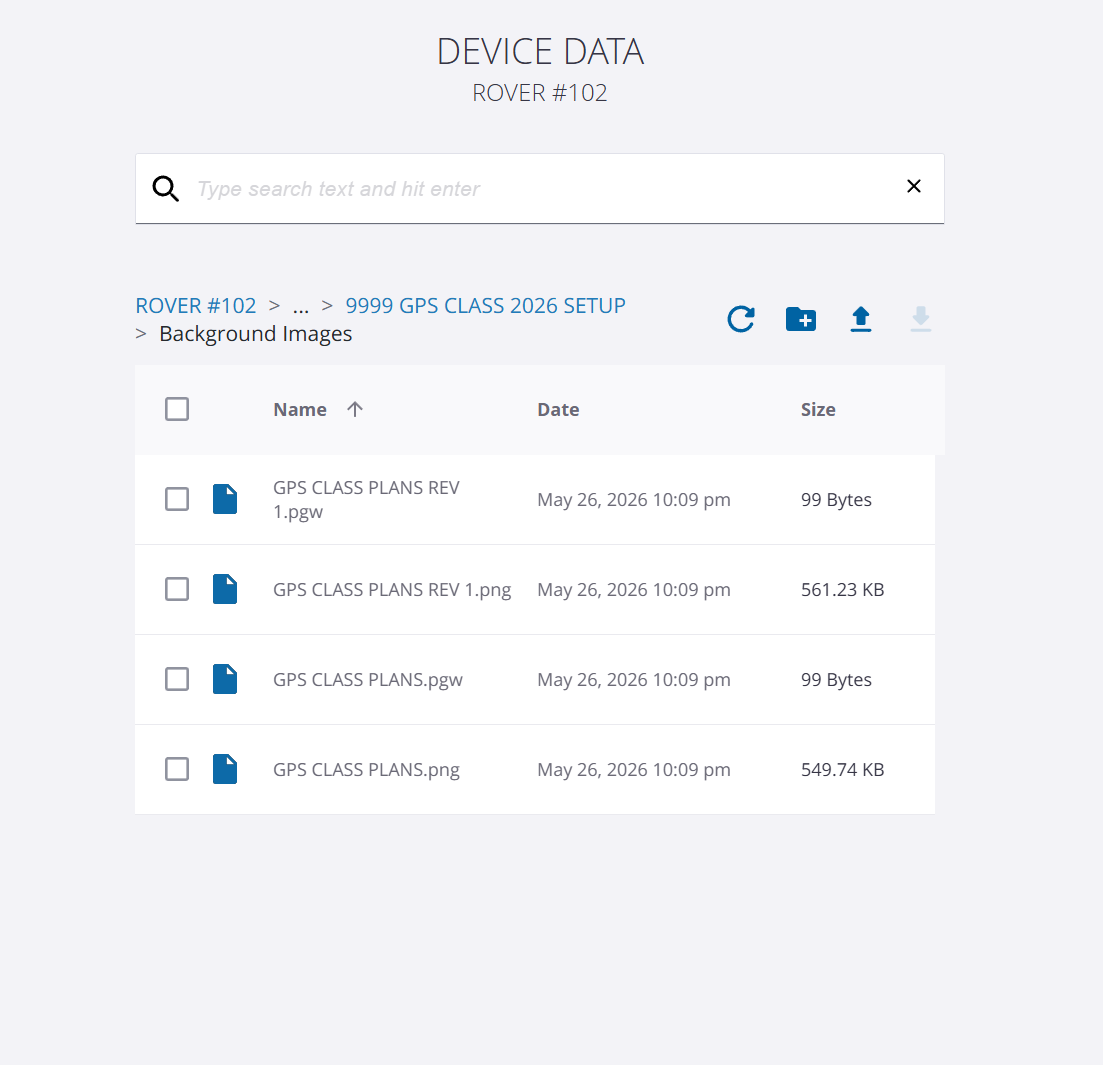
I tried this and am getting similar results. The design folders for me appeared relatively complete. They contained .DXF and .TTM files like you would expect, stakeout CSV files transferred here as well. The back ground images folder has the PNG and PGW files. However there are no .txt or xml files in the main job folder and the works orders appear to be empty. A few I tried had DXF and CSV files in the output folder and those did not transfer.
------------------------------
Skyler Shearer
GPS manager
Ghilotti Construction Company