Thanks for sharing the inputs. We have noted it. However, there are no immediate plans to make the change.
Original Message:
Sent: 01-25-2024 09:08
From: Martijn Homan
Subject: Request: 2D Viewer - 'Save' Button for Annotations on Trimble Connect
Hi Jack, I'm still curious about your response and perspective!
------------------------------
Martijn Homan
------------------------------
Original Message:
Sent: 01-11-2024 07:37
From: Martijn Homan
Subject: Request: 2D Viewer - 'Save' Button for Annotations on Trimble Connect
"Hey Jack, appreciate your response!
We're familiar with using views, and a lot of users starts with views but getting dissapointed. However, in my opinion, 2D views is not alway the best choice for storing comments. In a Dutch setting, it's crucial to document communications and changes made in each document control round, and views lack version control. Also, sharing views immediately transfers writing permissions, which isn't ideal in a document control round.
Also I get reactions from users that think different how to operate, the view system operates from 'View > Document,' while the average user thinks in terms of 'Document > what is linked here (like a view).'
Take another scenario with 20 floor plans: my buildingpartner wants floor plans with comments. Do I now have to create 20 views for these floor plans, share them all with him, risking that these views might be edited? I'd much prefer giving him access to the folder where he always sees the latest version of the file (with or without comments) and where I've securely stored my history. Also functions as release works with file version.
"I believe that with the advent of the WKB (For non-Dutch: new Dutch building law), it becomes even more crucial to document your file history, decision-making, and communication about it."
Because we also use other Trimble software, we know that it's possible with PDF Tron. There are significant features missing in the 2D viewer that exist in other Trimble products (Projectsight viewer) or in similar viewers from concurents like Prostream.
The addition of this small feature would significantly contribute to acceptance among the users is spoke to.
------------------------------
Martijn Homan
Original Message:
Sent: 01-10-2024 09:03
From: Jack de Moel
Subject: Request: 2D Viewer - 'Save' Button for Annotations on Trimble Connect
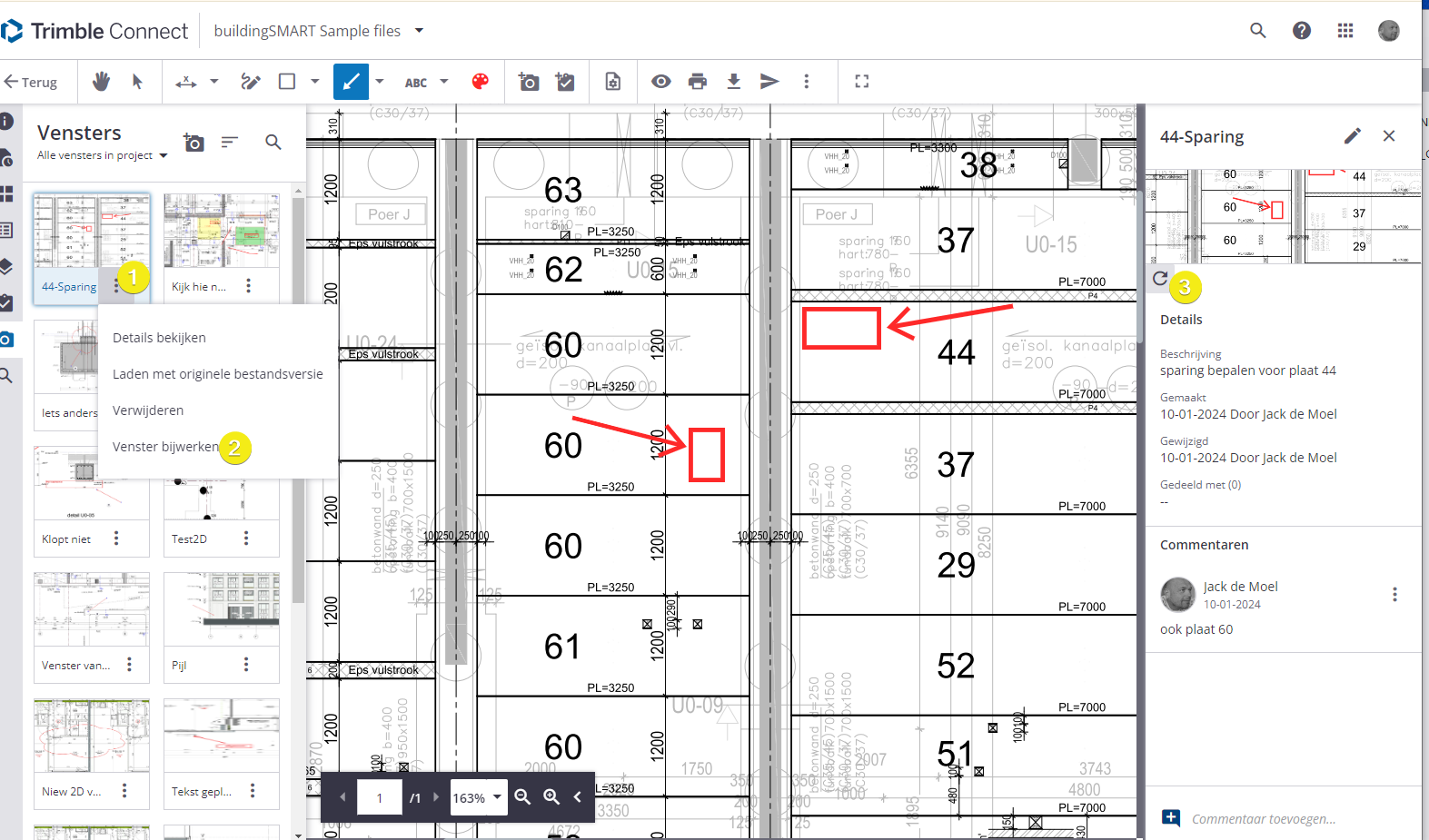
The way it is currently designed is to use Views preferably over generating new PDF's with each annotation. One can easily update the view after adding an annotation ( and comment) via the three dots in the View panel or on the right in the details panel. All of those actions are also recorded as activity, whereas the download pdf with annotation is merely mend for having a quick snapshot of the current state of the annotations.
If you want to keep track of (meta)data in your project, it is advised to use Views.
------------------------------
Jack de Moel