Trimble Connect User Forum

 View Only
Expand all | Collapse all

TC Mobile Browser: Empty Model Viewer

  • 1.  TC Mobile Browser: Empty Model Viewer

    Posted 12-27-2022 11:58
    Revealing/unhiding the object in the model file tree doesn't display it in the model view space as expected.
    Screenshot of empty 3D viewer.
    Was brought to my attention by a peer, who experiences the same on their device. State does not change after waiting several minutes or refreshing the tab. Browsers tested:
    • MS Edge v108.1462.62
    • Safari (iOS 16.1.2)


  • 2.  RE: TC Mobile Browser: Empty Model Viewer

    Posted 01-02-2023 03:56
    Hi Alex,
    We are investigating this. Thanks for sharing the issue. 
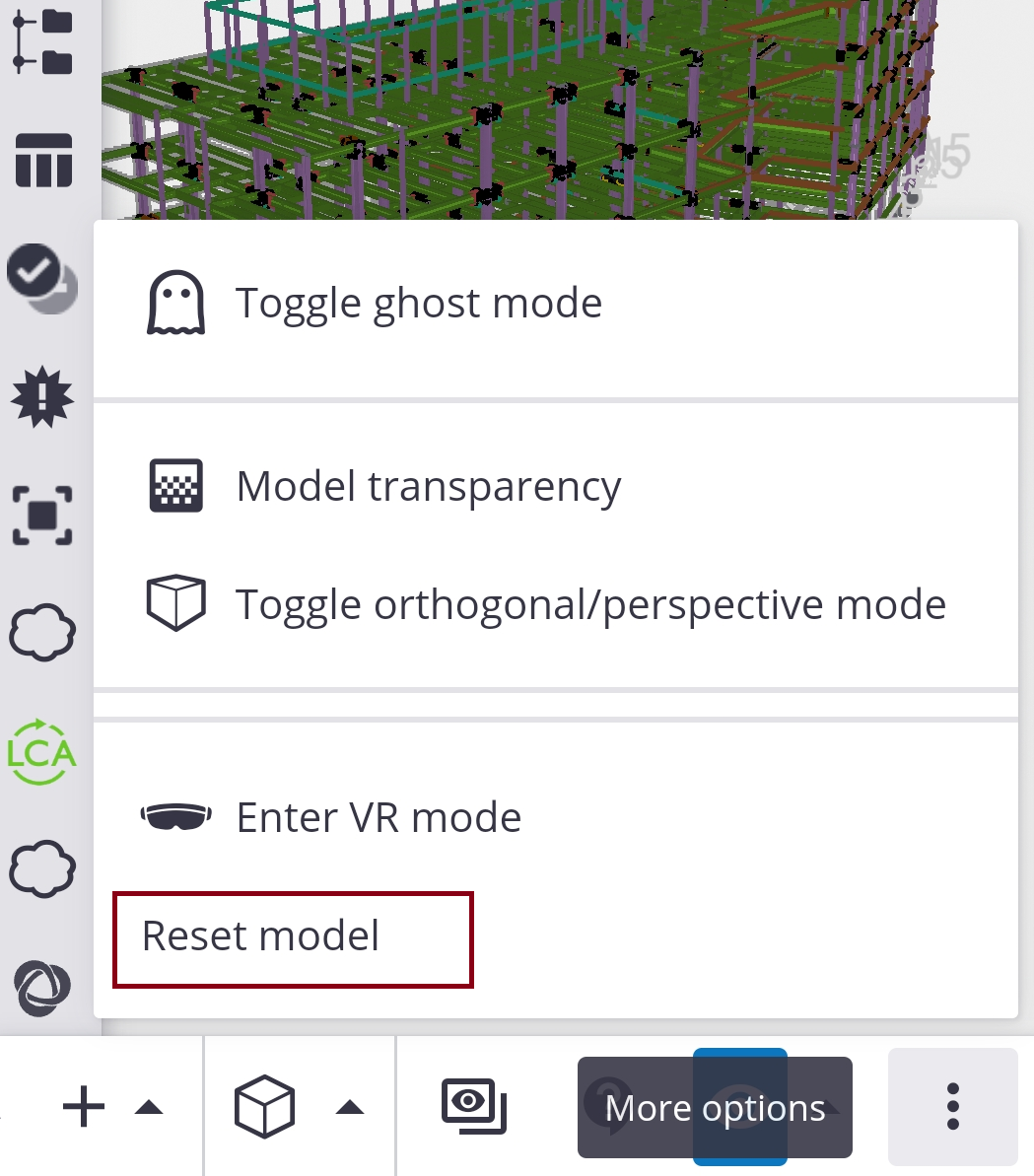
    In the meantime, please use the "Reset model" option from the bottom tool bar (as a workaround). 


    Regards


    ------------------------------
    Darshan Rajaram Kamat
    ------------------------------


  • 3.  RE: TC Mobile Browser: Empty Model Viewer

    Posted 01-02-2023 06:53
    Not seeing "More options" or that vertical ellipses anywhere on the mobile/web interface. Please see screenshot in OP and advise.

    ------------------------------
    Alex Schectman
    ------------------------------


  • 4.  RE: TC Mobile Browser: Empty Model Viewer

    Posted 01-02-2023 07:24
    Hi Alex,
    If you scroll the bottom toolbar (to the right of eye icon), the ellipsis will be available. Can you please try it. 

    Regards

    ------------------------------
    Darshan Rajaram Kamat
    ------------------------------


  • 5.  RE: TC Mobile Browser: Empty Model Viewer

    Posted 01-02-2023 07:29
    Found ellipses. Reset restores model to viewport.
    Would've never thought to do this (no positional indicator on toolbar). Acceptable stopgap for me but not for other stakeholders. Please do fix this.