Chay, thank you. Data retrieved through the Field Data extension behaves the way I'm expecting it to (e.g., photos being a Files folder), and the auto generation of the .jxl is a nice touch as you've mentioned.
The crews did a bit of testing today, and oddly some exported .jxl files uploaded to Connect, some didn't. Regardless, the download package from Field Data is better and complete.
I'm new to Connect, and you definitely saved me some grief. Thanks!
-Erick
------------------------------
Erick Kohlman
------------------------------
Original Message:
Sent: 08-28-2024 14:47
From: Chay Froggatt
Subject: Trimble Access .jxl/Files folder upload to Trimble Connect Web
Hello Erick,
Any exported file should be uploaded by Trimble Access and show as a ToDo attachment. Could you raise this as an issue through your Distributor in order to trigger the correct investigation into what is happening.
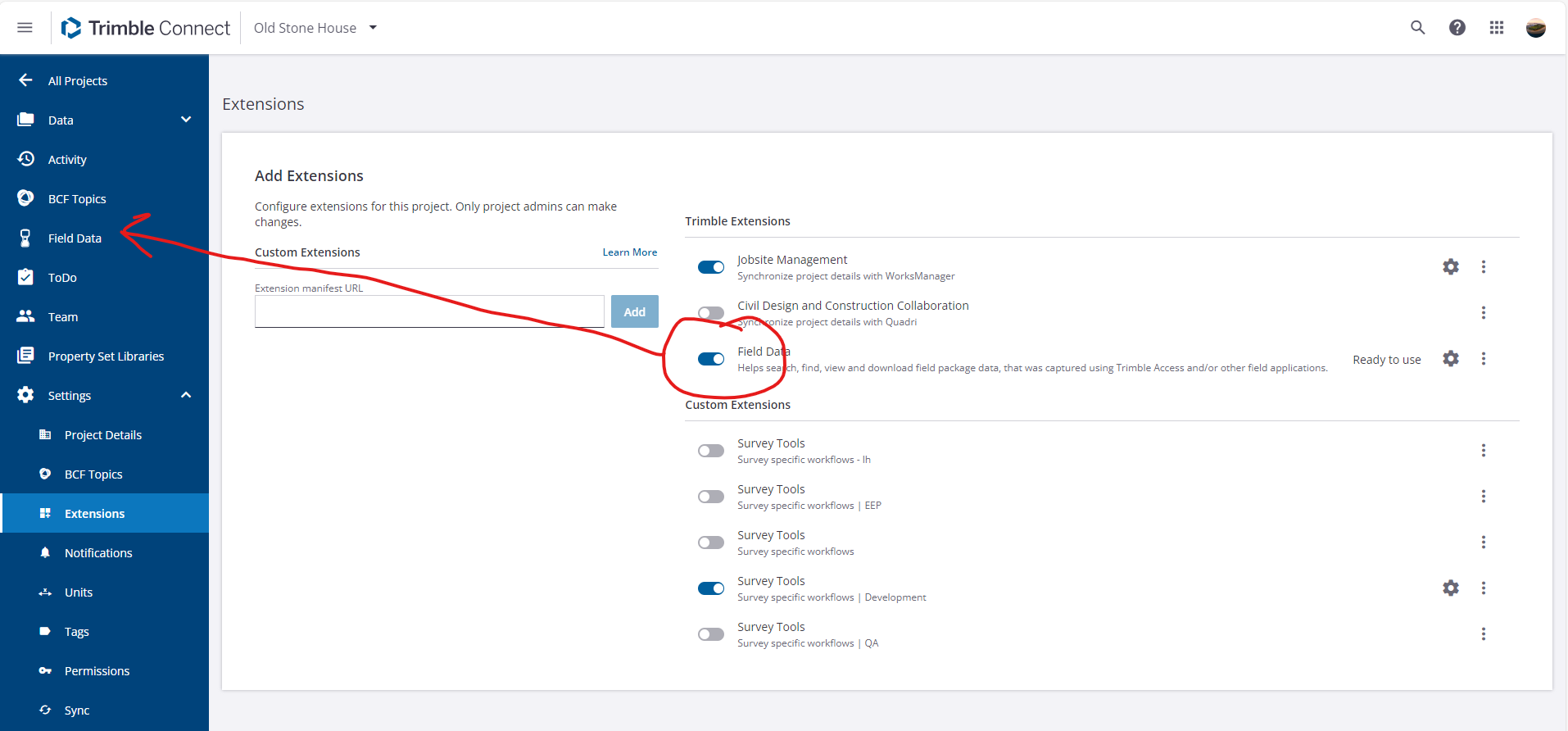
In the meantime, I suggest you try enabling the Connect Field Data extension and download the job from there.
The Field Data extension will become the place to interact with uploaded field data with more functionality than provided through the ToDo interface.
Download from the Field Data extension will automatically generate a jxl based on the uploaded .job saving you from having to export and upload from Access.
Regards
Chay
------------------------------
Chay Froggatt
------------------------------