Trimble Connect User Forum

 View Only

 How to populate Product description in Trimble Connect

David Goldwasser's profile image
David Goldwasser posted 05-30-2024 14:01

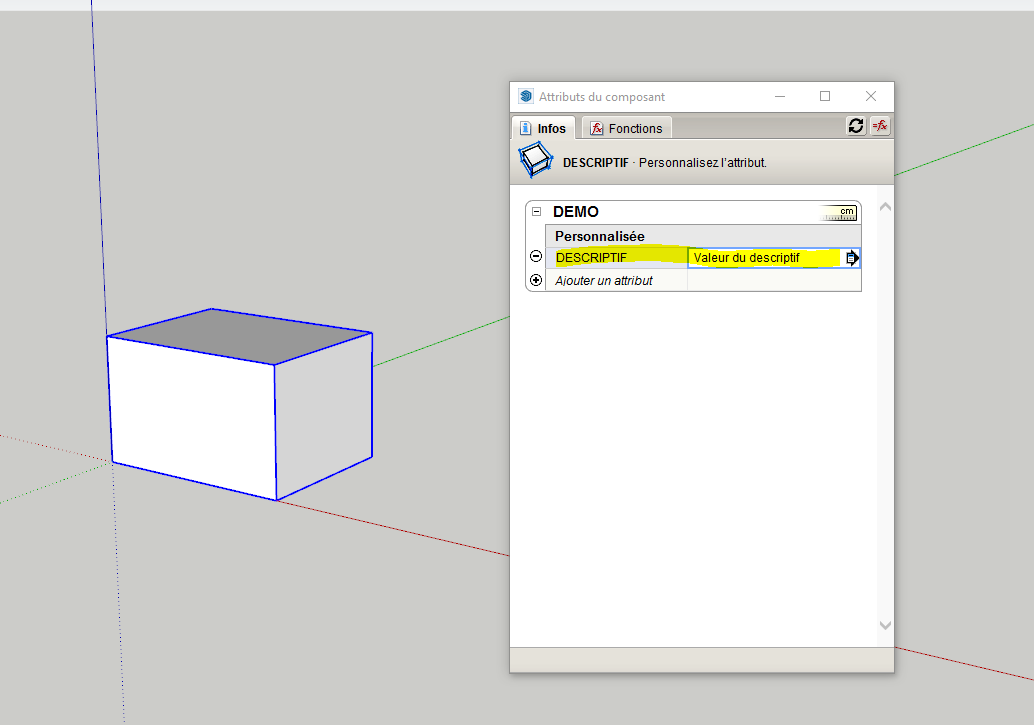
I've found that when I have a component in SketchUp that the component name makes it to Trimble Connect Attributes as product name, but that the component description in SketchUp doesn't make it to the product description attribute. I thought maybe as a work around I could add that attribute in Windows Desktop Trimble Connect, however the attributes appear to be just viewable, not editable.

Is anyone aware of a way to add the product description attribute from SKetchUp input or external to that? 

For context my use for this is being able to click an object in Trimble Connect AR on iOS and MR on HoloLens to get additional descriptive data.

David JOSEPH's profile image
David JOSEPH

Hi David,

I'm a bit rusty on sketchup, but I think you need to have PREMIUM access to be able to use the extra Psets on TRIMBLE CONNECT.
For your information, here is a video.

https://www.youtube.com/watch?v=3JwAq8fPbXs

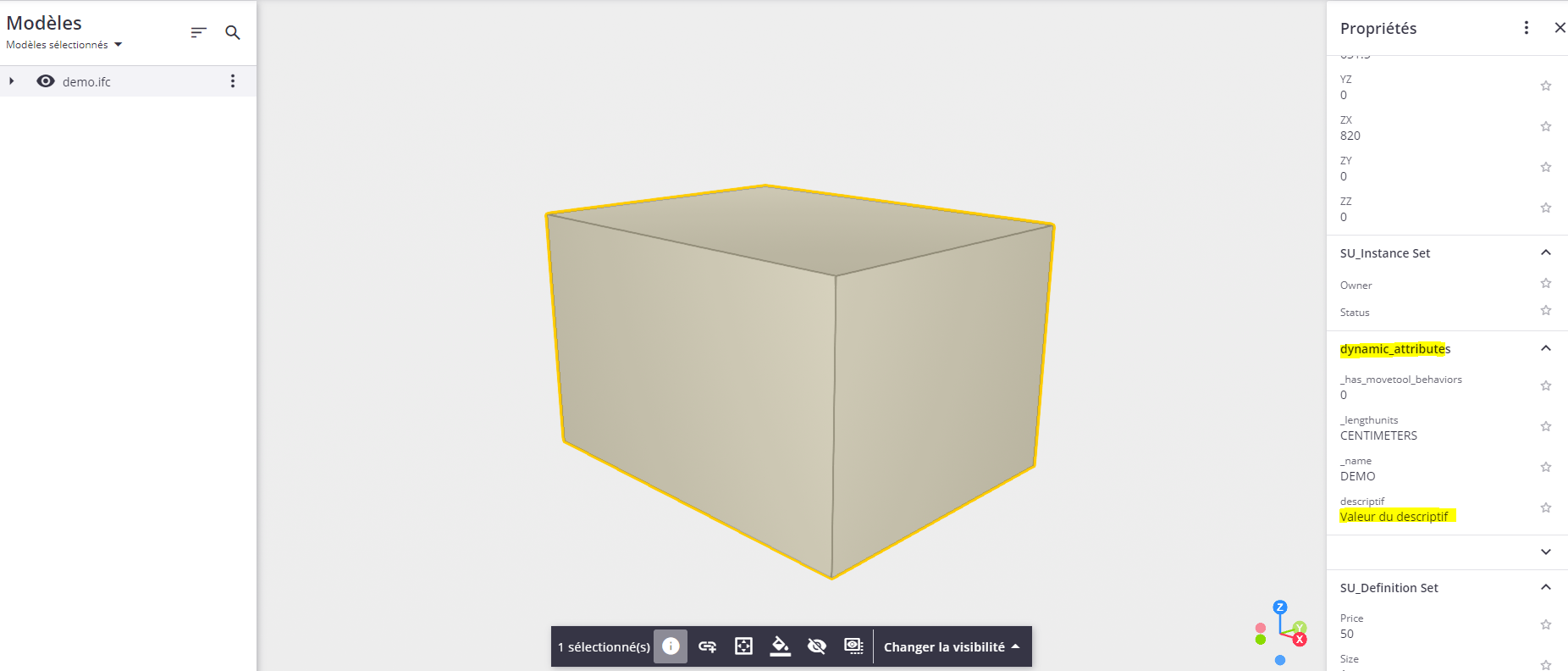
Have you tried by creating an IFC in sketchup? Maybe this would solve your attributes problem?

BR
David

PS : quick test with IFC