Error message
- In Geosuite Stability, error message: "AutoCAD File Converter not properly installed!..." is displayed
- Geosuite Presentation crashes when drawing boreholes with WinRIT
Problem
VectorDraw, which is part of the Geosuite installation and used for drawing inside stability/presentation, has not been installed correctly.
Solution/Remedy
Step 1) Install NET Framework 3.5
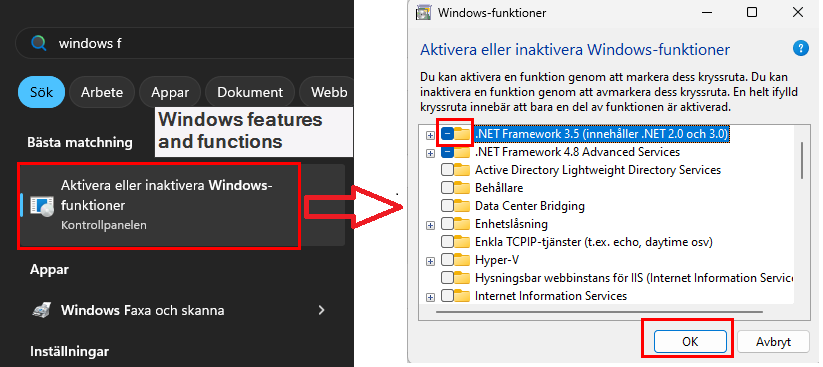
Open "Windows features and functions" / "Aktivera eller inaktivera windows funktioner" through the Windows menu.
Check the checkbox for .NET Framework 3.5 and then press OK. Let Windows update download and install NET framework 3.5.
Step 2) Repairing installation of Geosuite
When the update is finished, download the installation files for Geosuite (If you do not have them already downloaded).
Close Geosuite if you have it opened.
Unzip the installation, navigate to the installation folder. Do not run Novapoint GeoSuite Toolbox 2020.msi, you should use the setup.exe. Also, do not run the installation inside the zipped folder, navigate to the unzipped folder!
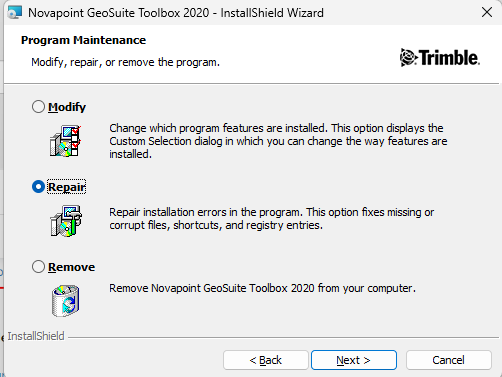
In the installation, select Repair when the Program Maintenance dialog appears.
After running the installation, try to draw a borehole in Geosuite Presentation or open Geosuite Stability.
If the issue is still there follow step 3.
Step 3) Installing vectordraw (If step 2 did not resolve the issue)
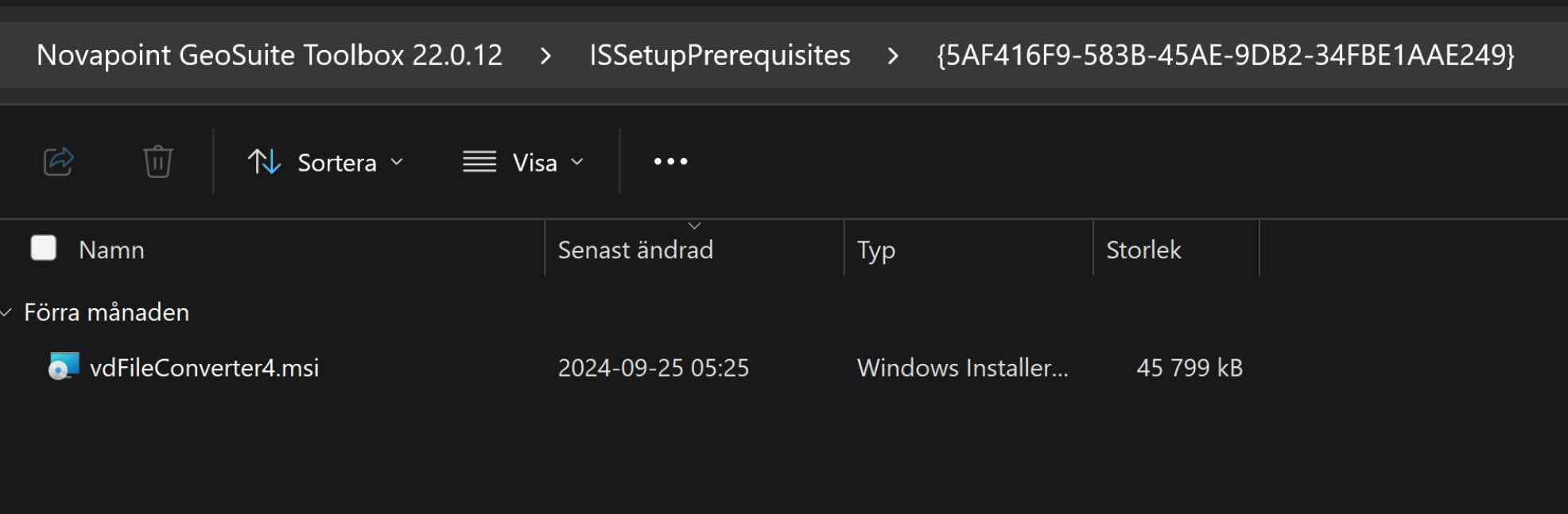
Go to the installation folder (Novapoint Geosuite Toolbox 22.0.XX), then go to folder ISSetupPrerequisites and then {5AF416F9-583B-45AE-9DB2-34FBE1AAE249}. In that folder run vdFileConverter4.msi which installs vectordraw directly.