Trimble Connect now uses a unified login system called Trimble Identification, otherwise known as TID. This change may cause confusion as to whether legacy user credentials (e-mail/password used before TID) or TID login credentials should be used to log into Trimble Connect and other integrated systems. This article will explain what login credentials to use.
- TID - The credentials created for TID should be used in the web application here - https://app.connect.trimble.com. Most users will only need to use their TID login credentials. There are two ways a user can reset or change their password:
- Forgot Password Link - The "Forgot Password?" link is located on the login page here - https://app.connect.trimble.com
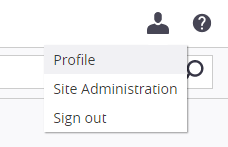
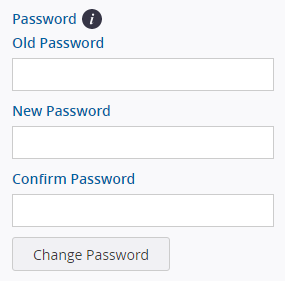
- Profile page - A user can change their password from the profile page. Simply click the "User" logo and select Profile:
- Legacy - With other Trimble systems that are not yet TID enabled, the legacy login credentials are used. The password can be reset here: https://app.connect.trimble.com/tc/app?#auth,forgotpassword