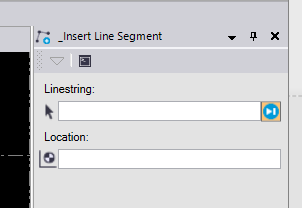
This TML simply lets you select a linestring (for now it only works with linestrings) and then pick a coordinate to insert into the line. The coordinate is inserted at the nearest segment of the line.
![]()
You can set the "AutoTab" feature (the blue icon) to control if command lops back to pick another linestring or lets the user pick additional coordinates for same linestring.
Now updated to allow elevations to be defined.
To try out the TML (assuming you have TBC version 5.0 or later), download the attached zip file and place the TML files in the macro folder (C:\ProgramData\Trimble\MacroCommands). Note, on some computers the C:\ProgramData folder is hidden. Just enter the path in File Explorer.
![]()