We are excited to announce the release of Trimble WorksManager Pro, available from January 24th, 2026. For over five years, WorksManager has been a trusted tool for managing devices and sending construction-ready models to the field. WorksManager Pro is designed to preserve the core workflows you rely on while introducing advanced capabilities for 3D site visualization, data editing, and connectivity to meet the evolving needs of the industry. Also see the WorksManager Pro FAQs.
Key Functionalities of WorksManager Pro
WorksManager Pro introduces a suite of new features designed to enhance collaboration between the office and the field:
- Advanced 3D Site Visualization: Gain a comprehensive view of your project by merging multi-source data into a single environment. You can visualize design data, machine productivity data from Earthworks, and survey surfaces alongside drone flight images. The system uses "temporal layering," allowing you to view the latest terrain based on the date and time of the data.
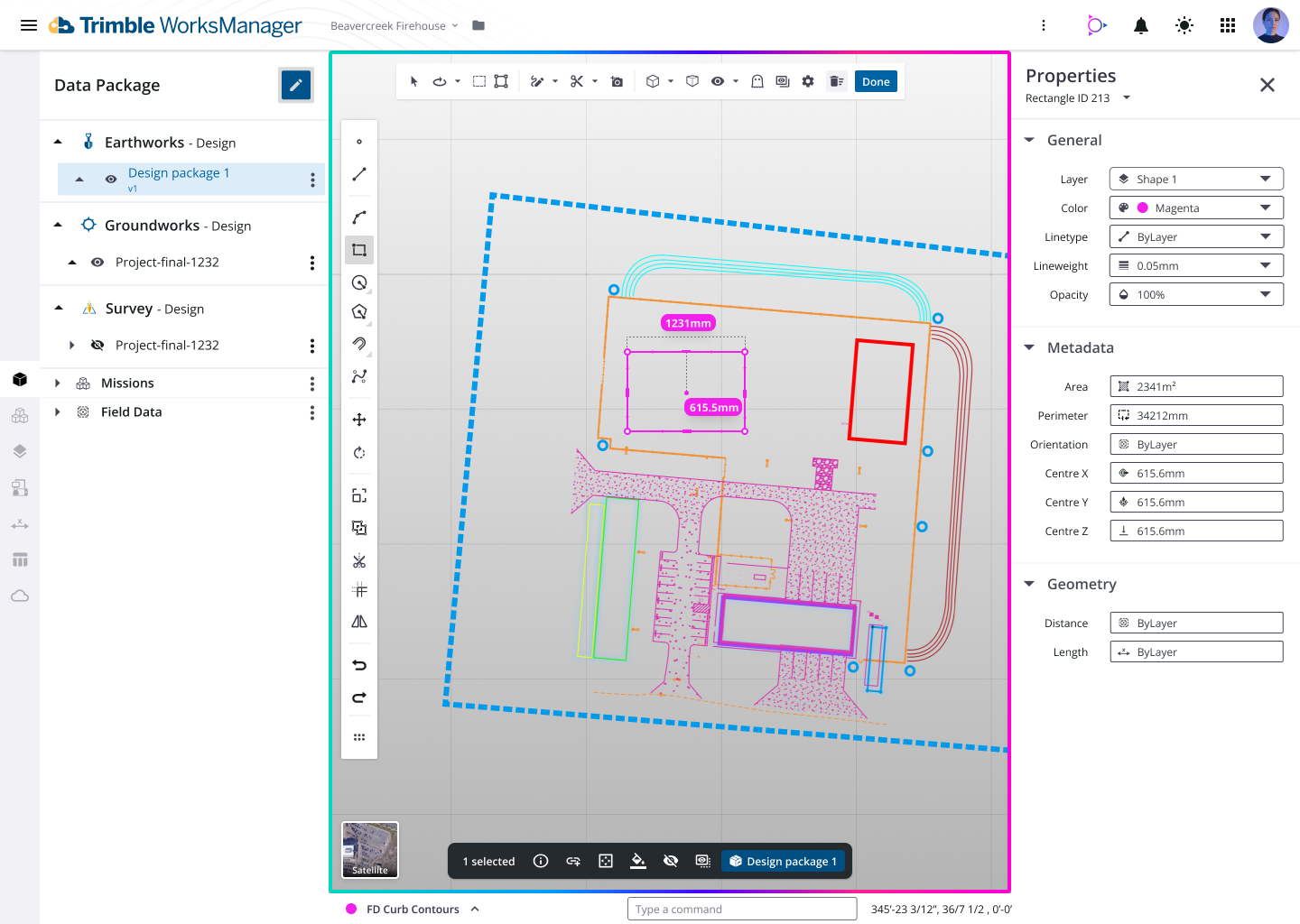
- Design Preview and Editing: Preview designs, edit styles (layers and colors), modify geometry, or even create minimalistic designs from scratch for temporary work. Streamline your workflows with data preparation and site model capabilities, making it easier to deploy simplified data to field devices.
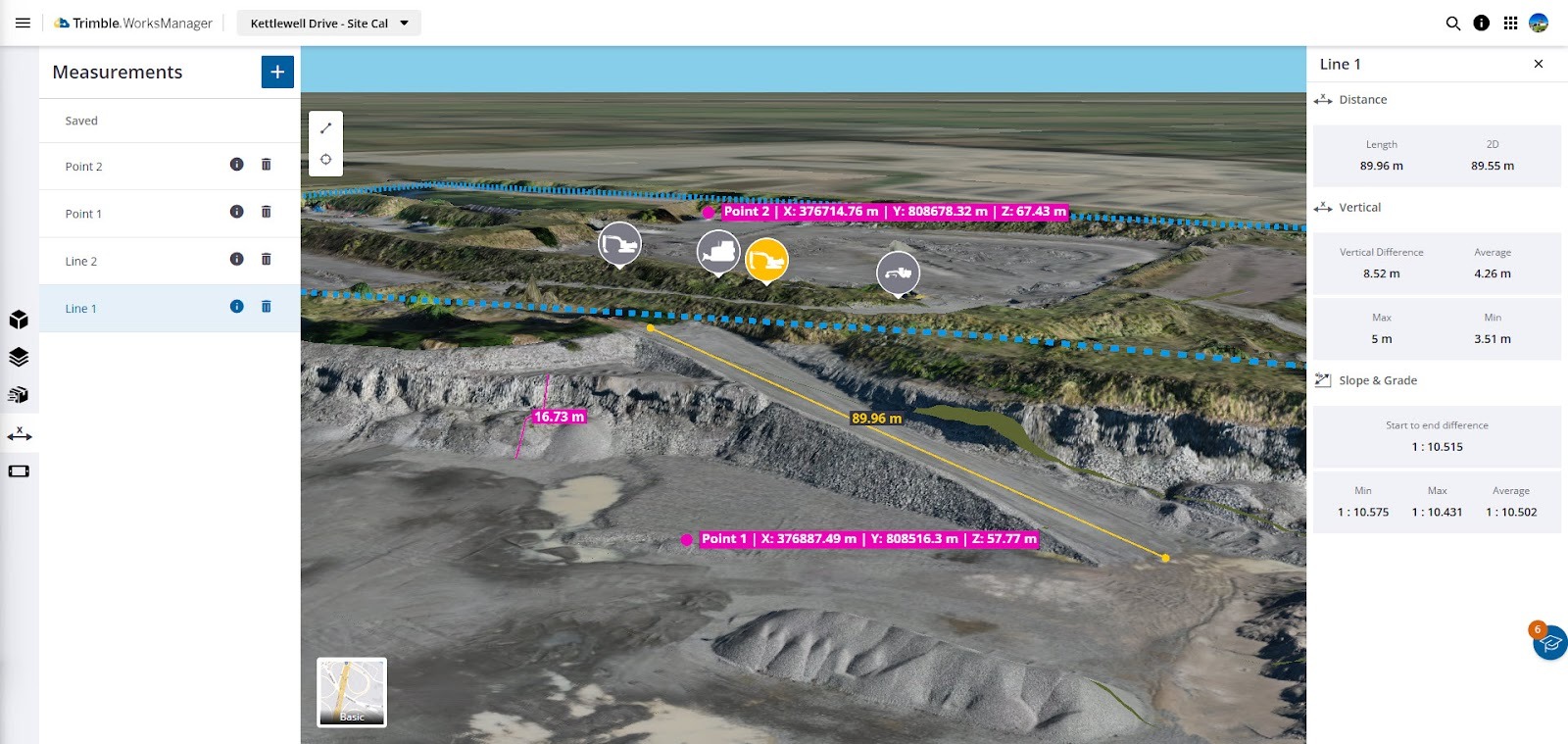
- In-Field Measurement Tools: Perform quick quality checks directly within the platform. Users can verify material quantities, perform linear and point measurements, and run grade slope analysis to ensure safety and specification compliance.
- Connected Projects (Trimble Connect Integration): WorksManager Pro acts as a site management platform while integrating seamlessly with Trimble Connect for document management. Projects and users created in WorksManager are automatically identified and synced in Connect, treating both as a common data environment.
-
Mixed Fleet Technology Support: Leading the market in adopting ISO standards, this feature allows WorksManager to share design data with other technology providers' cloud software (such as Topcon SiteLink). This enables contractors to manage mixed fleets more easily, provided the other technology partners also adopt these standards.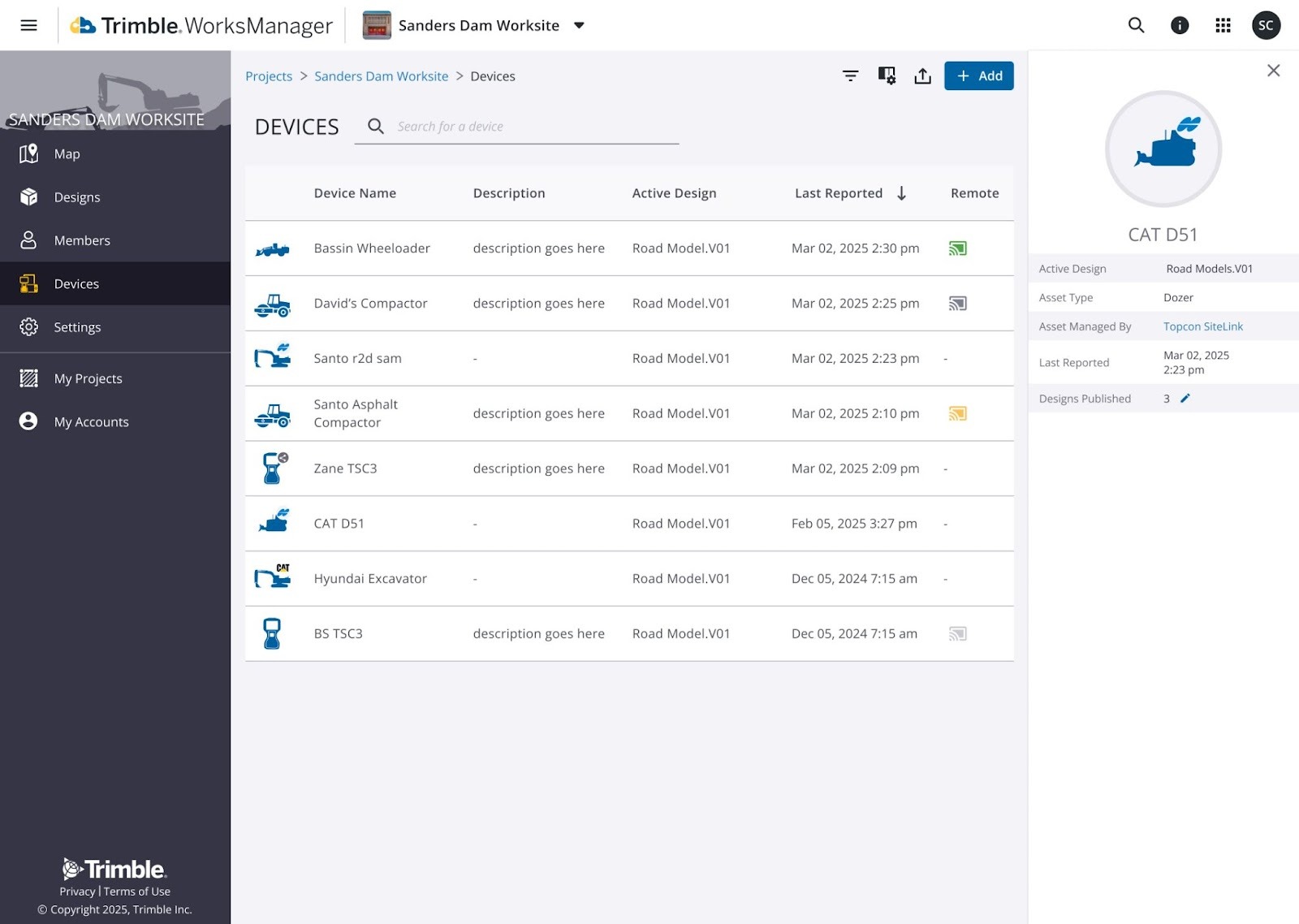
How to Sign Up for a Trial
Experience these new capabilities with a 60-day free trial.
-
Existing Customers: You can initiate the trial directly within the product. Simply navigate to your Account Details page and click the "Try Pro" option to begin.
-
New Customers: You can contact your local dealer to sign you up for a trial via the Trimble Construction Store.
Summary of Tiers
|
Core
|
Pro
|
|
Remote file transfer: Reduce drive time
|
✔
|
✔
|
|
Remote troubleshooting: Keep operations running
|
✔
|
✔
|
|
Map view: See where devices are and their status
|
✔
|
✔
|
|
2D linework viewing: Verify designs at a glance
|
✔
|
✔
|
|
3D design viewing and editing: Make edits as needed
|
|
✔
|
|
3D terrain viewing: Complete in-field quality assurance
|
|
✔
|
|
ISO 15143-4 worksite data exchange standards: Share designs with non-Trimble grade control tech
|
|
✔
|
|
Ortho image importing: Get a progress snapshot
|
|
✔
|
|
Point, linear and volume measurement: Report progress and plan for future phases
|
|
✔
|