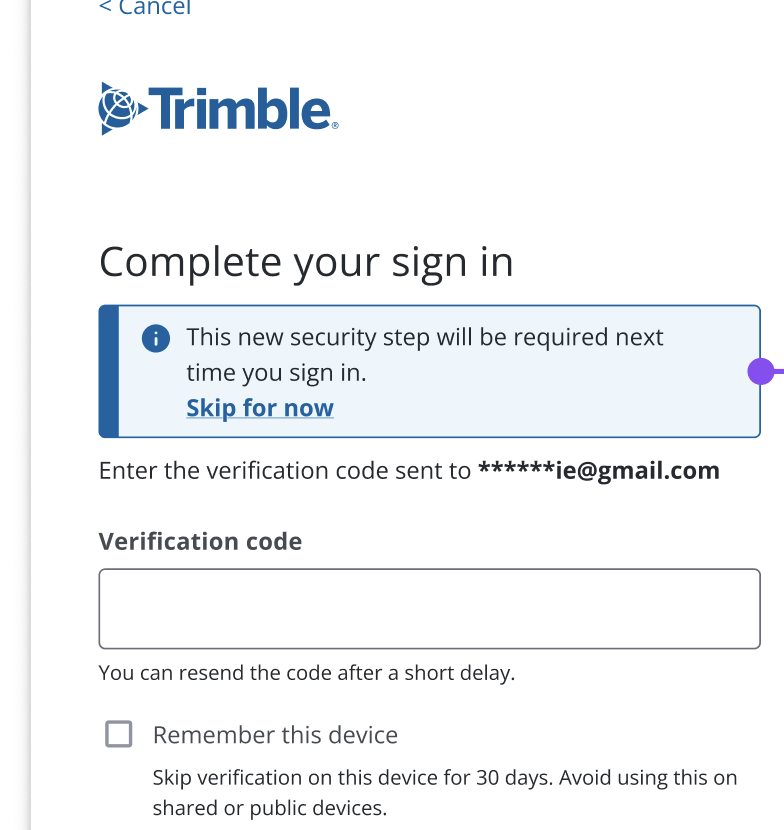
We are enhancing the security for Trimble WorksManager. Starting March 2, 2026, we are turning on the Two-Step Verification. This means when you sign in with your email and password, you will also need to enter a verification code sent to your email to complete the process.
What Will Happen?
If you log in using a standard email and password:
-
You will enter your password as usual.
-
We will send a verification code to your primary email address.
-
You enter that code to finish logging in.
Note: If you sign in using your company’s corporate portal (Single Sign-On/SSO) or a Google/Apple account, this change does not apply to you.
What You Need To Do Now
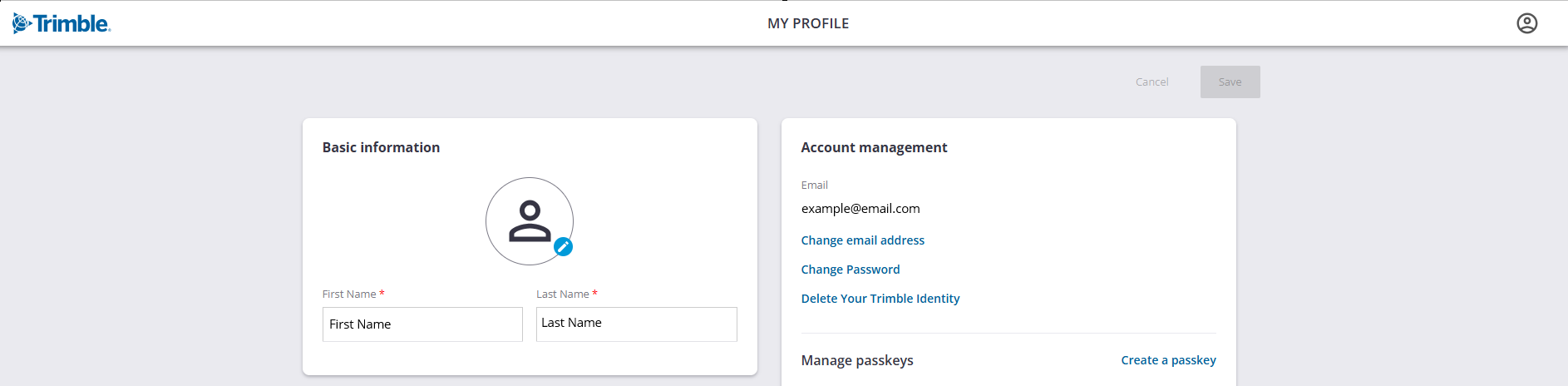
You need to ensure that the email in your profile is correct and accessible else you will be unable to receive the code and will get locked out of your account.
Please check your profile today:
-
Go to myprofile.trimble.com.
-
Log in and check the “Account Management” section.
-
If the email address listed is incorrect, change it immediately.
Advanced Security
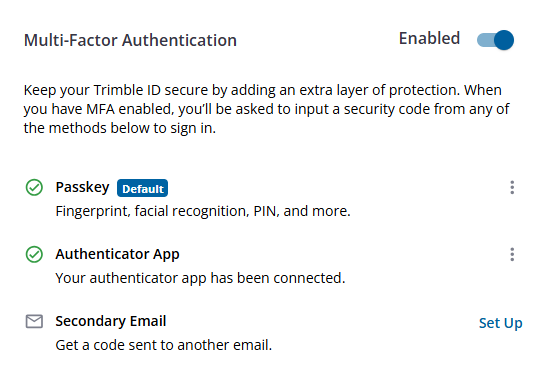
We also recommend you explore and set up stronger authentication methods, like choosing from passkeys, authenticator app, or a secondary email. When this is set up, you will no longer have to enter the one-time code sent to your email.
You do not have to enter a code every single time. When you log in, you can check the box that says "Remember this device." This will skip the code verification on that computer or tablet for 30 days.
For details on how to secure your account, refer to this guide.