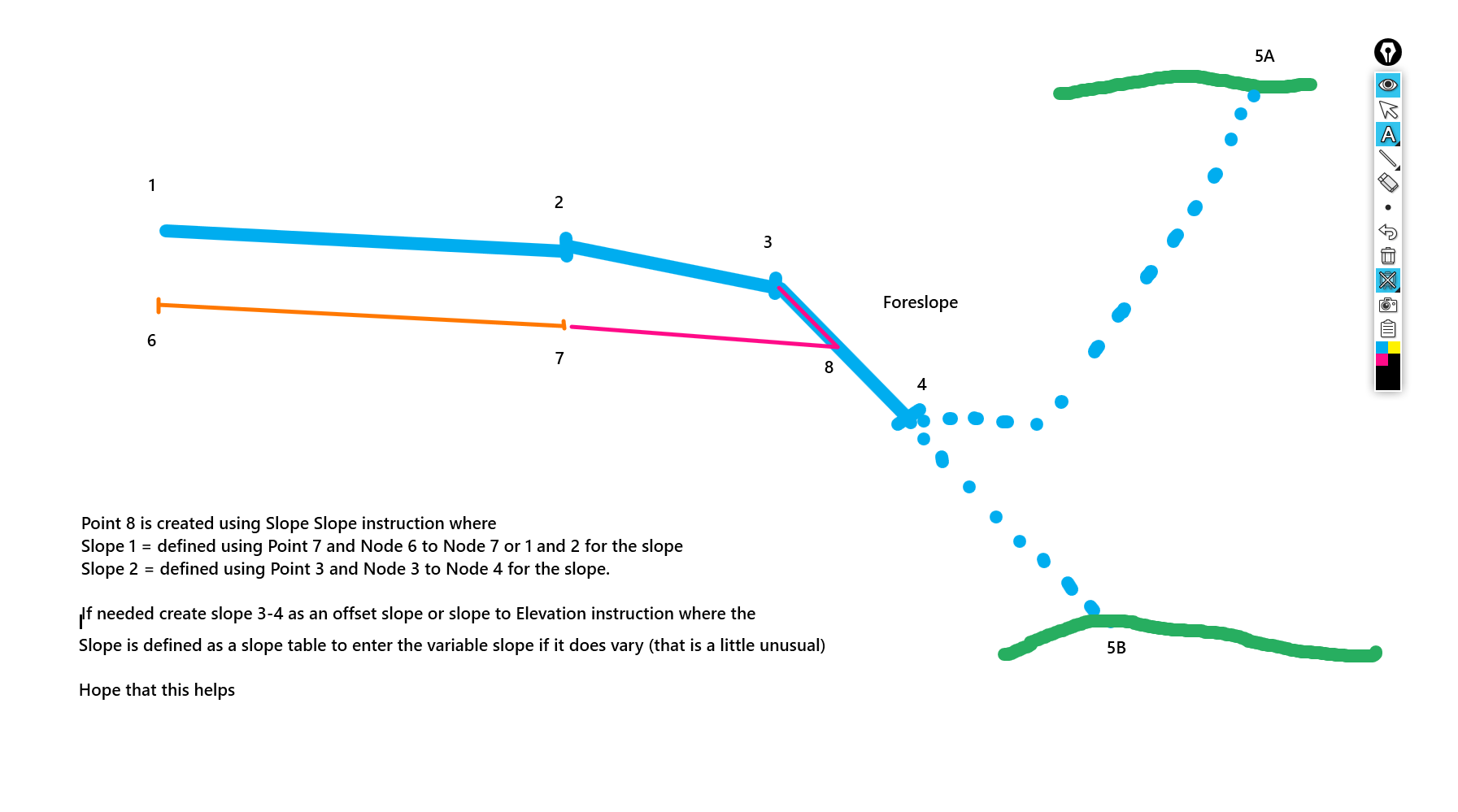
In the US where Super Elevations start and end instead of eg just going from -2% to a changing cross slope - (an angle break in a superelevation diagram) designers use a Vertical curve of eg 50' length in the cross slope table to smooth the transition in and out of superelevation over 50'. This effectively uses the slope change point as a VPI and places a 50' vertical curve into the slope table instruction
If you want to use the vertical curve you just add 50 into the vertical curve field. If you dont use them leave it at ?
When I use this instruction, I normally use node to node to define the two slopes - for the first slope I use the end of subgrade eg point 5 andf then node to node and use the slope of the pavement (node 1 to node 2) that way if the pavement is super elevating it is captured by the node to node, then for the second slope I would use the Hinge point 3 and normally the slope from the Hinge to daylight or hinge to toe of foreslope (the foreslope is the first part of the sideslope that is always there in Cut or Fill to cover all the subgrades before the tie in Fill or the Ditch and tie in cut -0 by splitting the sideslope into two parts - Foreslope and Tie Slope you always have the Foreslope to tie out to and it is always there whether you are in cut or in fill.
If the Foreslope / Sideslope is varying in cross slope, I would normally create that as its own instruction first from Point 3 and then use the point 3 and the base of the foreslope eg 4 as the node to node
The issue that you may be having is likely caused by where you are placing the slope slope instruction in the list - the direction (toward or away from the centerline) is determined by the node immediately before the slope slope instruction, so if that is on the Left side of the road it can send the calcs the wrong way
The Vertical Curve is not the issue here and is not used in this process typically.