Adam
The setting you need is in the Properties of the Cut Fill Map object. If you open those, at the bottom you will find a Color for "Cut Depth Color and "Fill Depth Color": and these are what you need to change not Layer Color. I tried it with White (RGB = 255,255,255) Text and that fails because of the White / Black switching that we do (assumes a piece of Paper is a white background so you likely do not want White Text that you cannot read ....) however with RGB 240,240,240 it worked and that is near white (I sound like a Paint supplier now - "It Dries Green" ....) but you have to remember to Refresh the Sheet View after changing the colors before running your PDF output otherwise it will still come out Black. Here is what I got with my quick test.
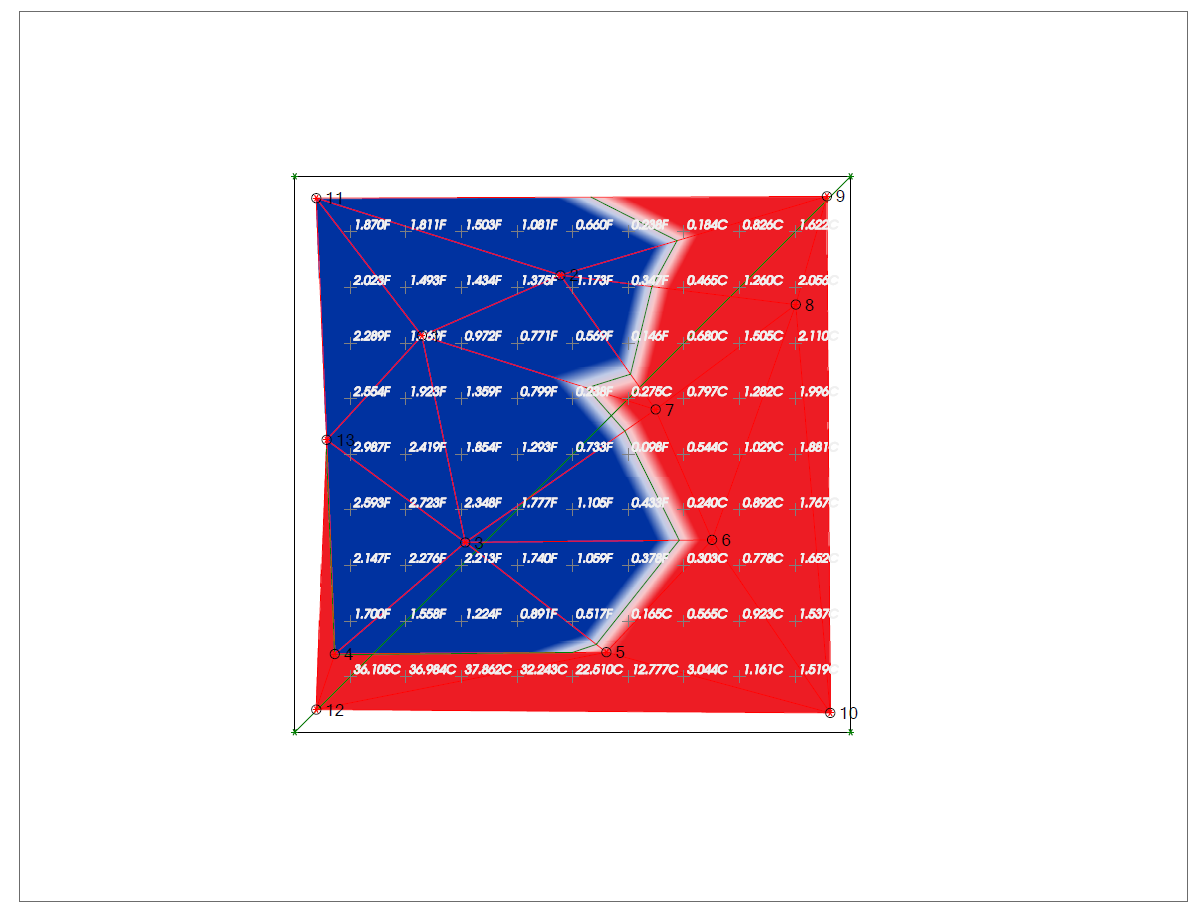
I would also recommend that you could use the Whiteout function on the Text Style used for the Labels - that places a white rectangle around the text items to make the Black or other color text stand out against the CF map - some people like to use Red Text for Cut Labels and Blue text for Fill Labels and use the Whiteout to make it stand out on the CF Map as shown below

Hope this helps - sorry for the delayed response here
Alan