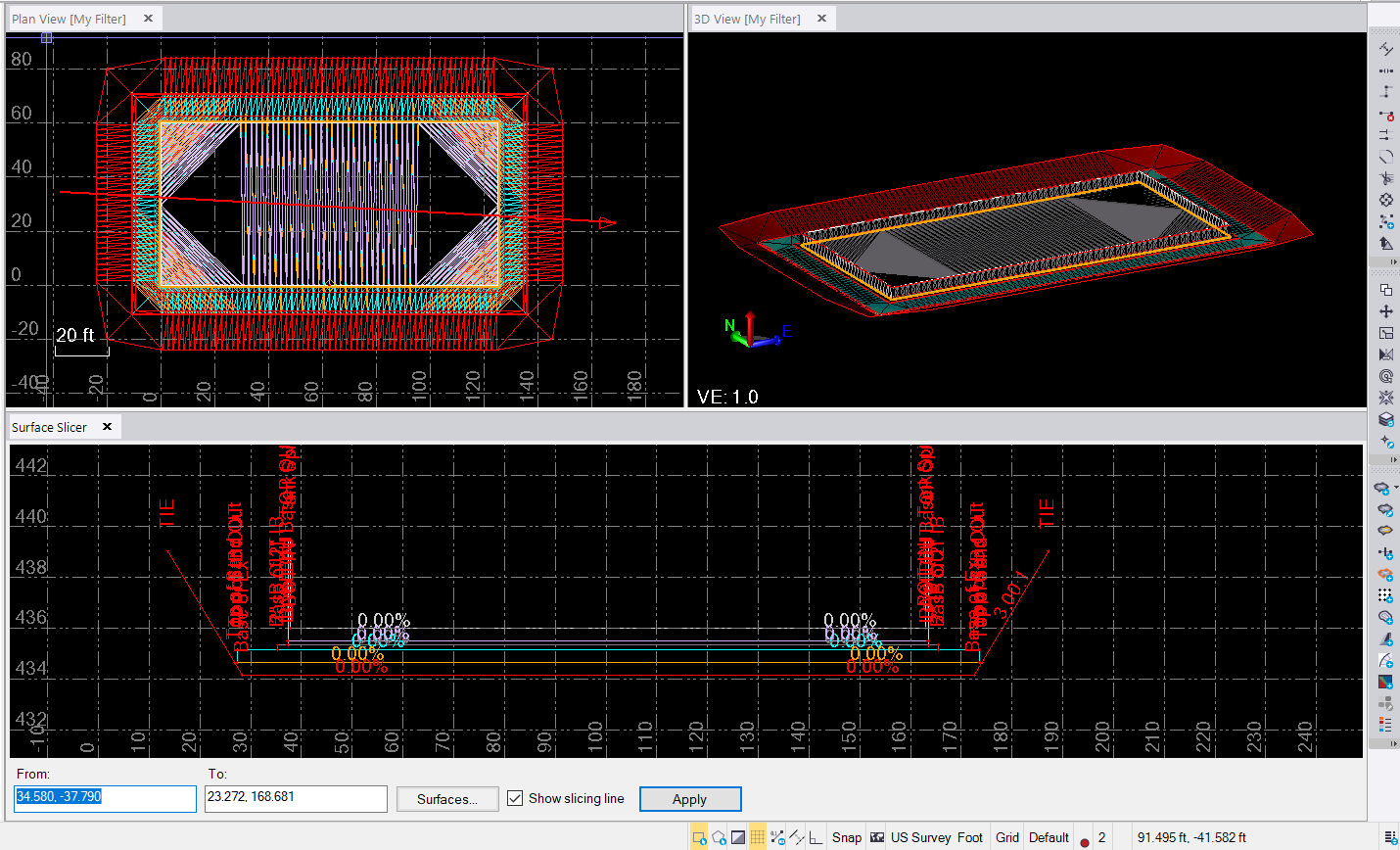
I used the Create Sideslope Command to create all of the 3D linestrings needed for all of the Surface Models - when you use this command, ignore the material Layers and just place all of the Nodes you create on the same material Layer. This will create you all of the 3D Lines. Make sure that you name them clearly like Top Of Sand etc. So that it is easy to select the lines afterwards to create your surface models. Once all the Strings are created - u=you can create the surfaces that you need pretty quickly.
In order to compute Surface Volumes - using all of these surfaces, you may have to create a Corridor (Straight Line Alignment), and then a series of Surface Instructions using the surfaces you just created and then assign Materials Above each surface. You can then run your corridor quantities. You cannot unfortunately create Takeoff Surfaces for these Interfaces in any easy way at least - but the Corridor approach lets you compute the volumes quickly and easily provided you created your surfaces in a "smart Way" so that Material Assignments are easy to do above each surface.
Failing that you can compute volumes between pairs of surfaces to get the volumes you need from the model.
I used a simple rectangle in this example, just to see if this was possible using Create Sideslope command
Note when you draw your corridor alignment, you really don't want it to be square on to the walls of the inside wall, because when you create volumes using say a 5' increment, you could miss the wall entirely on both sides (cross section areas), or you could hit it at one station and not the next so you will get a lot more concrete than there should be, if you bring your alignment across diagonally, then it will pick up the wall volumes way more accurately, you can also only use 1' or higher intervals for computing a corridor, so a 0.5' wall could be missed entirely even at that interval value (but it will get you closer - in this case the wall volume is ~167 yd3 of concrete, yet if I have the alignment square on and compute at 5' intervals I get 242 yd3 and if i do at 1' intervals I get 174.6 yd3. If I change the alignment to be diagonal, even at 5' intervals I get 167 yd3.
You will also need to create a surface that follows the top[ of all elements (I called mine Top of materials), and then used that as an additional layer in the Corridor so I could create the correct Backfill Material, and I also had to include the inside of the Wall and the Inside of the containment area as part of my Finished Grade Model to stop it getting filled - you can see that in this version of the project.
This was a great test and a really good teaching example (I do a lot of training so I will use this example in my next set of classes) to show how to do this.
Here is a short video
Thanks
Alan