Trimble Business Center

 View Only
Expand all | Collapse all

Auto Update Pipe Invert in Utility Module

  • 1.  Auto Update Pipe Invert in Utility Module

    Posted 12-19-2018 01:12

    So this has started becoming a more recurrent problem now that I am modelling sites from day 1 on site.


    I am issued with a manhole schedule with invert and cover levels, before they are approved so they change during the job.


    Within the utilities module when you create a pipe run it is between 2 nodes, however once the nodes are selected the pipe stays at those inverts even if the inverts of the manholes change.


    Is there any chance that the pipe invert property could be linked to the node invert rather than being a fixed value once placed?


    It's small fry in the grand scheme I understand but it gets to the point where it's almost faster to delete the lot and start over if more than a couple of inverts get changed.


  • 2.  Re: Auto Update Pipe Invert in Utility Module

    Posted 12-19-2018 17:31

    The Invert of the Manhole is not always the same as the Invert of the Pipes (inlet and outlet inverts in the manhole) as far as I am aware - or am I wrong there (I did not think that that was the case in the UK when I was there?) - many Manholes have a Sump which is somewhat lower than the invert of the pipes. Also very often the Inlet of one pipe in a manhole is at a different elevation to the outlet of another pipe in the same manhole. There are often multiple inlets to a manhole and maybe one outlet - and for sure they cannot all be assumed to be at the same elevation as the invert of the Manhole.


    Are you saying that if the Invert of the Manhole drops by say .1m you want all of the pipe inverts also drop by 0.1m?


    I don't think that this would always be the case unless I am missing the point here somehow - can you explain a little more what you are thinking?


    You can edit the Properties of a Manhole and the Pipes that connect to a Manhole to change the Invert Elevations, but it sounds like you are aware of that.


    Let me know - apologies but it will be 2 weeks before I get back to you again on this one - if you need help in the next couple of weeks please work with SITECH and have them work with Trimble Support to get you more assistance


    Alan


  • 3.  Re: Auto Update Pipe Invert in Utility Module

    Posted 12-20-2018 08:59

    While not all pipe inverts are at the invert of a manhole, they are generally a fixed level above the invert of the manhole, so if the manhole invert is changed the pipe invert is generally changed by the same amount, for example say that I have a manhole with an outflow invert of 41.000. The outflow is a 300mm clay material pipe.


    The manhole also has two inlets, one 150mm clay and one 100mm pipe, and the main channel inlet is a 225mm pipe.


    General practice says that you go for level soffits so the inlet inverts would be 75mm higher on the main channel inlet and 150mm and 200mm on the additional inlets.
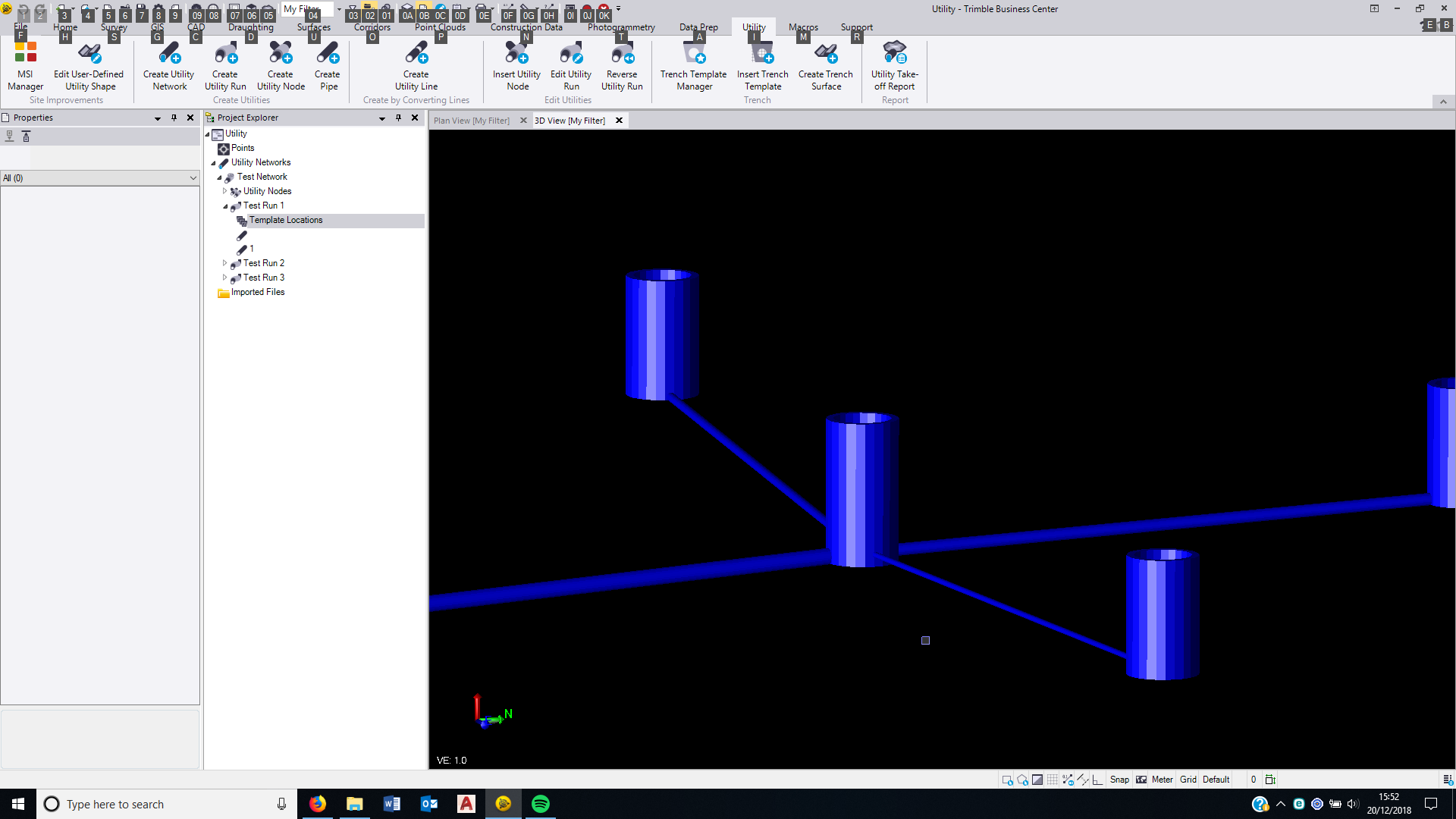


    I would end up with somethiing like this.


    Now say for example they decide to lift the Central MH by 500mm and the laterals by 800mm each.


    Ideally I would change the inverts and the pipes would alter along with the change in the nodes that are selected.


    At the moment this happens
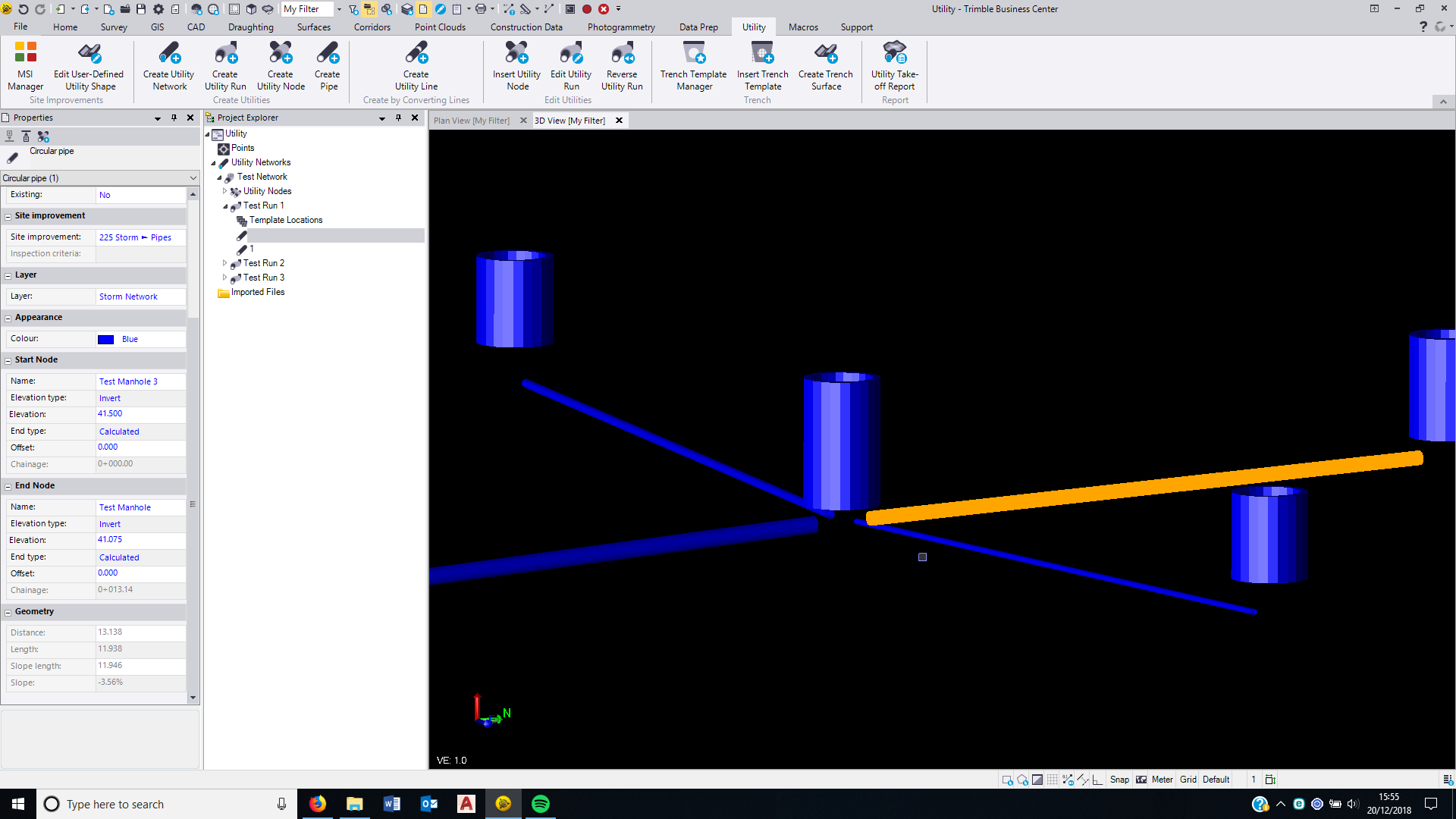


    As you can see the nodes are still selected in the pipe properties and the from and to nodes, but the inverts no longer tie in with the vertical position of the manhole.


    When first creating the pipe it asks you for a vertical offset of pipe invert from manhole invert. I think that should be a persistant property of the pipe rather than a fixed parameter once the pipe is created.


    I wish you a very Merry Christmas and a Happy New Year.


    All the best and thank you for all of your help on the forums.


  • 4.  Re: Auto Update Pipe Invert in Utility Module

    Posted 12-20-2018 17:05

    There are a lot of enhancements we could make here.  Currently the main workflow for this tool is to support takeoff functionality.  In this workflow you are modeling what someone else has designed.  The most common change would be to correct a typo or entry error to a single pipe or the node.  In this case it would be a pain to have the node and pipes locked into a relative relationship.  If you are doing design and have the ability to set these values then it makes more sense to tie them together and automate their movement.


    A couple of tricks that might help.  You can enter math in the elevation control.  To move the end of a pipe up 500mm enter +.5 after the current elevation and it will add the value to the elevation.


    You can also change the elevation of multiple pipes (both ends) and nodes by using the change elevation command and making a relative elevation adjustment.


    Thanks for the suggestions we will consider these when we make changes to this part of the program


    tim