The Best Fit Line command is likely the closest that we have to being able to fit a 2D or 3D linestring through a set of points. The Best Fit Line settings allows you to select the points, set the Linetype - likely select the Polynomia Curve 2D (Plan View) and then you will need to set the Polynomial Degree to e.g. 20 to get it to closely fit your points with a complex line. You can increase / decrease the Polynomial degree and see what happens to the line - if you set it too low it approximates a straight line, too high and you will get a crazy line, but in the middle there is an "about right" that will get you a smoothed line that closely fits your data. You can also add or remove points that appear to be pulling the line off where you think it needs to be before you accept the result and create the line.
The line that is created is a chorded line, but it will be less chorded than the raw line between all your points and may be a better basis for an alignment. Once you have the chorded line you can use that to create a Road Model but it will still be chorded (not smooth tangential alignment geometry),
I dont have a good data set to test this on - I created a rough data set and this is the result that I got
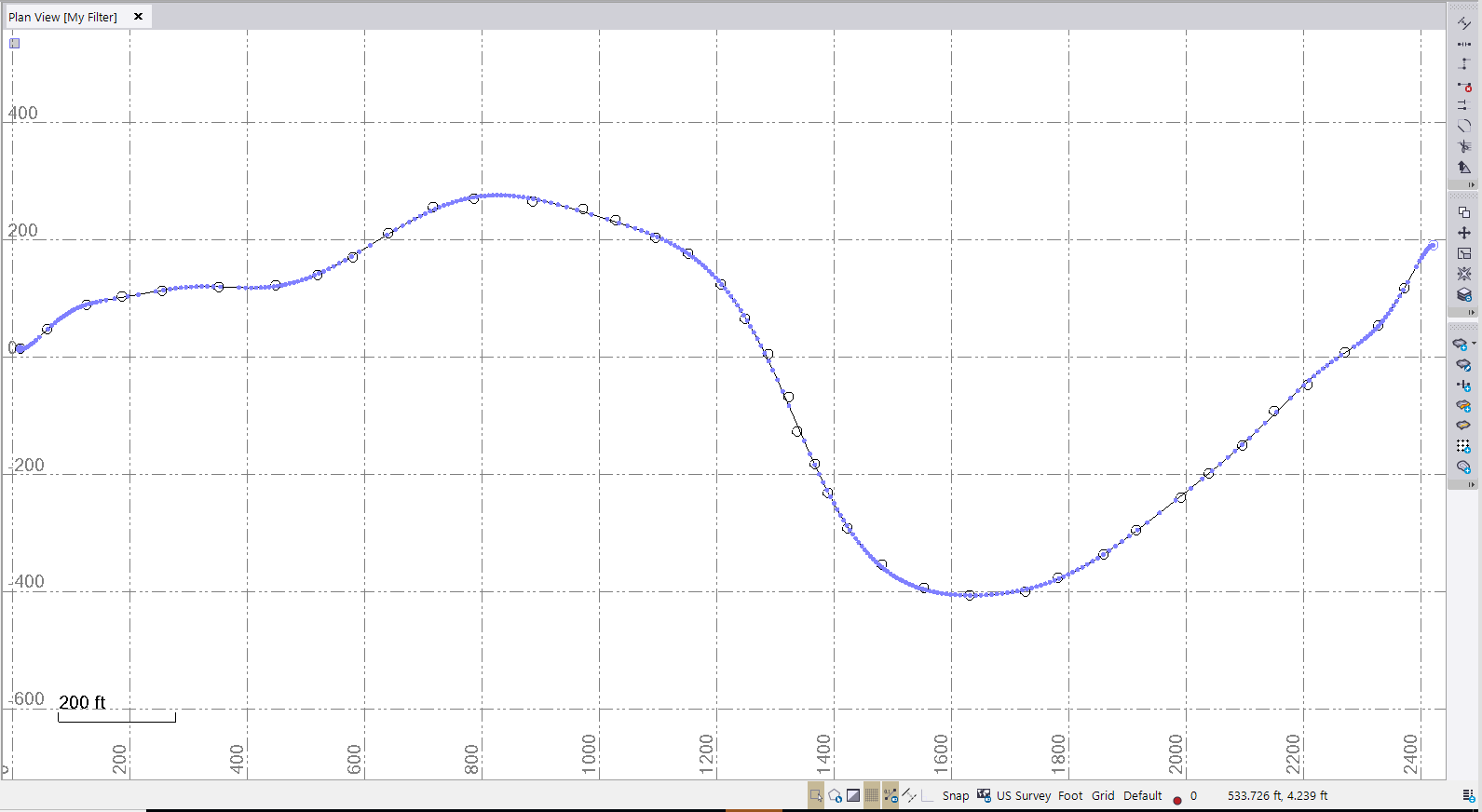
Try this out and see what you think - what is the application that you are doing where you are the "designer" of the road based on your AV surveyed centerline (is it a Forest Road regrading or something that you are doing?). While this is not "Major Highways" it may work for some applications.
I also tested this by creating a HAL VAL with Real Geometry, then created points at 5' intervals along the line in 3D and then ran Best Fit Line to those points and it looks like it fits to better than +/- 0.3' (Hz) or +/- 0.06' (Vt) over the whole length of 1900' that I tried - this is a pretty good fit (but Chorded). Obviously with curves the results would differ but I am interested to see what we can do (see below)
I also took the opportunity to chat to our Road Engineering developers. The Road Geometry Engine tools already has a Least Squares Fitting engine built in for Horizontal and Vertical Geometry, however we don't have a User Interface or Command to access it today, however we could run some tests to see how well it fits your needs here and look to maybe develop something in the future if the output we can generate makes sense. If you (and anyone else) could provide me with a sequential point list (where each point is in the correct order for stationing purposes) (p,n,e,z,d or p,e,n,z,d) with or without P and D fields, I will try to get some developer time to test this out to see what we can do and generate a Project that shows the results - we can then discuss the value of putting a UI to the Engine to generate this in the product sometime in the future.
Alan