Rob
With the following set up
- Created a HAL / VAL
- Created a bunch of points left and right of HAL/VAL
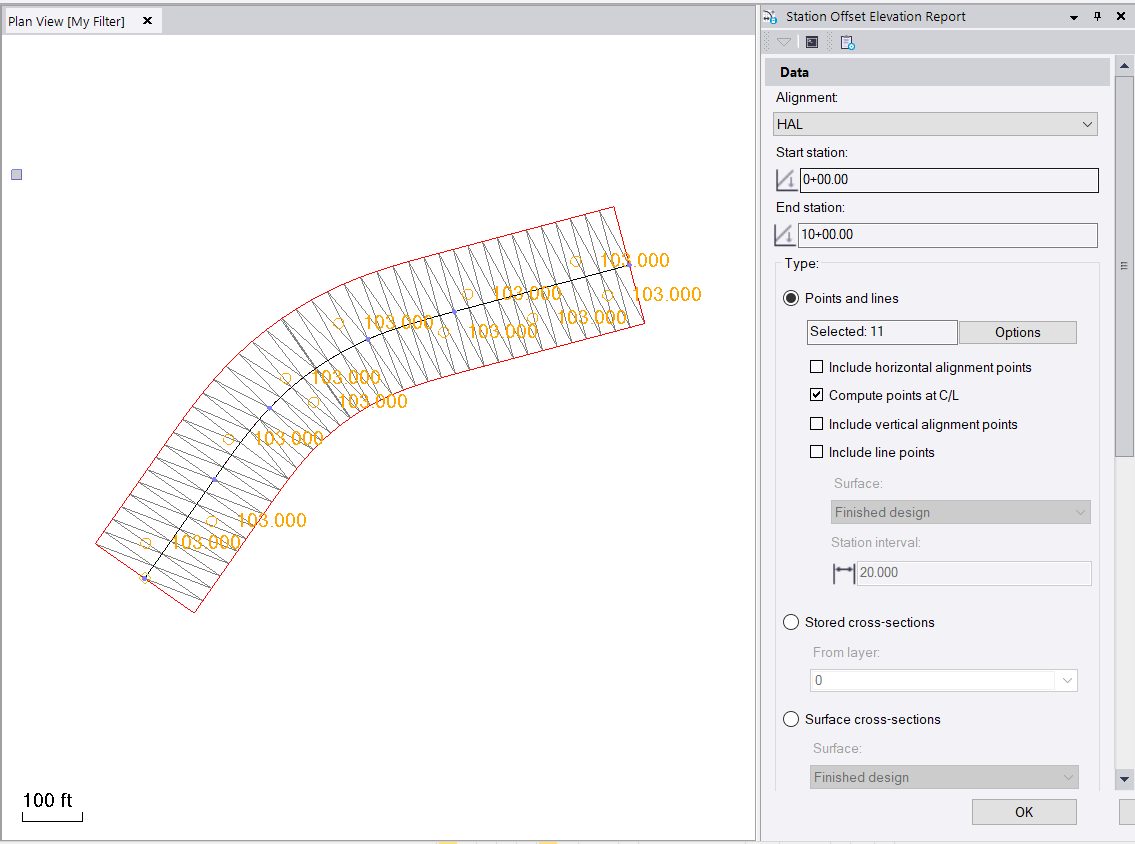
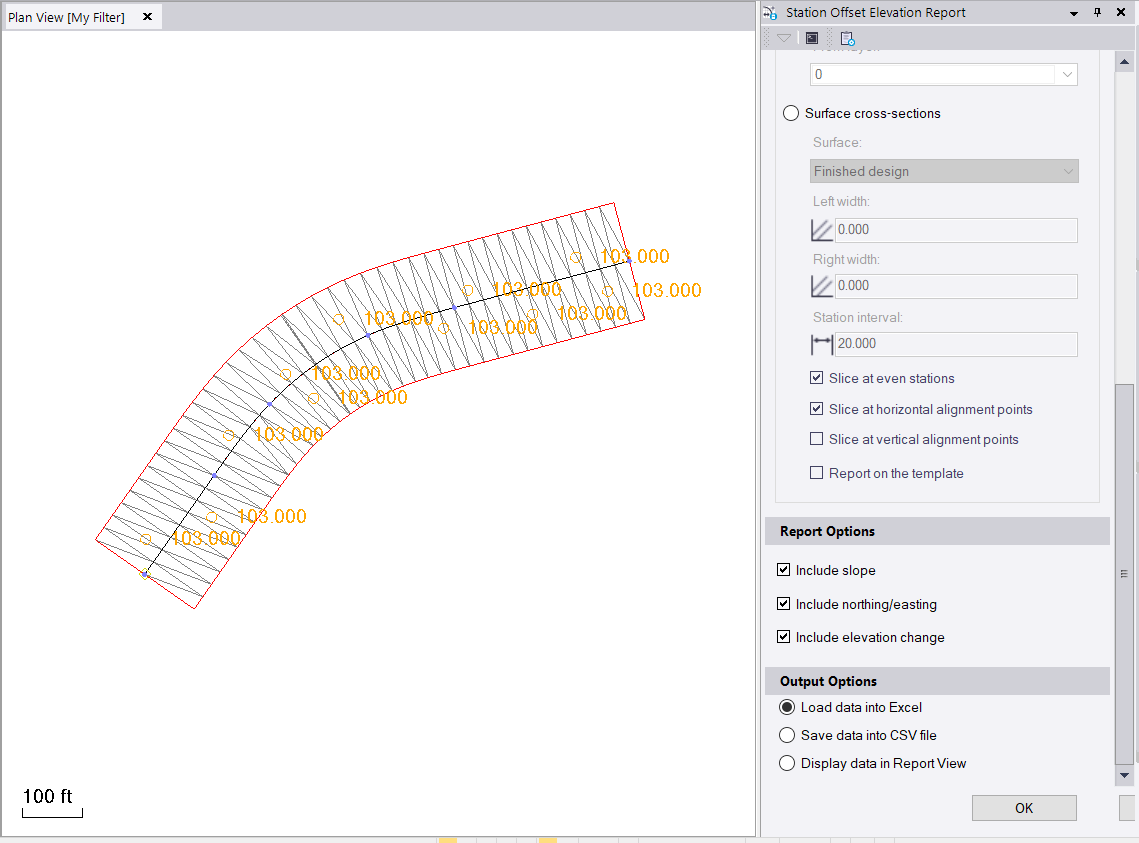
- Ran the Station Offset Elevation report using the following settings
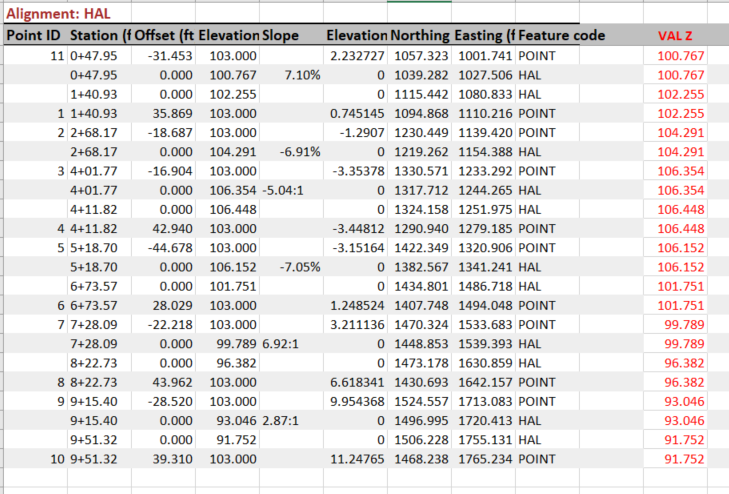
- I created this report - all the locations listed as Point are the Points. The VAL Z column in Red I computed using the Elevation Column - the Elevation Changed Column - You can see the VAL Z values for the Points Match the VAL Elevation on the subsequent lines tagged as HAL (computed at the alignment for each point) - these are easy to add into the report - you can then Filter on Code or Data Sort using Code to get the data grouped as you need before printing
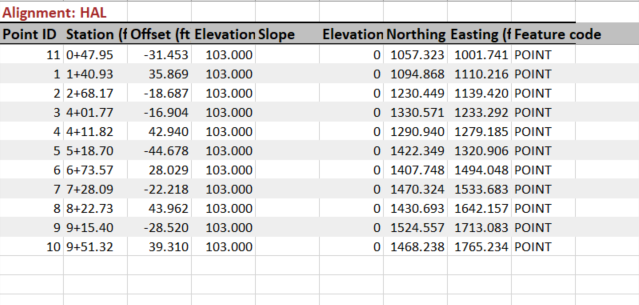
Here I sorted based on Code (Z to A), Station (Smallest to Largest) (I had to remove the Station Format + first), and by Offset (Smallest to Largest) - this shows just the Points

If you uncheck the Compute Points at CL then you don't get the Delta Elevations or the HAL Points
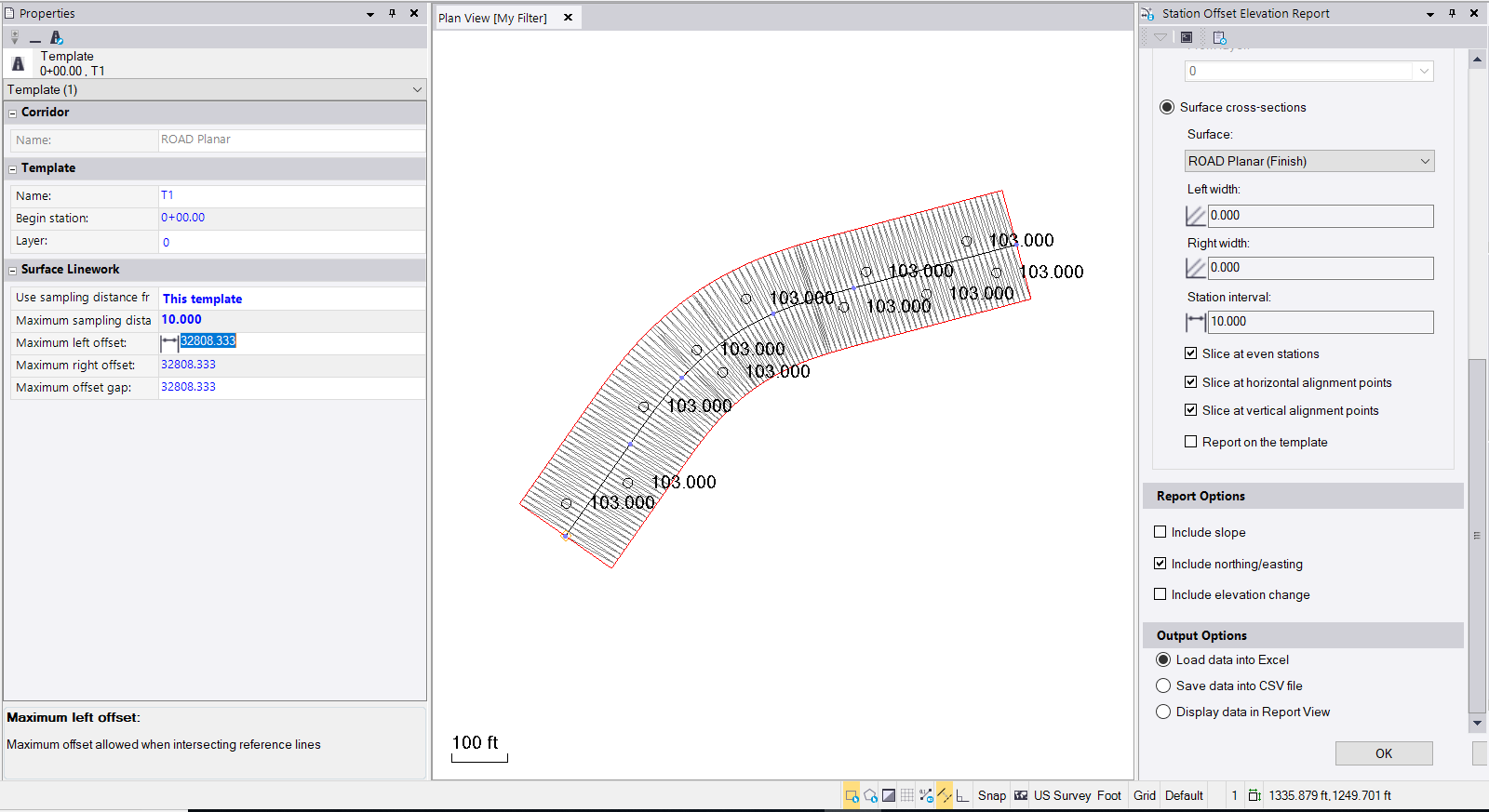
For the Surface question, with the following settings (the surface shown is a shape left and right of CL that is at 100' offset and 0 elevation delta (i.e. planar to the VAL) - and I can use this to generate a Station, Offset, Elevation Report along the Alignment at e.g. 10' stations (Note, I changed the inteval setting for the corridor to match the interval I want to report to eliminate Chording errors - so in this case I am computing the Corridor at 10' Stations and Reporting 10' Stations - then the Z values should be correct for the VAL
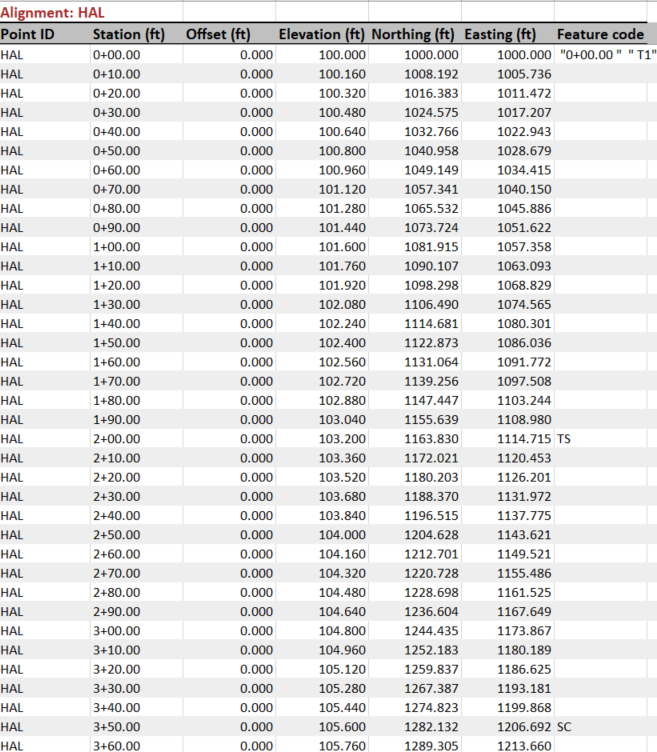
and this is the output of the Report (i use this method to generate reports to use in Tilos for Profiles along surfaces)
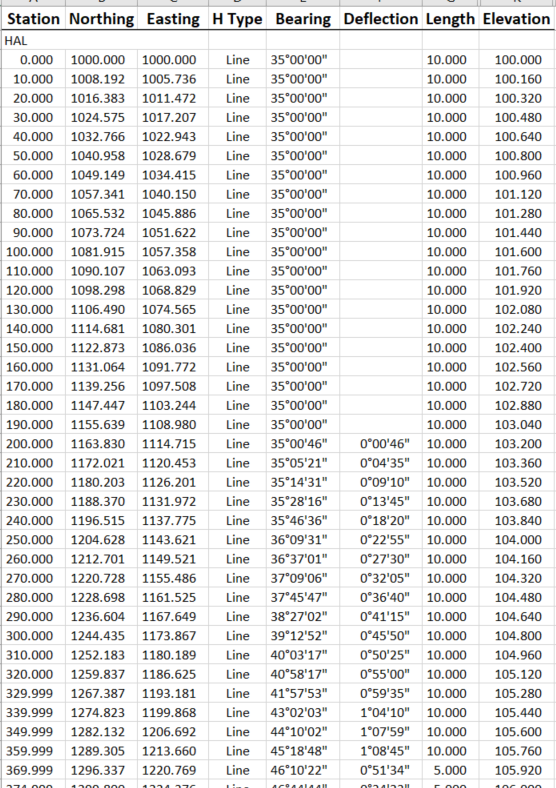
If you explode the Corridor to create Linestrings and then run the Geometry Report (use F12 and type in Geometry you will find it), you can report the Centerline Linestring and you will get this output, note that this is not tied to the Alignment, so Stationing will wander off even 10s as you get further away from the Origin - you can always Round the Station Field and it will come back to the 10s unless your HAL is very long or has large numbers I guess (so not perfect). You can however also report that linestring against the Alignment using the Station Offset Elevation report as well and then you will have real Stations.
You can also run a report on the HAL / VAL using Geometry Report using these settings and it will give you exactly what you wanted (Got there in the end) and without requiring a surface at all!
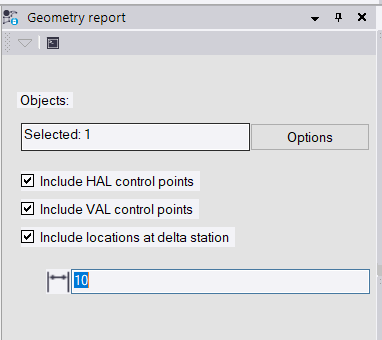
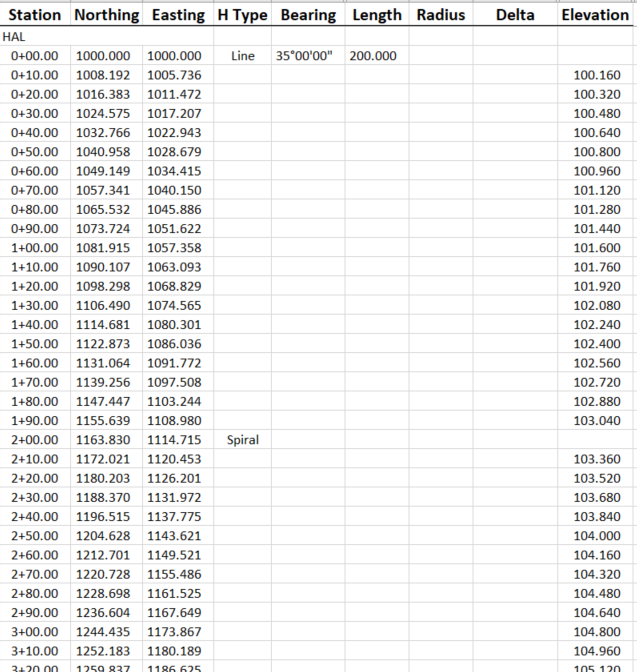
Close to what you wanted?
Alan