Trimble Business Center

 View Only
Expand all | Collapse all

Point Symbol not showing in Sheet View

  • 1.  Point Symbol not showing in Sheet View

    Posted 02-04-2020 12:17

    I created a point label style that is shown correctly in the plan view (left pane), however, the point symbols don't show in sheet view (right pane). What am I missing???


  • 2.  Re: Point Symbol not showing in Sheet View

    Posted 02-13-2020 11:08

    I've had this issue a few times. Sometimes it offsets the point symbols and sometimes they don't appear at all. I had to make a block that looked like the point symbol and add it to each point so there was something showing where the point was supposed to be. I'm guessing it's a bug.


  • 3.  Re: Point Symbol not showing in Sheet View

    Posted 04-28-2020 08:03

    Hey Matt

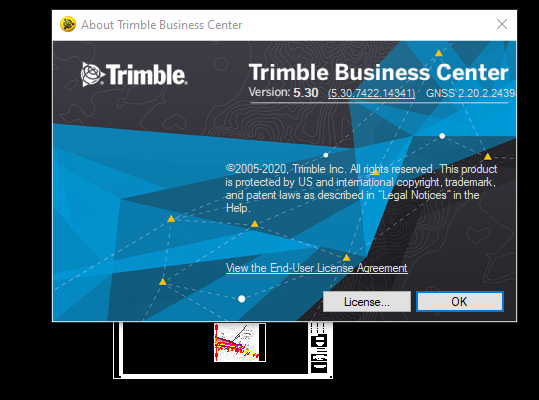
    Did you update to 5.30? If so, are you still having the issue?


  • 4.  Re: Point Symbol not showing in Sheet View

    Posted 04-28-2020 08:28

    I just updated to 5.3 and the issue persists in the same projects as before.


    I'm curious if a new project created in 5.3 will still have problems?


  • 5.  Re: Point Symbol not showing in Sheet View

    Posted 02-14-2020 01:11

    Richard

    I tried this with no Sheet Rotation and it all appeared to work fine, however with a 90 degree sheet rotation it appeared to fail to show the Point Symbols - they were actually in the Sheet View just off the Sheet - so the Rotation is screwing this up - so that looks like a Bug to me. I will log it in as a defect today.


    Alan


  • 6.  Re: Point Symbol not showing in Sheet View

    Posted 02-15-2020 08:39


  • 7.  Re: Point Symbol not showing in Sheet View

    Posted 04-27-2020 07:31

    Thanks again @Alan Sharp @Alan Sharp

    Unfortunately, the issues remains even after the recent update and posts on the same issue by other users. 

    What is Trimble's plans to resolve this issue if at all? It seems as though it's being ignored by development. 

    We're trying to transition to producing more of our deliverables with TBC, instead of ACAD, which we're not able to do effectively as long as TBC is broken.   


  • 8.  Re: Point Symbol not showing in Sheet View

    Posted 04-27-2020 07:37

    I am also having this issue constantly on version 5.21. I haven't been able to use point symbols in any drafting because of this. 


  • 9.  Re: Point Symbol not showing in Sheet View

    Posted 04-27-2020 09:53

    It is fixed in v5.3 as I tested it a eek ago and it was working. V5.3

    Releases this week (probably today)


    Alan


  • 10.  Re: Point Symbol not showing in Sheet View

    Posted 04-28-2020 07:53

    Alan - unfortunately the issue is remaining for me (us?) after the 5.3 update.
    with the dyna-view un-rotated, the desired point symbols appear where expected.

    however, when the dyna-view is rotated to the desired orientation, the point symbols disappear.

    and are displayed at a unexpected location.

    Please advise if I (we) are using the product not as intended or if the defect remains. If it continues to be a defect, please encourage Trimble to release a patch as soon as possible.


    As always, thank you for your help.


  • 11.  Re: Point Symbol not showing in Sheet View

    Posted 04-28-2020 12:12

    I will look again as it was working for me a week ago in v5.30 that released yesterday


    Alan