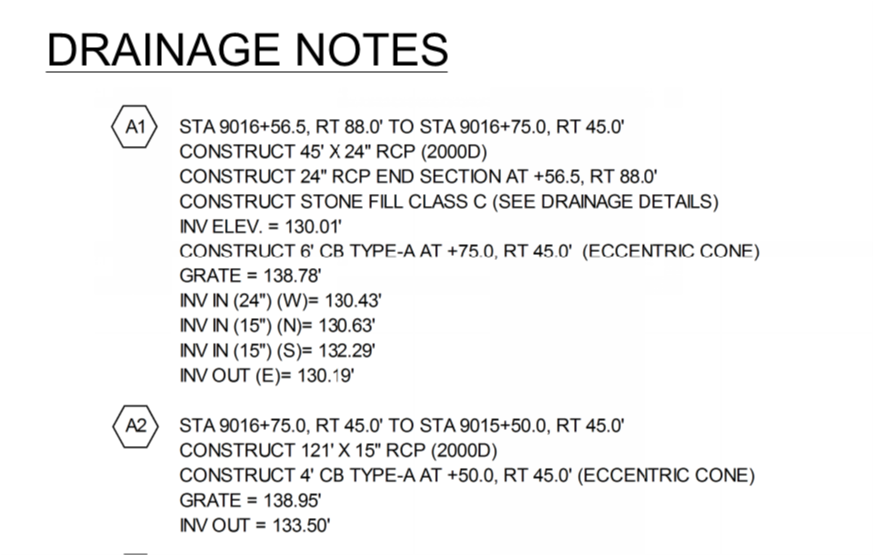
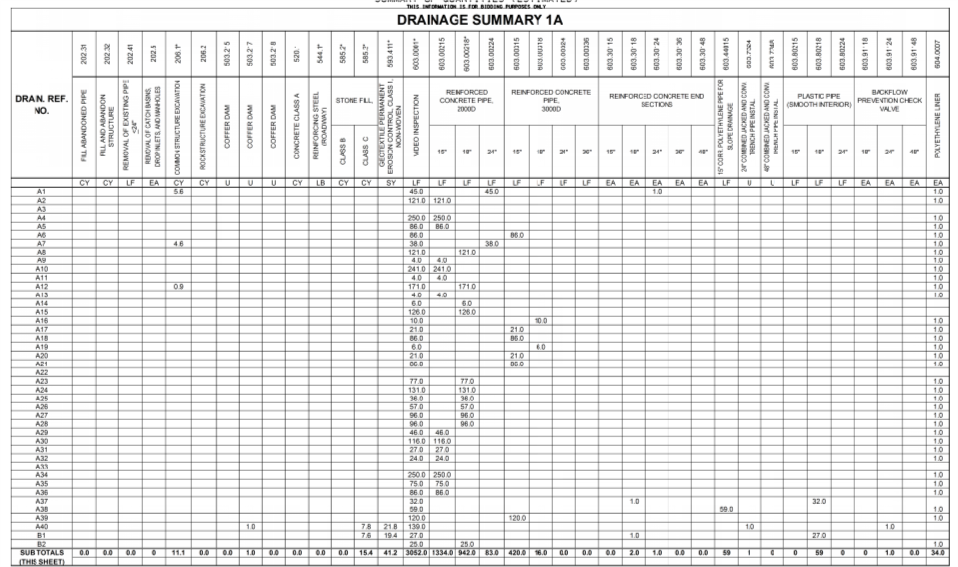
Alan,
The goal of assigning the utility runs to alignments is for referencing purposes on takeoffs. I think this would be a useful tool for fact checking quantities provided by municipalities on utility projects. See the pictures below taken from highway projects.
It would also be useful for quantity ordering. The program may not support it today but I would like the ability to say "We are going to be performing the work from station 150+00 to Sta 175+20. What do my crews need for quantities?" I cannot do this with our bidding software because would be too convoluted to try and price. You can do this with Bluebeam but Bluebeam is only 2D and Bluebeam requires manual tracing which is ok but should be going obsolete with the push for more 3D, 4D and 5D data sets. #enhancementrequest
Crews can and should double check these quantities but quantities calculated from TBC for runs should provide them with pretty accurate quantities (depending on the level that runs were modeled. Sewer and Drainage should be pretty straightforward. Pressured pipes could be more complex depending on fittings and laterals). I envision something where you could set starting and ending stations in the utility takeoff report prompt.
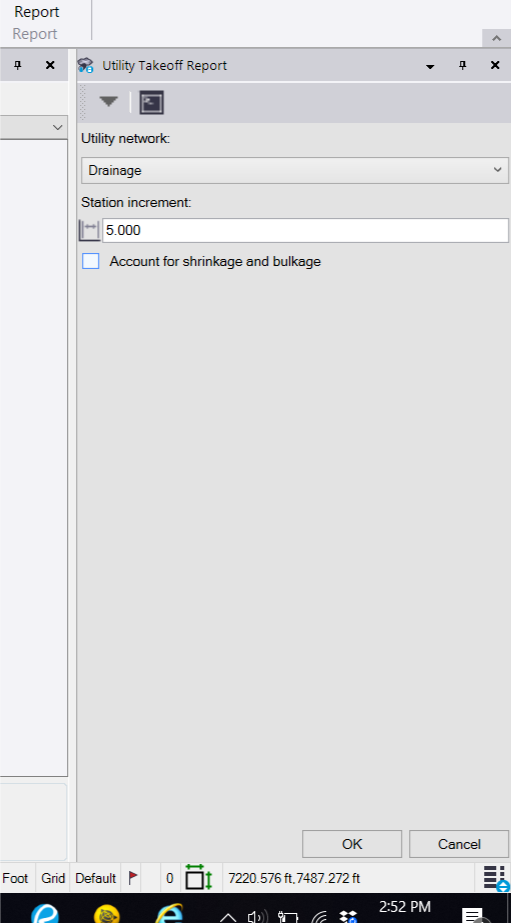
I think you could probably accomplish this organization by reference station today if there was another column/columns that showed the station that nodes fall and with a little Excel manipulation.
In general I think the utility module adds a whole new level of checking quantities when bidding projects and doing so quickly especially if pipe data is provided in XML format. Ideally this would cut out the tediousness of having to digitize or trace utility runs either with a wheel or via a pdf takeoff software (which we do and have done and should be on its way to being obsolete) to obtain quantities. Estimators can then spend more time worrying about the complexity of the installation instead of whether or not they quantified all of the runs. More time can be spent digesting; Are the runs deep? Is there potential for conflict runs? What phasing of the project should this run be installed in? The real import stuff when it comes to installation and pricing. The picture below is from LandXML data that I received from an engineer. Within minutes of importing the LandXML data into TBC, I was able to do some color association (green for sewer and orange for drainage) and quickly found a conflict (and that was without a clash detection tool, which I am still crossing my fingers for).
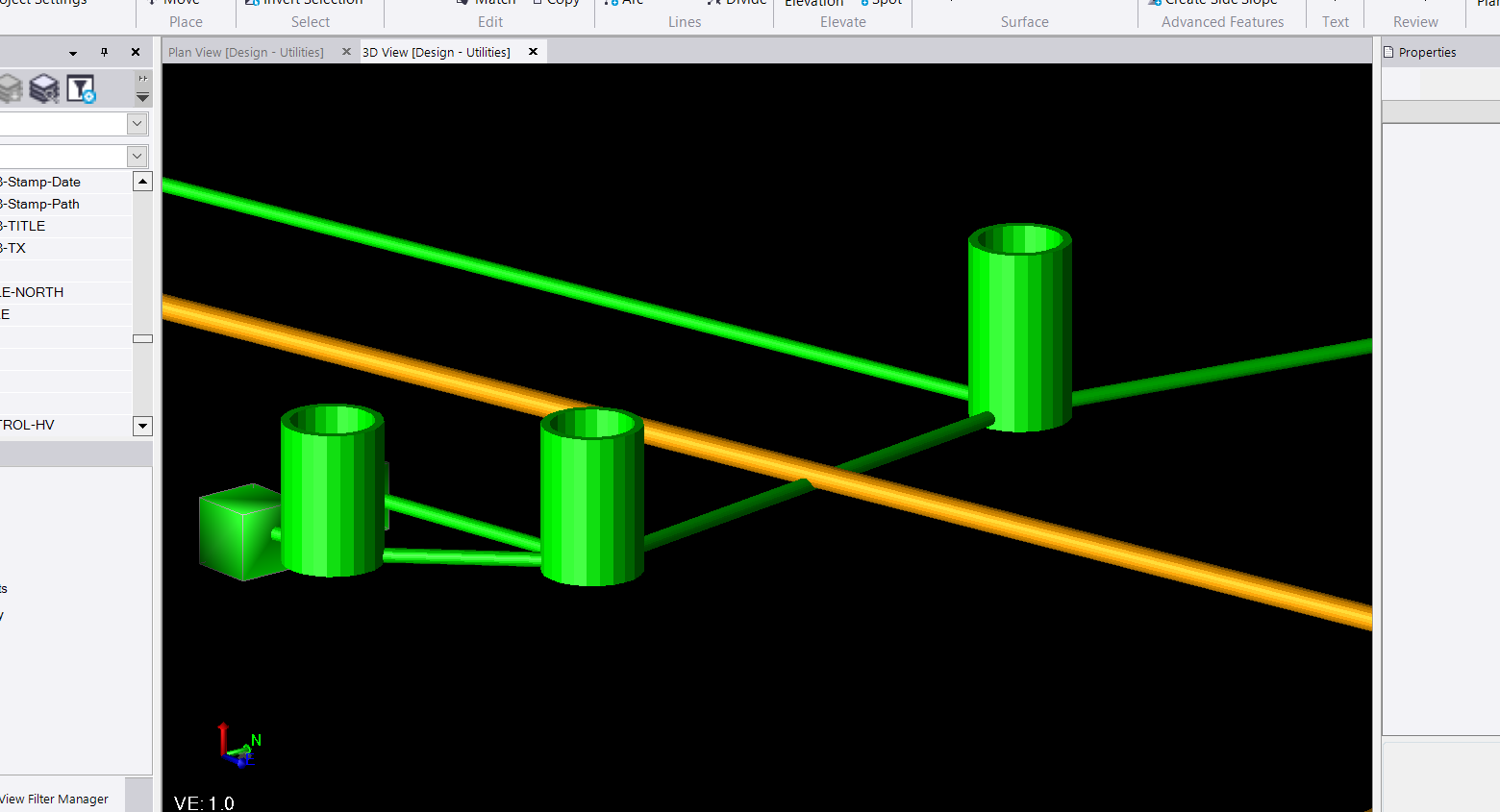
If I receive a LandXML from the engineer those quantities should be identical to what is on the plan. Double checking is always necessary and recommended but it is easier because after some cleanup the estimator could turn on the 3D model utilities and check this to the linework and to the pdf sheets. This is a very quick way to make sure that things line up. There is some huge untapped potential with the utility module that I am very much looking forward to. Very cool stuff.
Sorry about the big digression but this one of those tools that I wish I add 5 years ago when I was manually calcing runs with a measurement wheel and digitizing raster plans. The ability to quickly assign a reference alignment helps bridge new school and old school methods of takeoff. This gives those who choose to model and takeoff in a "new school" a way of providing data to the "old schoolers", that the "old schoolers" can check and rely on confidently even if they do not understand the full process.