You can already define a Volume Calculation between two surfaces and if you want two volume calcs between eg OG and FG and OG and SG then you need to create two text items - each one referring to a different Isopach - but they will both update dynamically with any Surface Changes. You can place as many Text Items based on any combination of Surface to Surface Volume computations. In the example below I have two text groups referring to two Isopachs to show Cut / Fill and Net Volumes for each computation (OG - FG and OG - SG) for example.
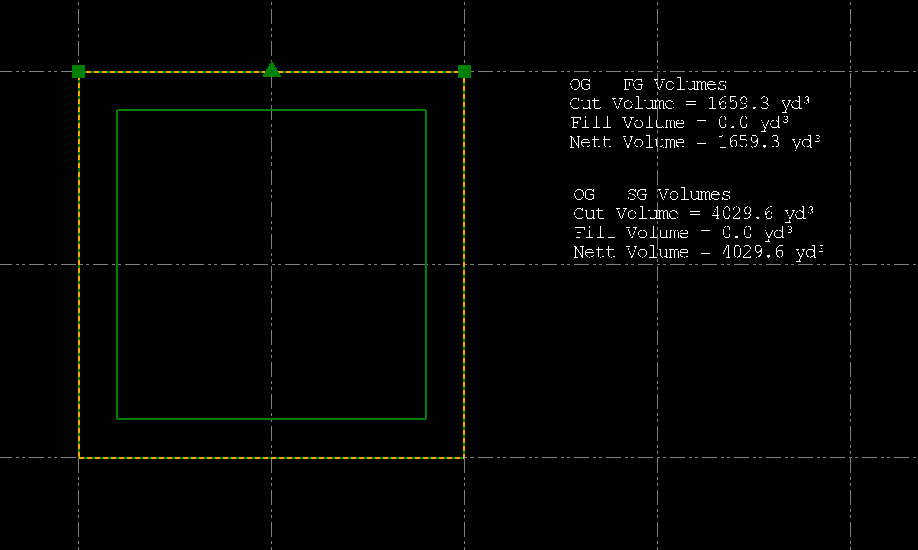
Here are the Text Labels used
OG - FG Volumes
Cut Volume = @<OD,O,VC>@
Fill Volume = @<OD,O,VF>@
Nett Volume = @<OD,O,VN>@
OG - SG Volumes
Cut Volume = @<OD,O,VC>@
Fill Volume = @<OD,O,VF>@
Nett Volume = @<OD,O,VN>@
The first set are pointed at the Isopach created between OG and FG Surface to Surface Volume and the second set point at the Isopach between OG and SG surface volumes. I create the Isopach and rename it so that it gets retained when I do a second volume calc - and then I turn off the Surface features for the Isopachs so you don't see them anywhere in the project - but if I then e.g. change a Z value of a point in the OG surface - the surface gets regenerated, the Isopachs get regenerated and the Volume text gets updated. I think that this is what you are trying to do
Hope that this helps
Alan