Trimble Business Center

 View Only
Expand all | Collapse all

Feature Request - Uitilities - Create Utility Line

  • 1.  Feature Request - Uitilities - Create Utility Line

    Posted 06-03-2019 04:35

    The create utility line from a linestring needs an option for the user to select what the vertical location of the selected lines are:


    i.e:

    • Top of pipe
    • center of pipe
    • Invert
    • Bottom of pipe (OD)


    Then TBC uses the properties of of the site improvement selected, the pipe is created accurately.


    Typically, you are not going to have a line that represents the center of the pipe run. It will either be:

    • top of pipe (recording shots as it is installed either from layout foreman or excavators)
    • bottom of pipe (conduit is an example where the trench may be dug and the layout foreman is able to go through and shot the bottom before pipe is installed)
    • invert shots ( drainage and sewer, layout foreman is able to record accurate shots on inverts by popping covers and recording shots). 


    This process is especially a pain when a TBC user is using linework from field crews that represents the top of pipe.(Something I am doing right now)


    Current Process:

    1. Import linework from the field
    2. Look up specs of material
      1. Thickness
      2. ID
    3. Use offset to offset the line to the center of pipe
      1. Now I have an additional, unnecessary line
      2. I can either keep or delete
    4. Use the create Utility Line function to create the pipe run


    Steps 2 and 3 could definitely be eliminated and speed up the process.


    Thank you!

    #enhancementrequest


  • 2.  Re: Feature Request - Uitilities - Create Utility Line

    Posted 06-03-2019 14:17

    That one is already in the system Pat - the function was initially designed to handle Water Pipe and Electrical Cable / Cable etc not other types of pipe - and those are often defined at center of pipe. The tool was also created as a Takeoff Tool (not a Data Prep Tool as it has been adopted by many) and this was not considered to be an issue - I have plenty of use cases defined where it is an issue and when they do another round of Utility work I hope that we will get it addressed.


    Alan


  • 3.  Re: Feature Request - Uitilities - Create Utility Line

    Posted 06-03-2019 15:08

    I appreciate that.


    It is a super handy tool especially for as-builts and pay requisitions. Unfortunately I do not use it all of the time so that is why the center of pipe always throws me off. On simple jobs it is not usually too much of a pain to offset a line but I was trying to use it on a waste water facility project and the pipe runs look like spaghetti, with different sizes and materials. 


    Thanks!


  • 4.  Re: Feature Request - Uitilities - Create Utility Line

    Posted 06-03-2019 15:38

    Sure - I have the same issue - there are some technical reasons why it was

    done the way that it was done and I hope that we will rectify at some point


    Alan


    On Mon, Jun 3, 2019 at 4:09 PM plheureux@severinotrucking.com <


  • 5.  Re: Feature Request - Uitilities - Create Utility Line

    Posted 11-20-2019 10:07

    Hi Alan,

    the problem I see is that the module seems to be rather special to use. I'm using the new V5.20.


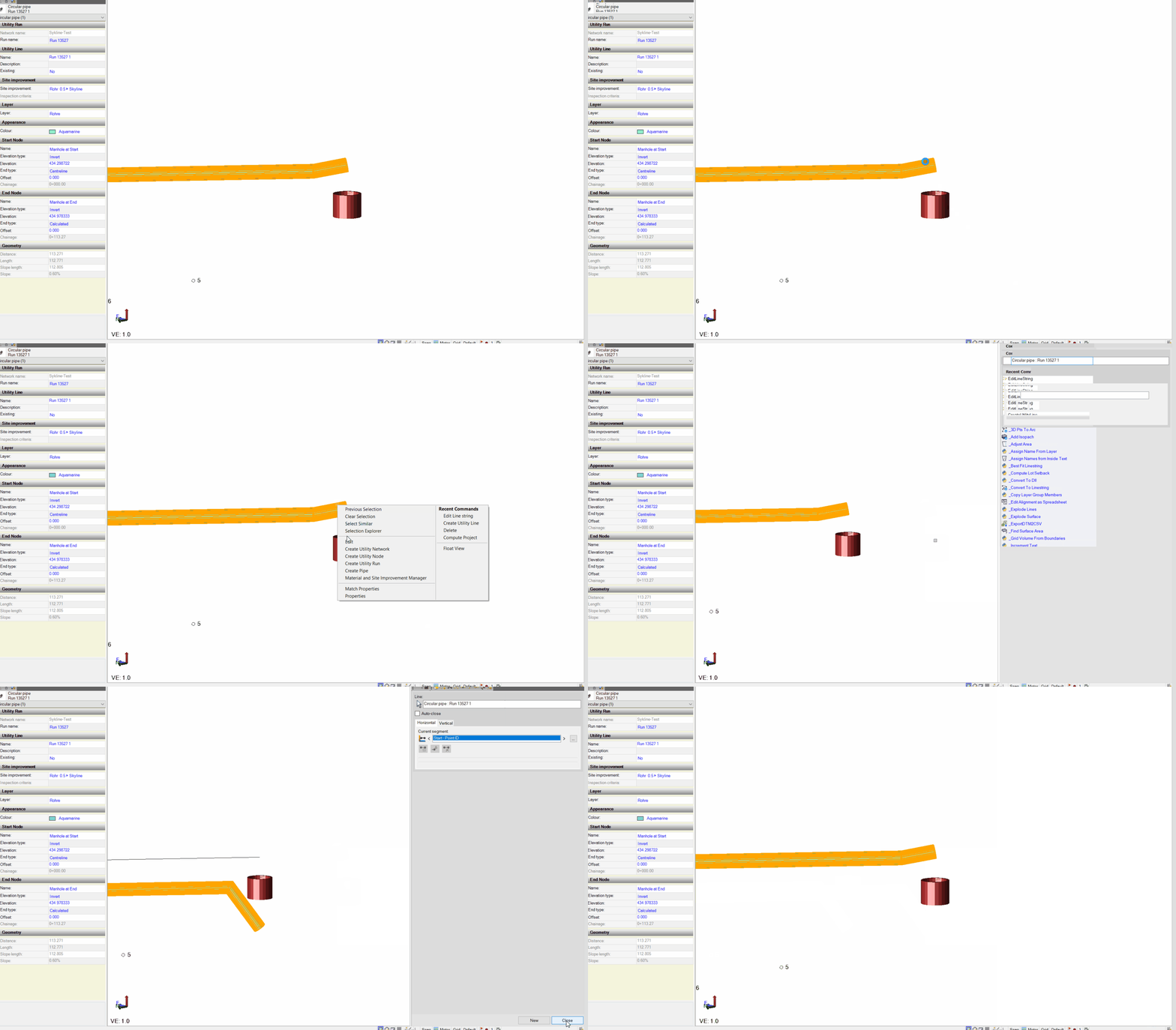
    If I select a run and change the elevation type for the start and end from center to invert it only changes the start and end. The kinks in between stay at center of pipe. Since there is a property setting to change the elevation type it should take effect on the whole run and not only at start and end
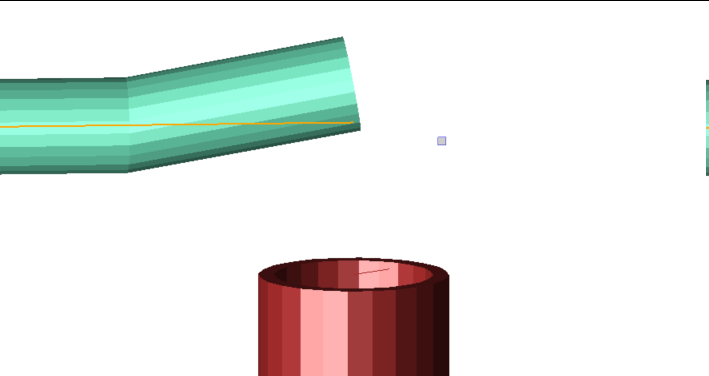
    And editing the run is messing up the graphics.
    It is most likely a bug in the 3D View window. Changes to the "end type" setting only seem to be correct in the plan view window.
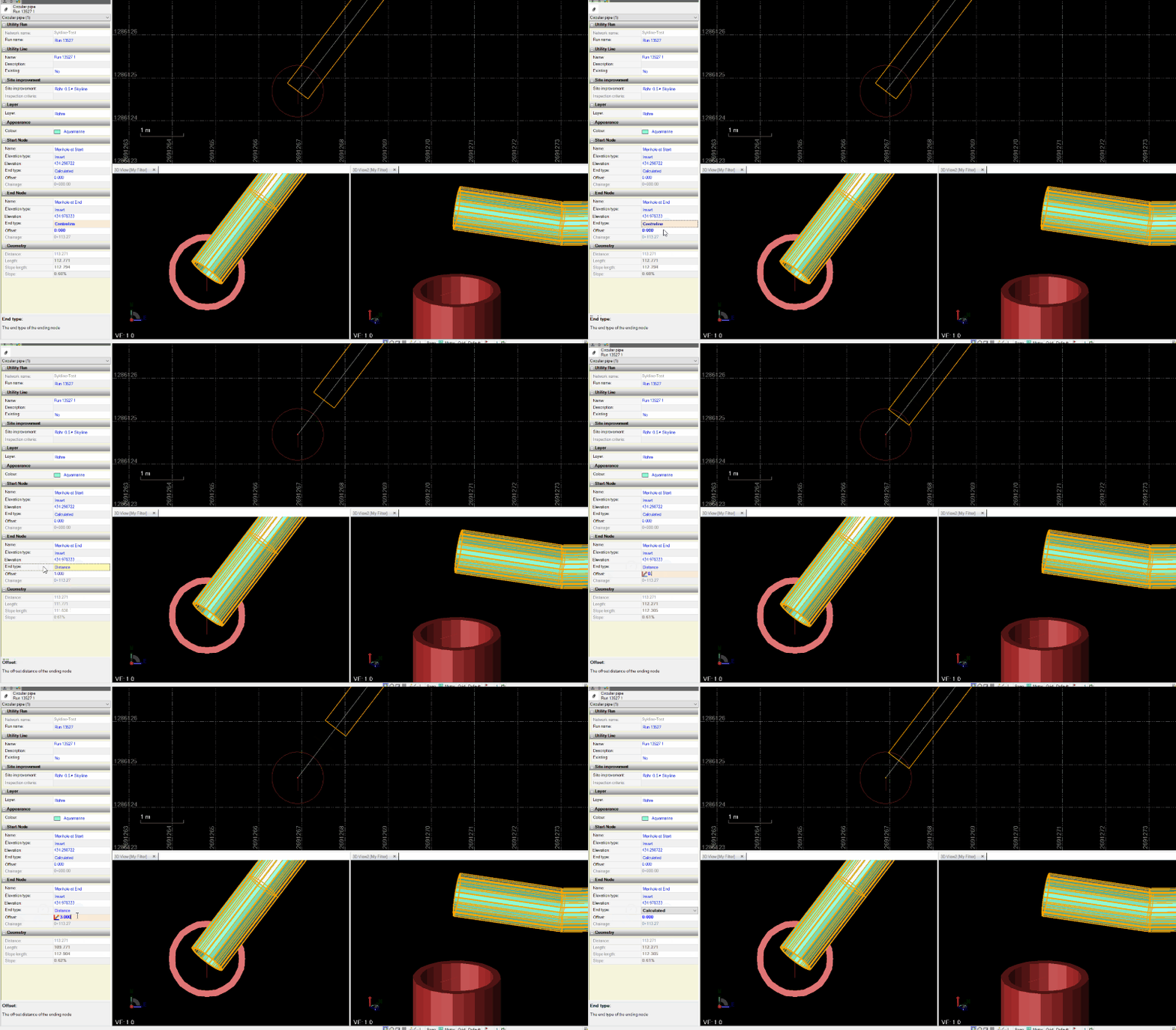
    Or it is an issue with the source cad line having as elevation definition VPI's only.

    After some hours of testing and hand computations it seems that the volumes in the report are correct. The jumping of the 3D objects doesn't seem to affect the actual report values.


    Cheers

    Ronny


  • 6.  Re: Feature Request - Uitilities - Create Utility Line

    Posted 11-20-2019 13:15

    When you use the create Utility line command you have to use Pipe center not pipe Invert if there are more than 2 nodes on the line - the product team developed it this way as it was intended to be used for water main and that is often positioned by pipe center and not Invert - however I agree that


    1) if Invert does not work it should not be an option on properties of those pipe types - it should be locked at center


    2) we should still have the option to use Invert because people are using it for things other than water pipe and those are defined at Invert - so today to make this work if I have Invert line and Pipe is day 400mm diameter then I will change the elevation of my line by 200mm and use Pipe center - not ideal but it works all the same


    Sent from my iPhone