Trimble Business Center

 View Only
Expand all | Collapse all

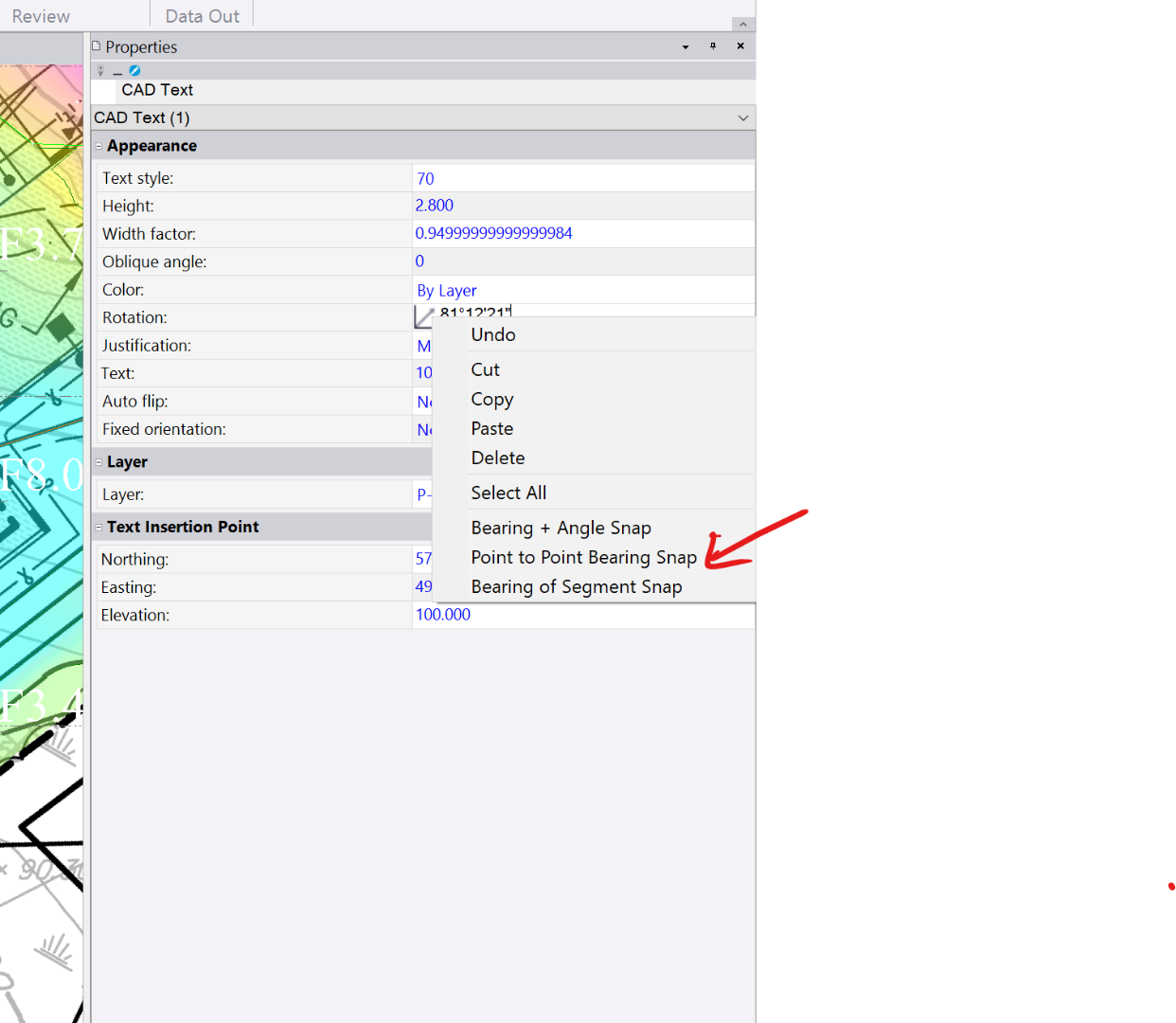
Why are the rotation snap options different for Cut and Fill text than regular text?

  • 1.  Why are the rotation snap options different for Cut and Fill text than regular text?

    Posted 01-09-2020 05:38

    How come the rotation snap options for cut and fill text grid properties are different than that of regular text? Could we get the cut and fill text grid properties snapping options to match the regular text options. These are much more useful. Specifically the point to point bearing snap and the bearing of segment snap when trying to orientate in accordance with the way a sheet will be printed or viewed.


    Thanks for the consideration!


    #enhancementrequest


  • 2.  Re: Why are the rotation snap options different for Cut and Fill text than regular text?

    Posted 01-09-2020 16:57

    One uses the bearing control the other an angle control.  Either control allows you to hold the shift key and recall the direction by clicking on a line.


    These two controls are similar but the context menu options for each are different.  Frequently it's hard to say which context is the best to use.  We tend to think of text having a rotation angle.  Remember that text can automatically flip in a dynaview so that it reads properly on a sheet.  We tend to think of bearings as remaining the same.


    These are up for debate, but are generally set on the initial design and rarely changed unless there is a large consensus.


    tim


  • 3.  Re: Why are the rotation snap options different for Cut and Fill text than regular text?

    Posted 01-10-2020 04:52

    Thanks for the explanation Tim. Very helpful!


    I will remember that shift tip. That does exactly what I need and is just a quick.


    Also the auto flip is helpful. Something I have overlooked.


    If TBC supports rotated plan views in the future (fingers crossed), the point to point bearing snap would be a quick way to align the grid to the users view especially where you can't drag and rotate the text to preview the outcome. Something to keep in mind.