Chris
I will have someone check on what drives the widths of the boxes in the table - they are related to the max text size for sure because as you change the number of decimals the boxes resize so my guess is that they have allowed for the Text, A Prefix / Suffix and then added a % of Max Text Length to size them - and maybe it is just set too high - I can likely get that addressed this coming week - they have to be dynamically sized depending on the text that you are placing in them - and we can for sure see if we can control it better.
When you say the Title Box width you mean where it writes the Design Level, Offset text items on the Left Side - Correct? That is the available space after the width of the Existing / Design surface and we size it to fit the column width that you have defined. If you want to manipulate that - if you put a Corridor Boundary on the Existing to limit the Existing Width (typically Existing is wider than the Corridor itself) then you can somewhat control the width of the title area. We try to fit the width of the Column at the scale you define or reduce all the sections so they have a constant layout. In a profile because there is typically only one, this is not such an issue which is why you get some added control on that. Lets work on the other parts of this and try to solve those and see if the end result is acceptable or not and then revisit this point
The Dashed line question is a good one - normally the repeat patterns of lines are based on the View Scale (Plan Scale in Project Settings) but in the Sections we only draw the line sin Sheet View at a Defined Scale so they do not seem to change with Plot Scale settings in the Section Editor. I have tried a number of different Linestyles and you can likely find one that works here - or we can help you to define one that gives you what you need - I have added a Linetype file here as a reference - but if you still have to change the Linetype Scale - you can use the Multisheet view on the Sheets that are created to show all the sheets in a sheet set at once (in one screen, and if your Existing Ground Lines are placed on a single layer that you can isolate - you can change those in one selection set. Access the Multisheet view by holding the Shift Key down when opening a New Sheet View and you have the Sheet Set header selected in the project Explorer.
I created a small video here for you
Datum - I will add as a request to see if that could be added automatically
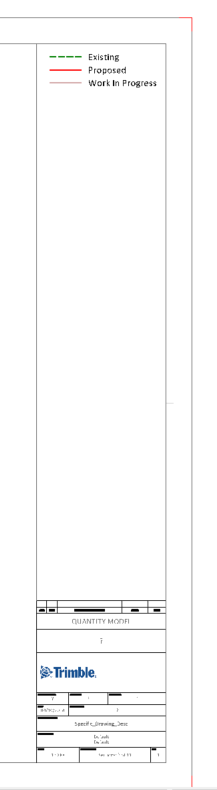
For Legend - I do it as shown here in my sections using Colored Text - I set those up in the Cross Section Labels Section as shown below - does that work? Failing that I would put it into my Drawing Template as a Legend item in the Title Box Area so it echos down onto each sheet created and not try to put it in the section itself (ie place it on the Sheet Template rather than in the cross section settings)

Sorry that I don't have a perfect answer for all of these items - I will see if I can address the Datum and Box sizing issue this week as those may be relatively simple changes - however if we say Datum Label is always ON I am sure we will get some that say they don't want a Datum, and if we have to change the UI then that will likely get put back as UI has to be documented and translated and the layout of dialogs have to be made also - whereas an Auto placement always could just happen.
You can add a Section Elevation Indicator using the Grids function - not ideal but if needed it can be used but it will not always give the greatest results - but works to a point as shown below
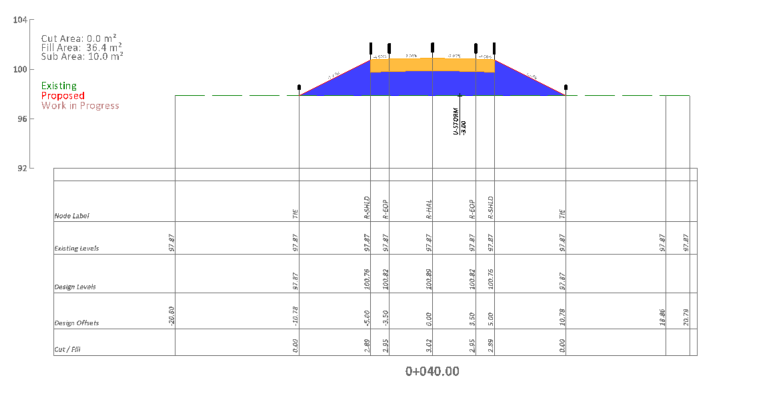
This is how I set that up if interested

Let me know if this helps at all
To access the Linetype File - Click Here
Alan