For most workflows I suggest that you select just the objects needed for a surface and make independent surfaces. This makes them as small as possible and allows you to control them independently. You can always select several surfaces to make a larger surface. An object can also be in more than one surface.
You can also run the Macro command "Offset Surface" to copy a portion of a surface to work with.
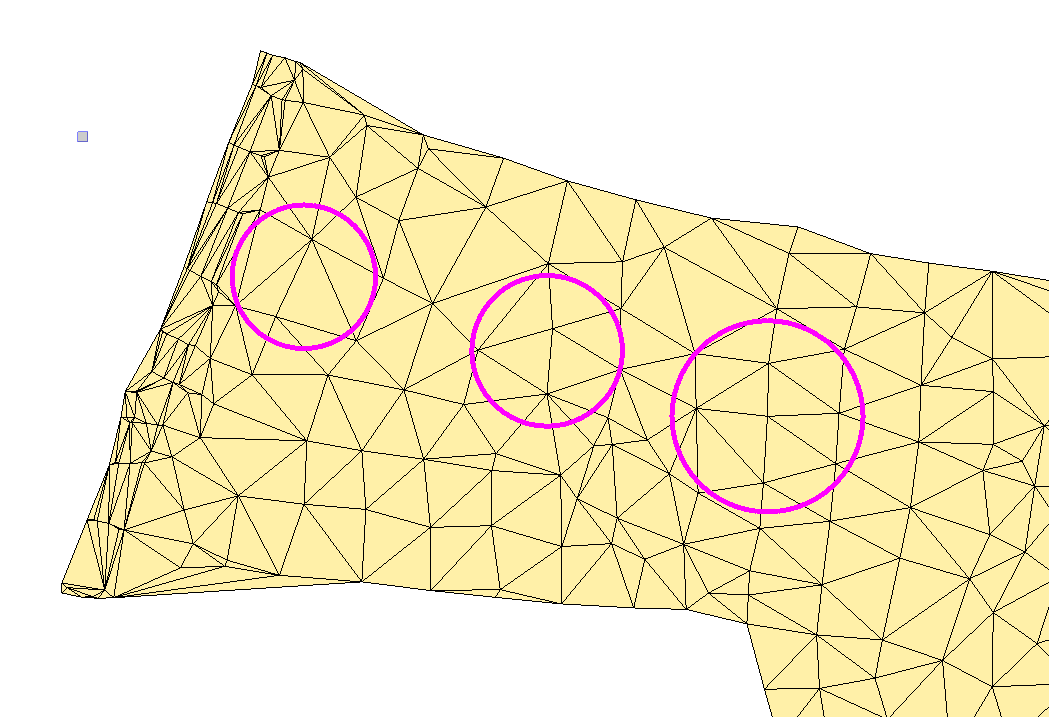
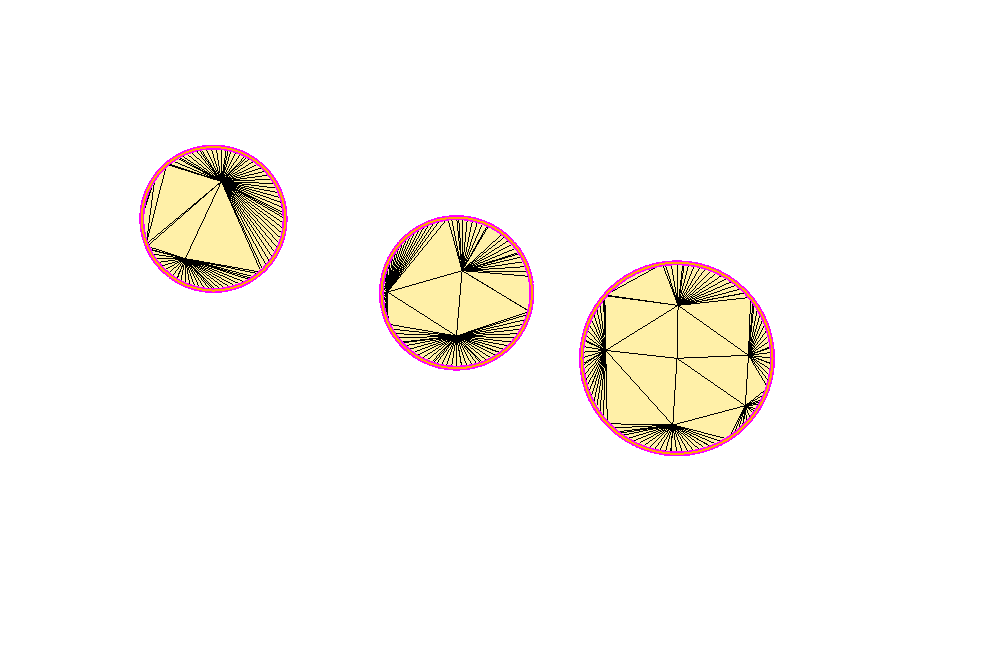
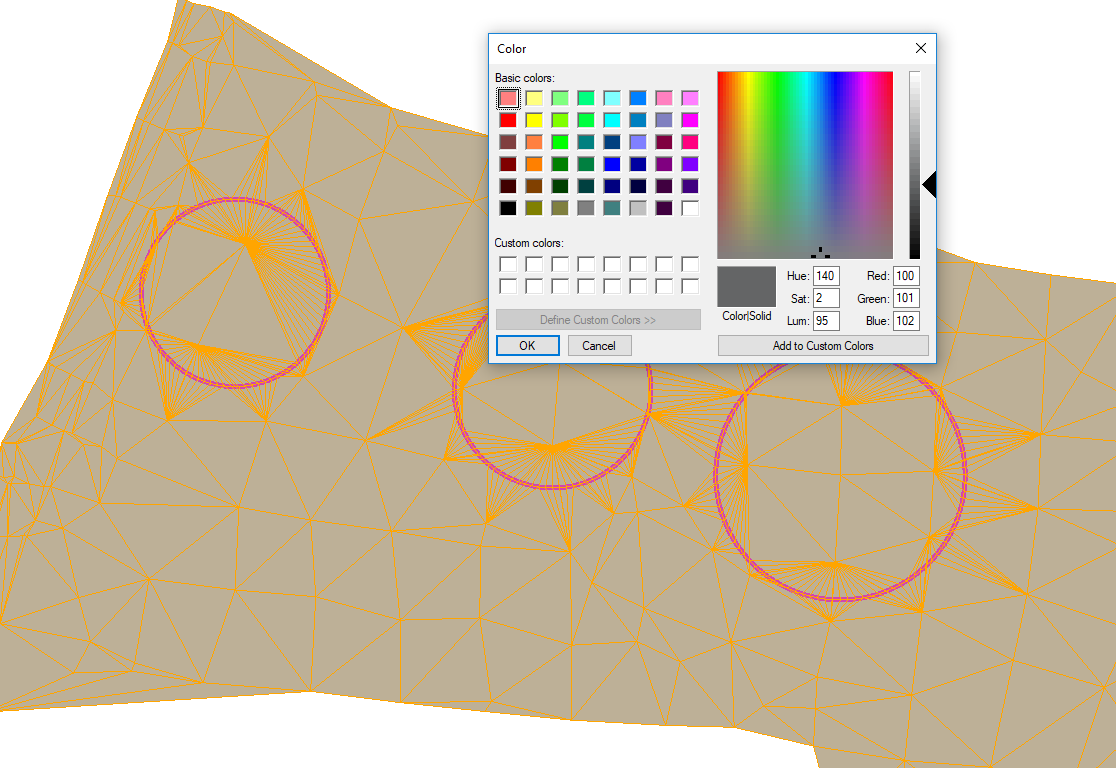
An alternate method is to add multiple boundaries to a surface. In the below example I have added three circles as surface boundaries. Because the circles are 2d additional points are created where each one crosses a triangle line. (This adds more triangles, takes more memory and slows computations.) In order to show just the 3 areas, all of the other triangles are hidden. What this means is that the surface is just as large as before, you just can't see a portion. If you want to see the hidden triangles then change the RGB color values of the surface to be 100, 101 and 102. You will now see the true extents of the surface as shown in the last image.
Whenever you calculate volumes or slice a surface the hidden part of the surface still has to be calculated. This typically slows down the computations compared to just making smaller areas with just the objects needed.
Hopefully this gives you a few more ideas so you can see what works best for you.
tim