Trimble Business Center

 View Only
Expand all | Collapse all

TBC - Add Material Between Surface

  • 1.  TBC - Add Material Between Surface

    Posted 03-02-2020 18:21

    How do you add material between serval surface, as I want to see the different color in the cross-section

    The designer has provided each material layer surface

    • Topsoil
    • Clay
    • Sand 
    • etc

    Can I add this through the site improvements


  • 2.  Re: TBC - Add Material Between Surface

    Posted 03-02-2020 18:58

    Hi Gavin,


    I do not know how to do it fast with site improvements, but I'd recommend  "Corridors" (if you're working with non-linear site this may not work).


    Create a corridor and insert an empty Template.

    Reference all required surfaces.

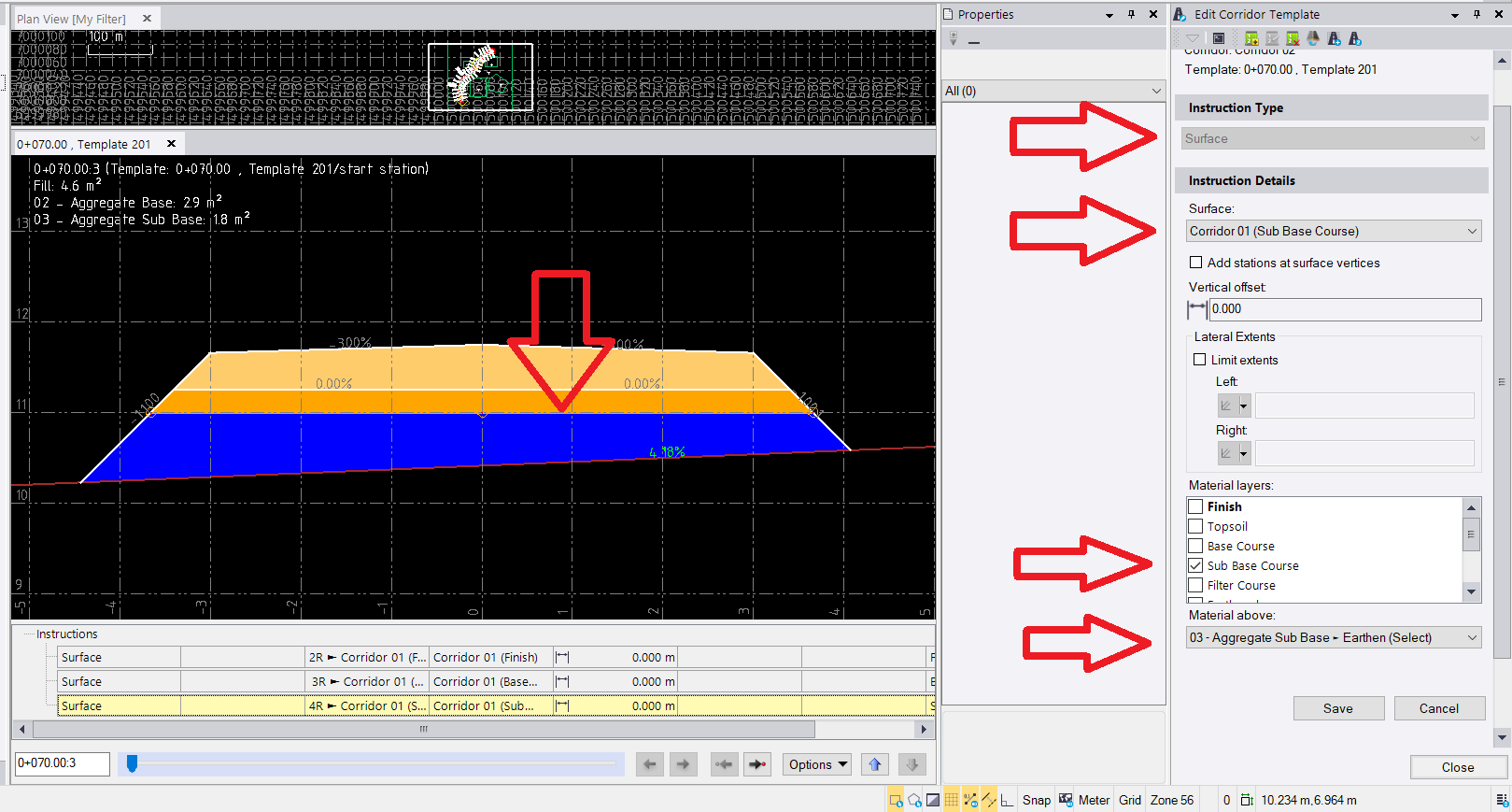
    For each layer use instruction type "Surface" and define correct "Material Layer" and "Material Above".


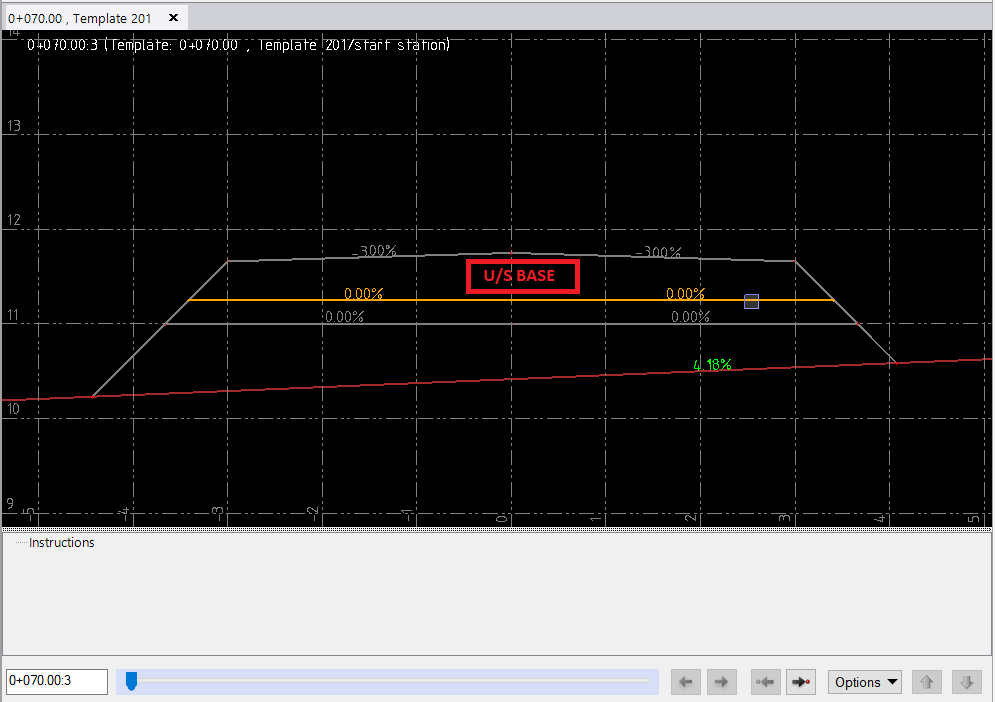
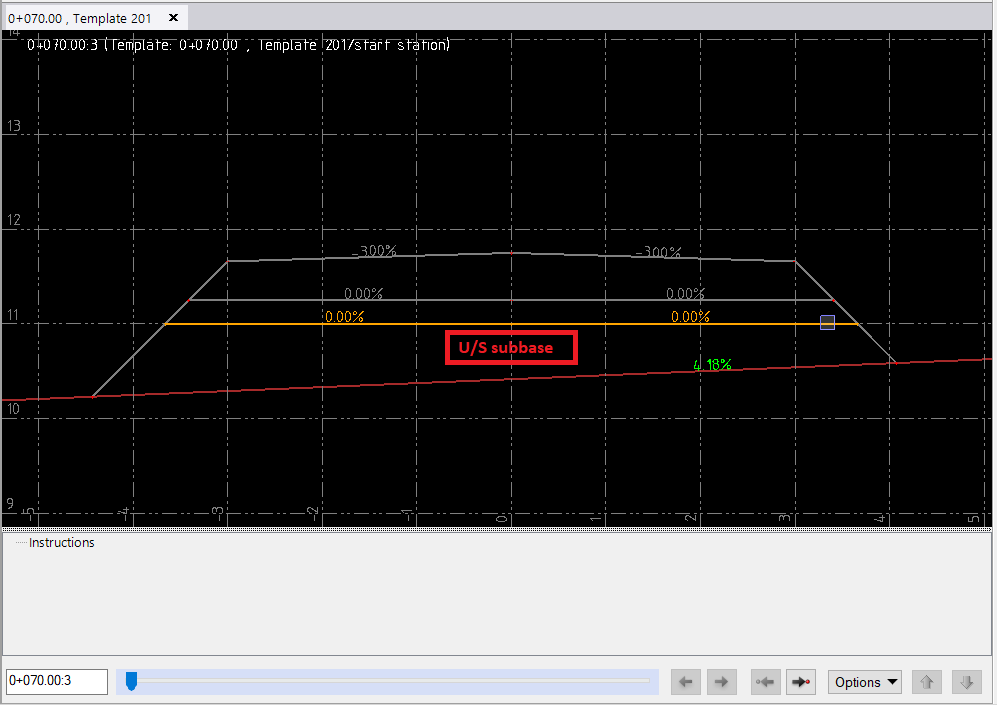
    With just surfaces referenced your template should look like below

    (I referenced 4 surfaces EXISTING GROUND, FINISHED, BASE, SUBBASE):
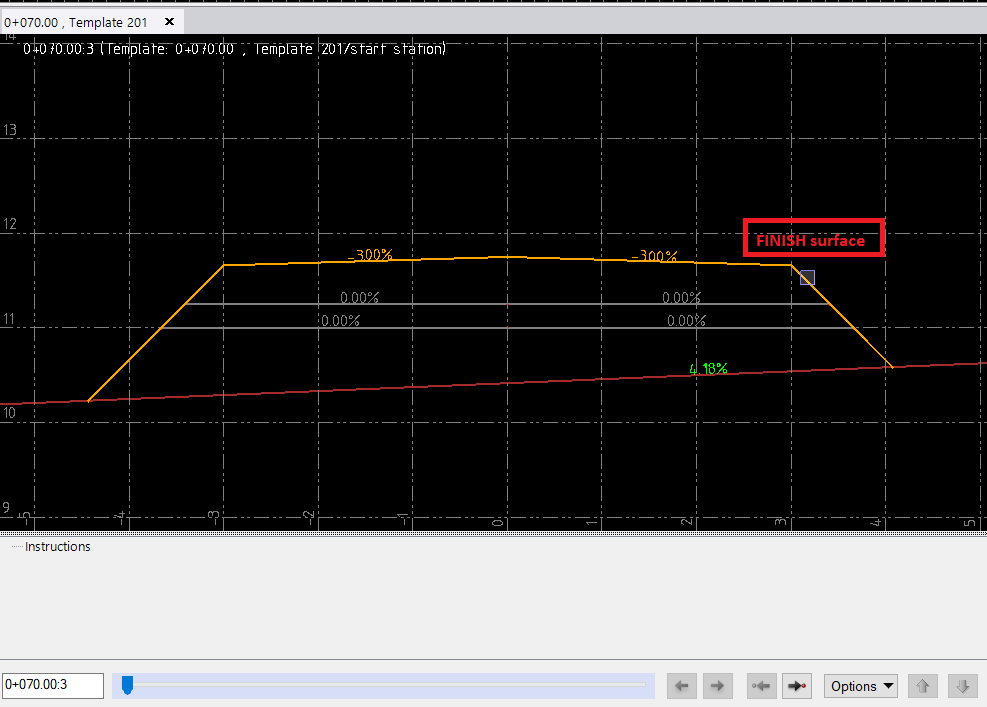


    Create instruction (type "surface") for each surface you were given. Define Material Layer and Material Above.
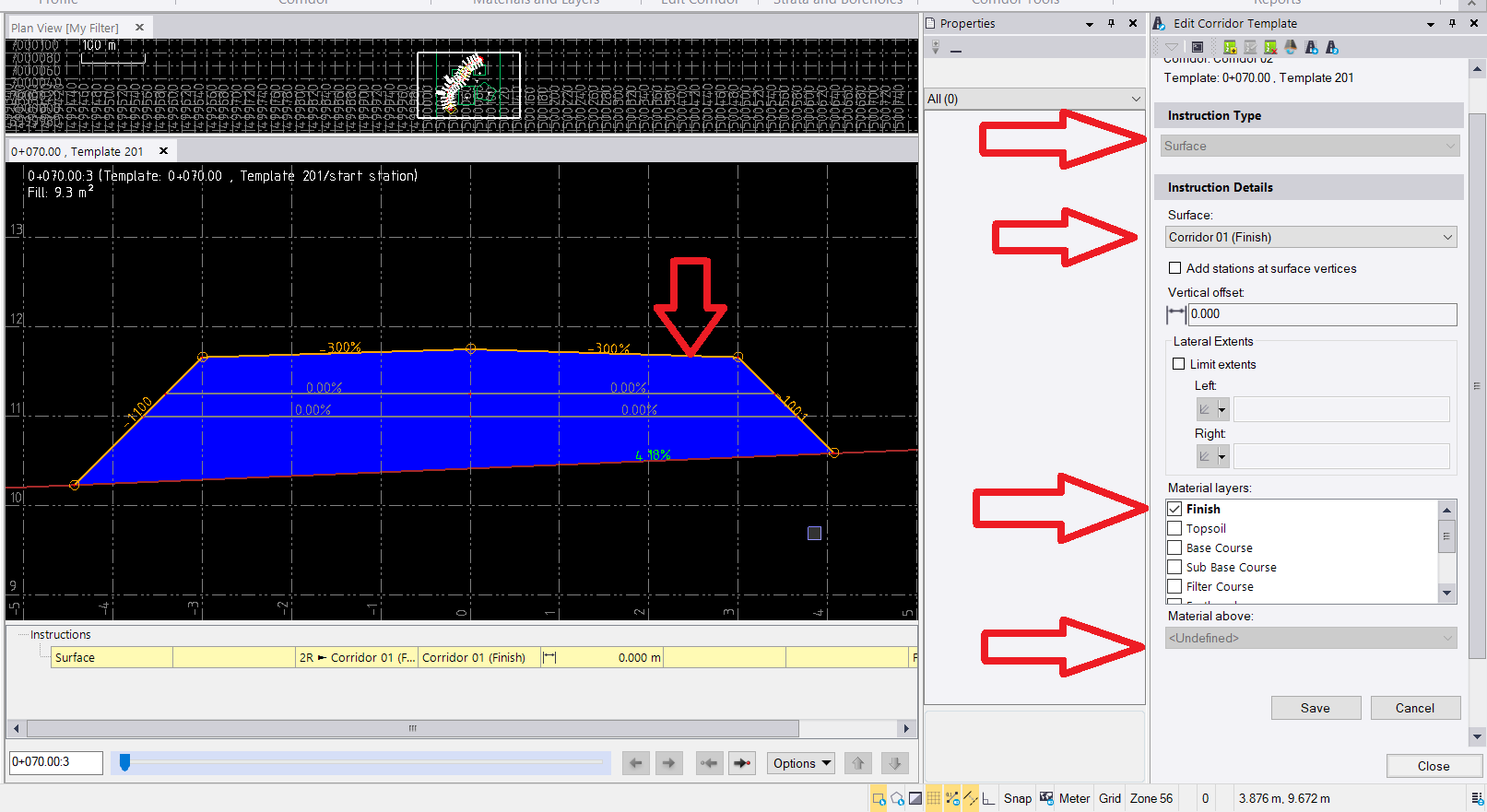
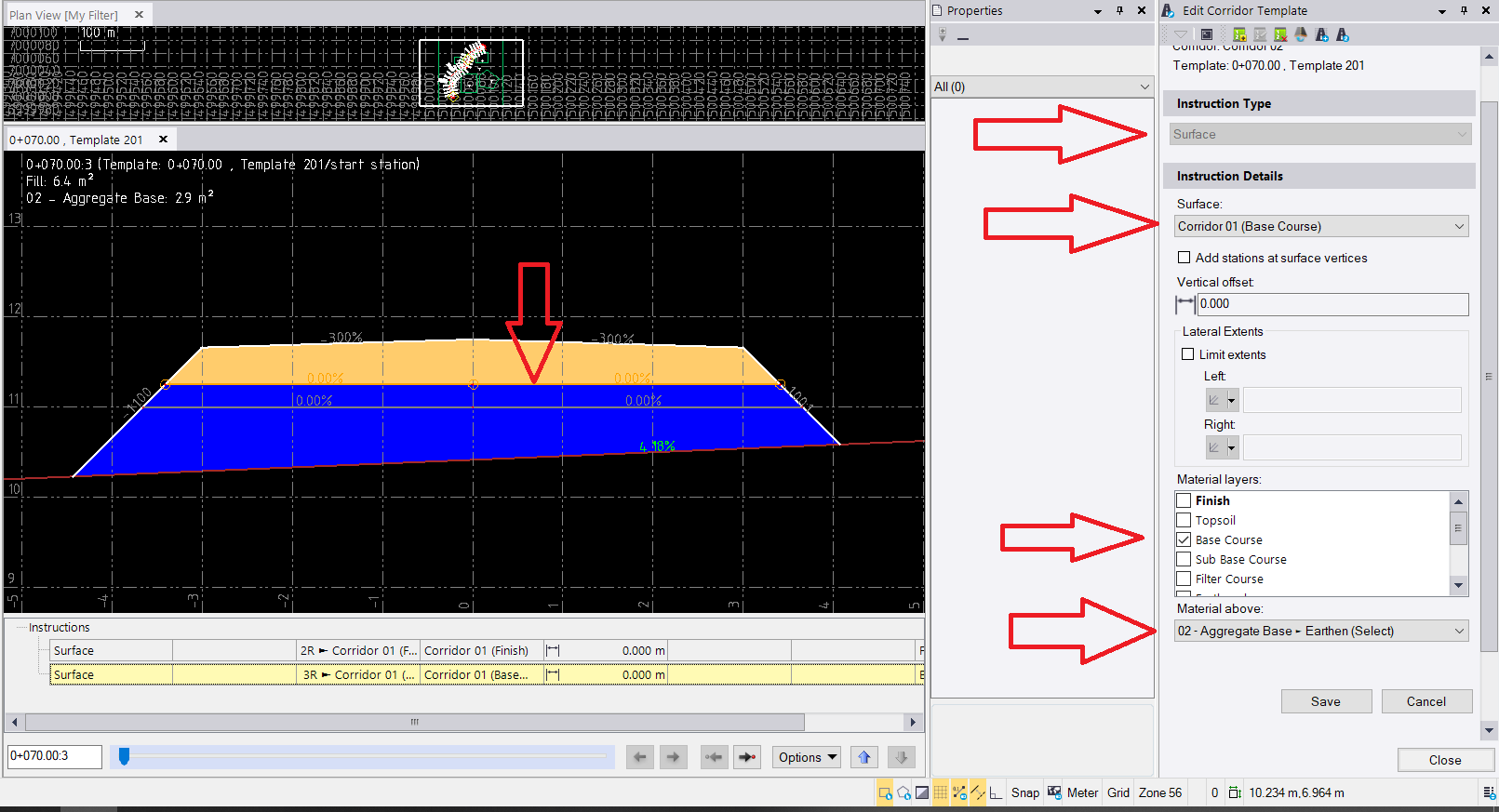


    On the example above I have created only 3 instructions.


    Hope it helps.


  • 3.  RE: Re: TBC - Add Material Between Surface

    Posted 03-13-2022 20:44
    Excuse me, if the original ground is higher than the finished surface, do you need to set the instruction for the material layer, half filling and half digging?
    zhangzhaojun1022@qq.com

    ------------------------------
    zhang zhaojun
    ------------------------------


  • 4.  Re: TBC - Add Material Between Surface

    Posted 03-02-2020 19:37

    Many Thanks