Trimble Business Center

 View Only
Expand all | Collapse all

TBC Crashes When Printing From Plotbox

  • 1.  TBC Crashes When Printing From Plotbox

    Posted 06-17-2020 08:35

    TBC has started crashing when printing from plotbox.  I am running the latest version 5.3.  Below is a link to the file.


    Dropbox - 4. Design Files - Simplify your life 


  • 2.  Re: TBC Crashes When Printing From Plotbox

    Posted 06-17-2020 13:16

    I also wanted to add that this happened again today on a different job.


  • 3.  Re: TBC Crashes When Printing From Plotbox

    Posted 06-19-2020 15:34

    Michael

    What size of Sheet are you trying to Plot - I just ran this a few times and had no issue. Are you running to a PDF file or to a Printer?


    I would use the Sheet Layout stuff if you are still having the issue - I have posted previously and provided simple Plot Sheet templates etc. and can share a link here - that may be a partial solution.


    If you want to share the project with the Plotbox with me I can see if also crashes for me, but I need the type of Print Driver also. 


    You could check the Print Driver as well to see if there is an update for that.


    Call me if you need to discuss this - +1 720 323 0481


    Alan


  • 4.  Re: TBC Crashes When Printing From Plotbox

    Posted 06-22-2020 06:07

    I shared a link to the project in the original post.  The printer driver is Bluebeam, and it is working fine in everything else.  I just tried printing from this file again, and I cannot print the cut/fill map, but if I turn it off, I can print.


  • 5.  Re: TBC Crashes When Printing From Plotbox

    Posted 06-23-2020 10:30

    Had blubeam driver installed before and similar thing happened on earlier TBC releases, it would just jam the program. Now my problems persist when I send reports to colleagues because when they open it in Bluebeam, pdf is shown with Klingon language.


  • 6.  Re: TBC Crashes When Printing From Plotbox

    Posted 06-23-2020 10:34

    We test our PDF Output with Acrobat and Acrobat Reader. If Bluebeam has

    problems reading files that Acrobat Reader can read and understand then the

    problem likely lies with Bluebeam itself and not our Export process.


    If Bluebeam would like to provide us with Test Licenses so that we can

    validate our outputs against their solution, I would be happy to have our

    team validate Bluebeam as well.


    Alan


    On Tue, Jun 23, 2020 at 11:30 AM fsl@aarsleff.com <trimble@jiveon.com>


  • 7.  Re: TBC Crashes When Printing From Plotbox

    Posted 06-22-2020 06:36

    Can you try the Microsoft Print to PDF Driver or try Cute PDF Print Driver and see if that has the same issue. I will see if I see the same issue on your file.


    Alan


  • 8.  Re: TBC Crashes When Printing From Plotbox

    Posted 06-22-2020 06:41

    I have not received a Share Link Michael


    Alan


  • 9.  Re: TBC Crashes When Printing From Plotbox

    Posted 06-22-2020 07:15


  • 10.  Re: TBC Crashes When Printing From Plotbox

    Posted 06-22-2020 15:41

    Michael

    I would also refer you to this post on using simple Plot Sheet approach. I would do this every time over the Plotbox approach which I never use - I much prefer this approach as explained in the post from last year - just as quick but far more flexible. Templates are attached in the post.


    https://community.trimble.com/community/find-answers/civil-engineering-and-construction/business-center-hce/blog/2018/12… 


    Alan


  • 11.  Re: TBC Crashes When Printing From Plotbox

    Posted 06-22-2020 16:02

    A couple more questions


    Your Plot Box is set up for ARCH D plotting. What DPI did you select for the output to PDF? This may have some relevance to the Crashing if your PDF Driver overflowed the buffer because of the High DPI setting. You can likely get away with 120DPI or 150DPI and maybe even 96 DPI etc. 


    but if you plot at 600 or 1200 or higher DPI then I can imagine this will overrun the print to PDF Driver buffer.


    I printed this out at 144 DPI using Cute PDF with no problem at all and the resolution is pretty good I think
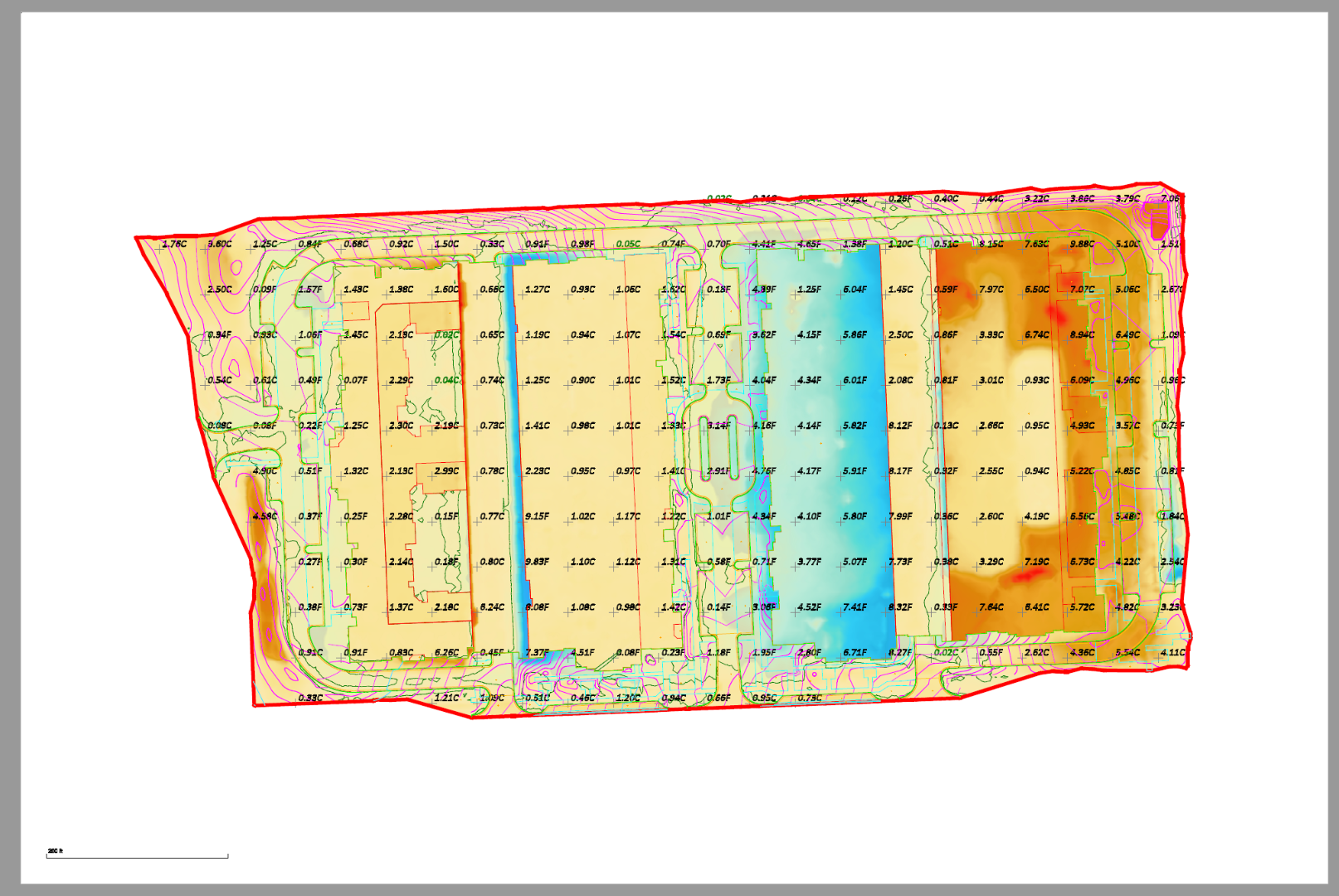


    I also printed this one at 600 DPI using Cute PDF with no issues either and the resolution is really not that different because internally we are likely writing using 300 DPI anyway


    Apologies - I cannot comment on the Bluebeam PDF Print Driver as I dont use Bluebeam and dont have it to test with, but if you are doing this type of printing then Cute PDF is free to download and Use and does a pretty good job at all Paper Sizes and gives DPI resolution control which you need for this type of printing.


    Alan


  • 12.  Re: TBC Crashes When Printing From Plotbox

    Posted 06-23-2020 05:42

    Thank you for looking into this Alan.  Maybe this can be the time for to

    finally take the time to learn the Plot Sheet approach.  I have use CutePDF

    in the past, and will check on using it again.


    On Mon, Jun 22, 2020 at 7:03 PM alan.sharp@rockpilesolutions.com <


  • 13.  Re: TBC Crashes When Printing From Plotbox

    Posted 06-23-2020 09:00

    I would make that change - you wont be disappointed and it really is not

    hard


    Alan


    On Tue, Jun 23, 2020 at 6:42 AM michael@takeoffpros.com <trimble@jiveon.com>


  • 14.  Re: TBC Crashes When Printing From Plotbox

    Posted 06-24-2020 11:02

    I figured out why I was crashing.  When I went into Options, "Use Double Precision Patches" was checked.  When I un-checked the box, I have had no problems printing from plotbox at any resolution.  I still plan on learning the Plot Sheet approach.


  • 15.  Re: TBC Crashes When Printing From Plotbox

    Posted 06-24-2020 11:27

    OK - Good to hear - I will report that in


    Alan