Trimble Business Center

 View Only
Expand all | Collapse all

on a Geo7x.  is there a way to change the start screen menu to a list? 

  • 1.  on a Geo7x.  is there a way to change the start screen menu to a list? 

    Posted 02-12-2019 12:10

    On our new Geo 7x, the icon for ArcPad is positioned at the bottom of the start screen.  It requires us to scroll down, and it is very easy to inadvertently open other programs.  It would be easier to find our program on a list (similar to the one on the Geo XT).  Is it possible to chage the menu to a list rather than icons?


  • 2.  Re: on a Geo7x.  is there a way to change the start screen menu to a list? 

    Posted 03-03-2019 13:37

    You might be better off posting in this forum instead, since you posted in the TBC software group.Find Answers 


  • 3.  Re: on a Geo7x.  is there a way to change the start screen menu to a list? 

    Posted 03-04-2019 08:35

    Hi Barbra


    Firstly you should make sure you have taken advantage of the latest available OS revision for the Geo7

    The Geo 7X Operating System v6.7.18 and can be downloaded for free from here - the release notes provide further information on what the update contains, how to install it and most importantly to back up and unsaved data (on your SD or PC) before performing the update.


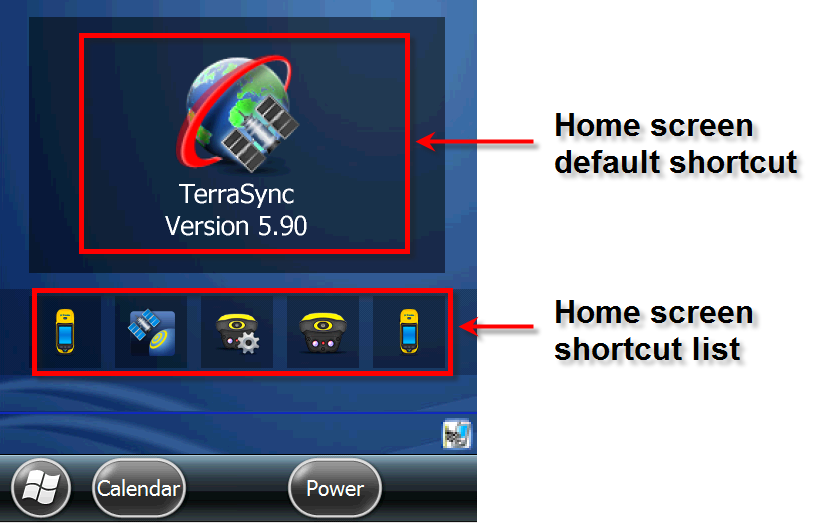
    The Geo7 uses a combination of a single default home screen application shortcut and a smaller shortcut list.

    Both options can be configured or enabled/disabled 


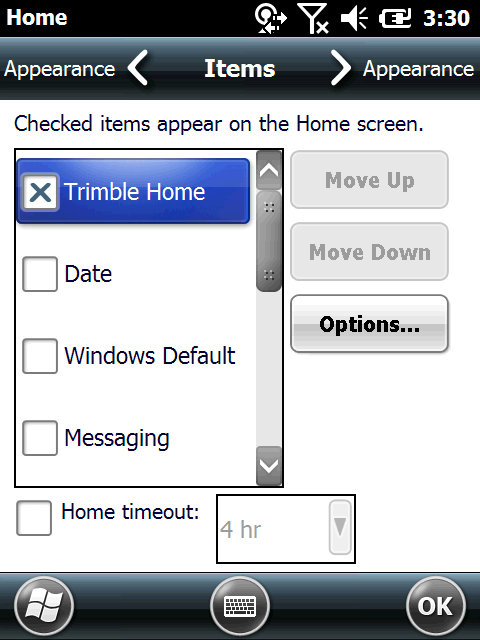
    To edit/ setup the default home-screen 

    Select SETTINGS > HOME > ITEMS > With Trimble Home enabled select Options


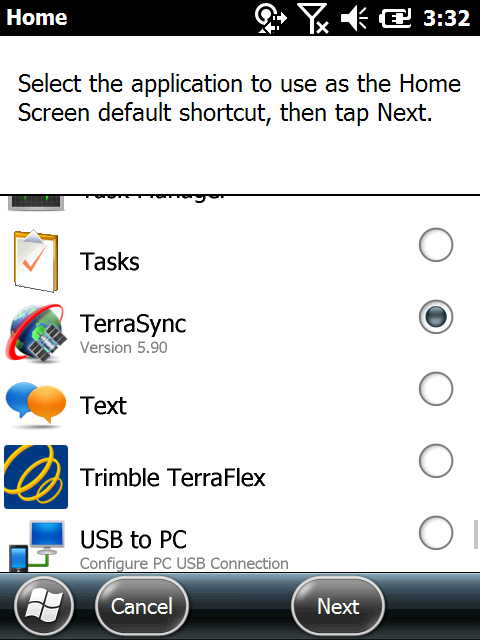
    The Home Screen default application will represent the single large shortcut menu on the home screen


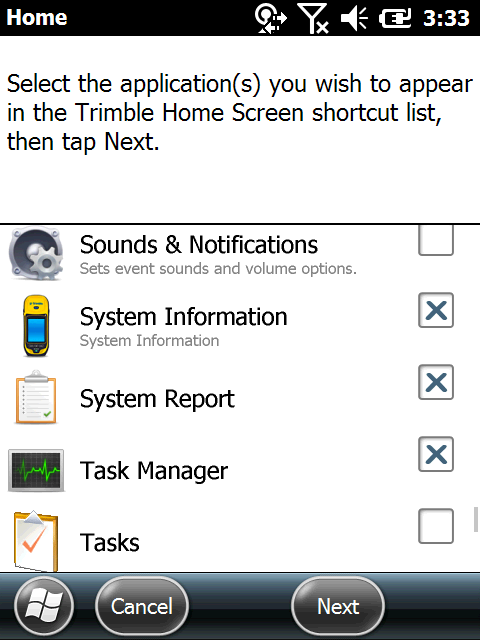
    The application shortcut list lets you select multiple applications to sit on the home-screen below the default application.