Trimble Business Center

 View Only
Expand all | Collapse all

Is there a way to create a point along a 3d line.

  • 1.  Is there a way to create a point along a 3d line.

    Posted 08-10-2018 11:43

    I have a Beginning point and Ending point that are both elevated about 40 feet apart horiz. I would like a new point on-line between these existing points, and on the same grade. Cogo allows for Bearing and Distance, but this does not take into account a 3d line. I also tried to draw a line between the points and figure out a way to shorten the line to the point I need, but could not figure that out either.


  • 2.  Re: Is there a way to create a point along a 3d line.

    Posted 08-14-2018 08:00

    Not sure if I understand your question, but you can try the CAD/Lines/Divide command. There you can break a line in fragments by length or number of divisions, also you can indicate TBC to create CAD points in any new vertex that will be created. If start and end points in your line are at same elevation the new points will share that elevation too. Otherwise you can edit the elevation of those new points by simply editing it in the Properties box.


    Hope this to be helpful, have a nice day


  • 3.  Re: Is there a way to create a point along a 3d line.

    Posted 08-14-2018 10:27

    Hi Jason,


    Great question! Oswaldo's answer will work if the points you want to create are at the same elevation as your starting point. The following workflow will work well if the point is to have an interpolated elevation and the offset distance is horizontal.


    Short version:

    Create Linestring between the two points. (direction matters)

    On the Edit ribbon, use the break line command.

    Create a point at End of line. (In Create Point drop-down)


    Detailed version:

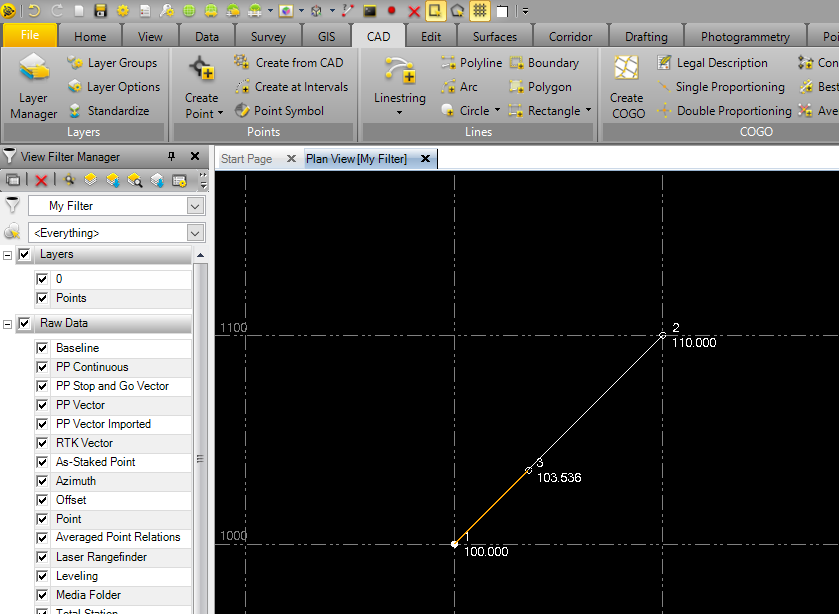
    I have two points seperated by 141m horizontal, 10m vertical.


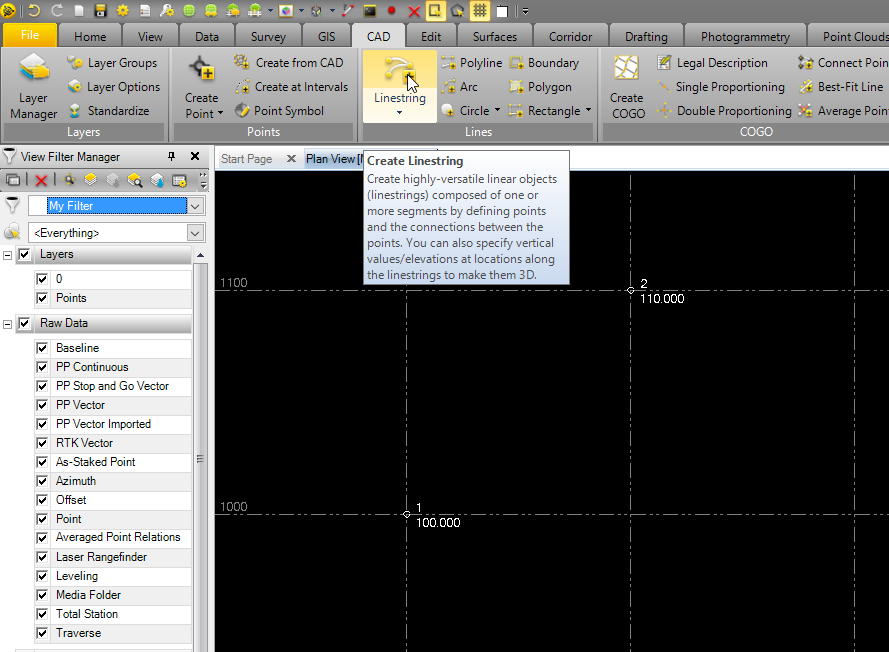
    First is to Create Linestring between the two points, starting from the point you want to set the offset distance.

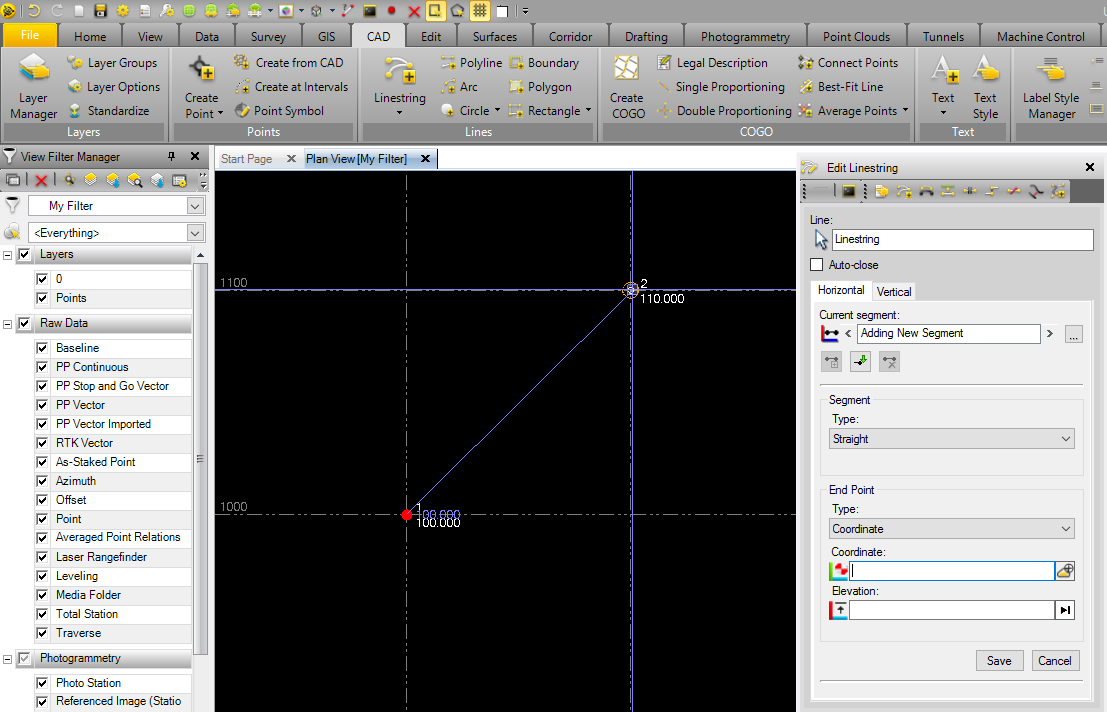
    I have drawn the line from point 1 to 2. After opening the Create Linestring command, you can press "Enter" to skip the first menu, and go directly to selecting the start and end points of your line. After clicking the two points, pressing "Esc" twice will exit the command.
     

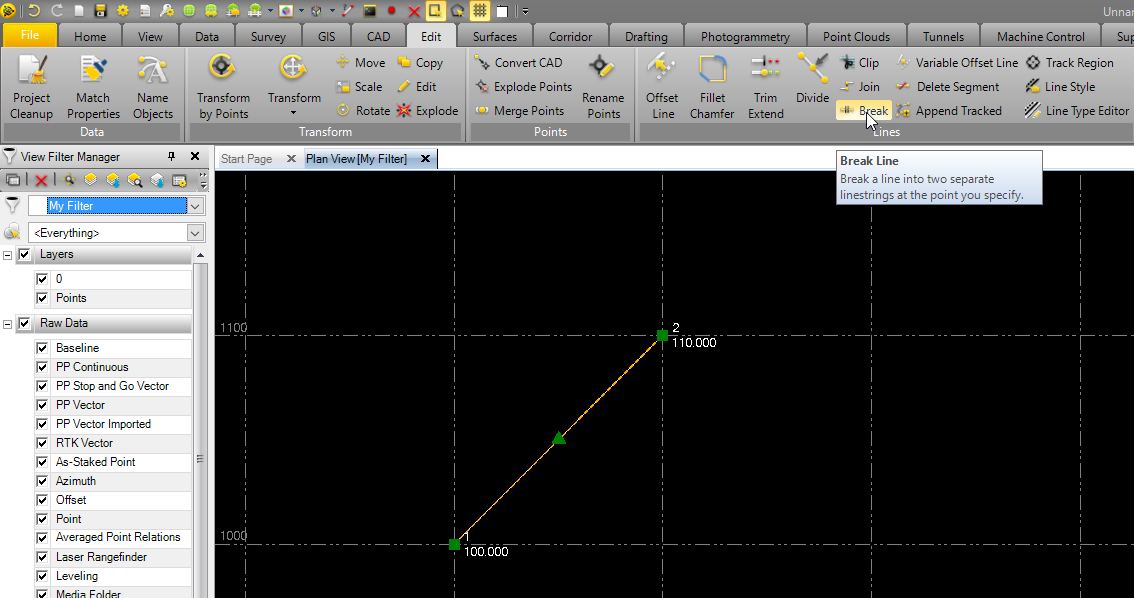
    Next, go to Edit > Lines > Break
     

    Select the line (if it's not already), and enter the distance along the line you would like to create the new point. (This is why the direction the line was created matters) I would like my new point to be 50m from the start point.
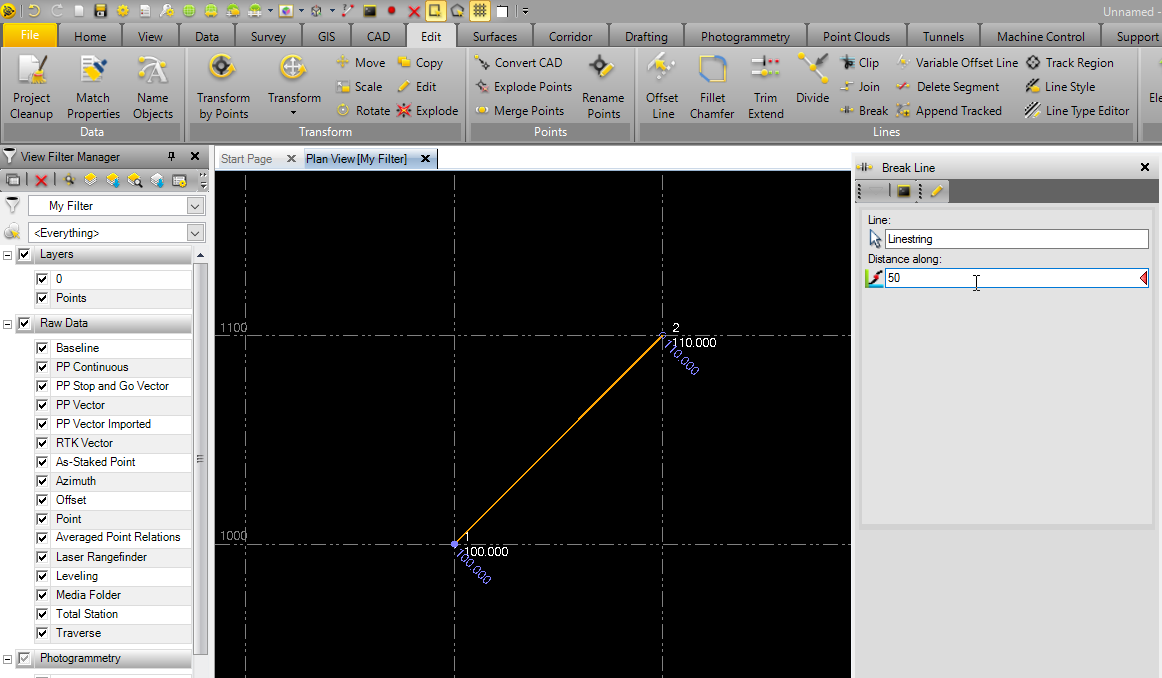
     

    Hit Break or press "Enter" on the keyboard.


    Next, CAD > Points > Create Point (select the drop down) > End
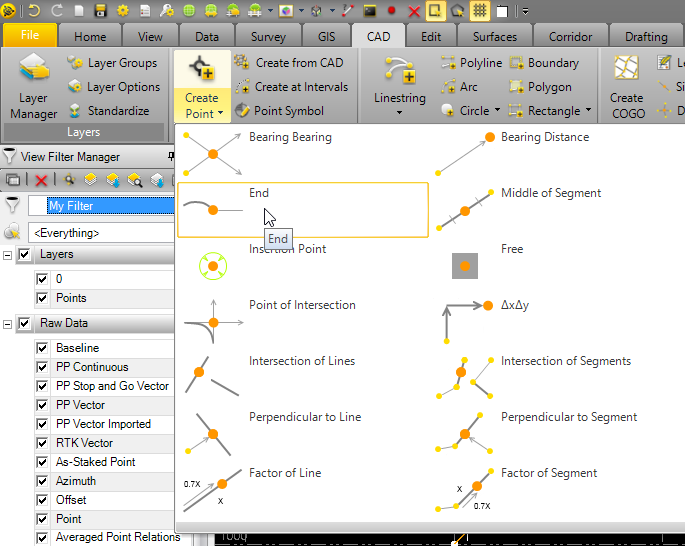
     

    Select the end of the broken line, and click Add or press "Enter". A point will be created here.


    If the linestrings are not desired, they can be deleted.


    I hope this answers your question, if not let me know!


    Thanks,

    Matt


  • 4.  Re: Is there a way to create a point along a 3d line.

    Posted 04-24-2020 13:06

    A bit late.   Points >Create from CAD works also and gives elevation from linestring.