Trimble Business Center

 View Only
Expand all | Collapse all

Corridor - Dual Carriageway

  • 1.  Corridor - Dual Carriageway

    Posted 05-10-2017 02:19
      |   view attached

    New to TBC.

    I have gone through Corridor tutorial that comes with the software.

    I have two questions:

    1. If I have a dual carriageway, a CL (in the Median) with a CL Design profile and an offset or independent Reference line for RHS Carriageway and a LHS Carriage way. Where do I start my Template Building?


    2. I need to export the Finished Template and several Subgrade Templates at various levels to a 3D Surface CAD file. How do I do it.

    Attached file shows the details, hopefully it explains fully. This was done in Terramodel.

    Thanks in advance.


  • 2.  Re: Corridor - Dual Carriageway

    Posted 05-11-2017 02:10

    Thank you for your post, Saif, and welcome to TBC!


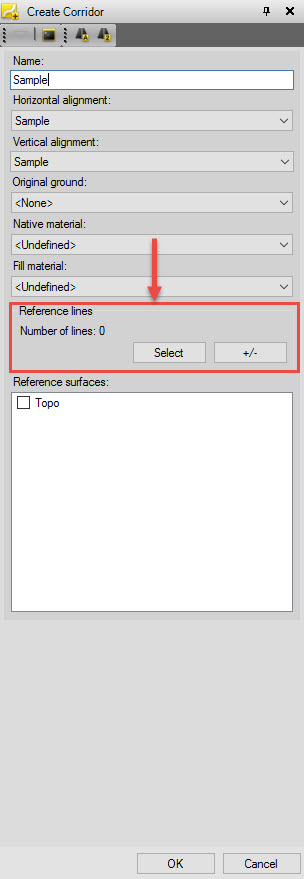
    If your CL alignment has a vertical profile, I would suggest beginning your template instructions at the CL and building out nodes left and right from there.  If you've got reference lines for RHS and LHS that you wish to include in the template instructions, include them in the corridor as 'Reference lines' in the initial 'Create Corridor' menu.  See attached screenshot.


    There are a couple of ways to build the subgrade layers.  You can build new corridor surfaces for each layer, build all subgrade layers within a single corridor using the offset/elevation, connect, and other instruction types, use the 'Create Subgrade' command in the 'Surfaces' tab, or define the subgrade surfaces manually by 3D linestrings offset from your finish  ground surfaces.