Hey Saif,
The flags in your example seem to be caused by your the 'Breakline Approximation Parameters'. You can increase the tolerances under Project Settings -> Computations -> Surfaces as shown:
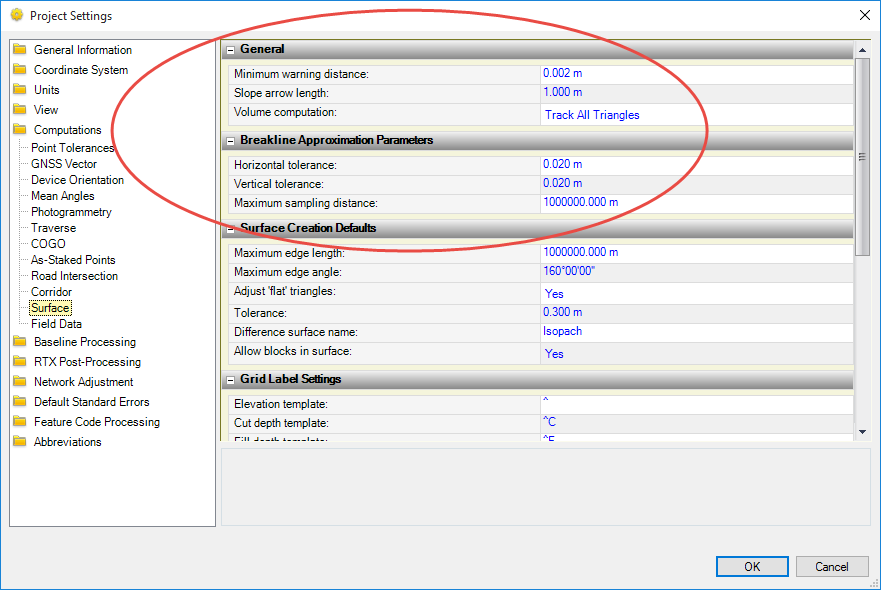
You can also turn off the visible flags in your plan view in the 'View Vilter Manager'

Currently there is no way to turn off/ignore flags, let me know if that helps, thanks.