francisco, hope all is well.
i think we chatted a bit about this before, but maybe it is because you are using numerical codes. i am not an expert in how the internal workings of the software are written, but i can see that using numerical codes there could be a conflict. the fxl is looking for:
Point# codeThatcanhaveaNumericalInidacotor Linecontrolcode Point#tojointo or 852 CC7 CPN 850 where -852 is point # -CC7 is concrete with 7 being the 7th string of concrete in the project -CPN is the line control code -850 is the point to connect to
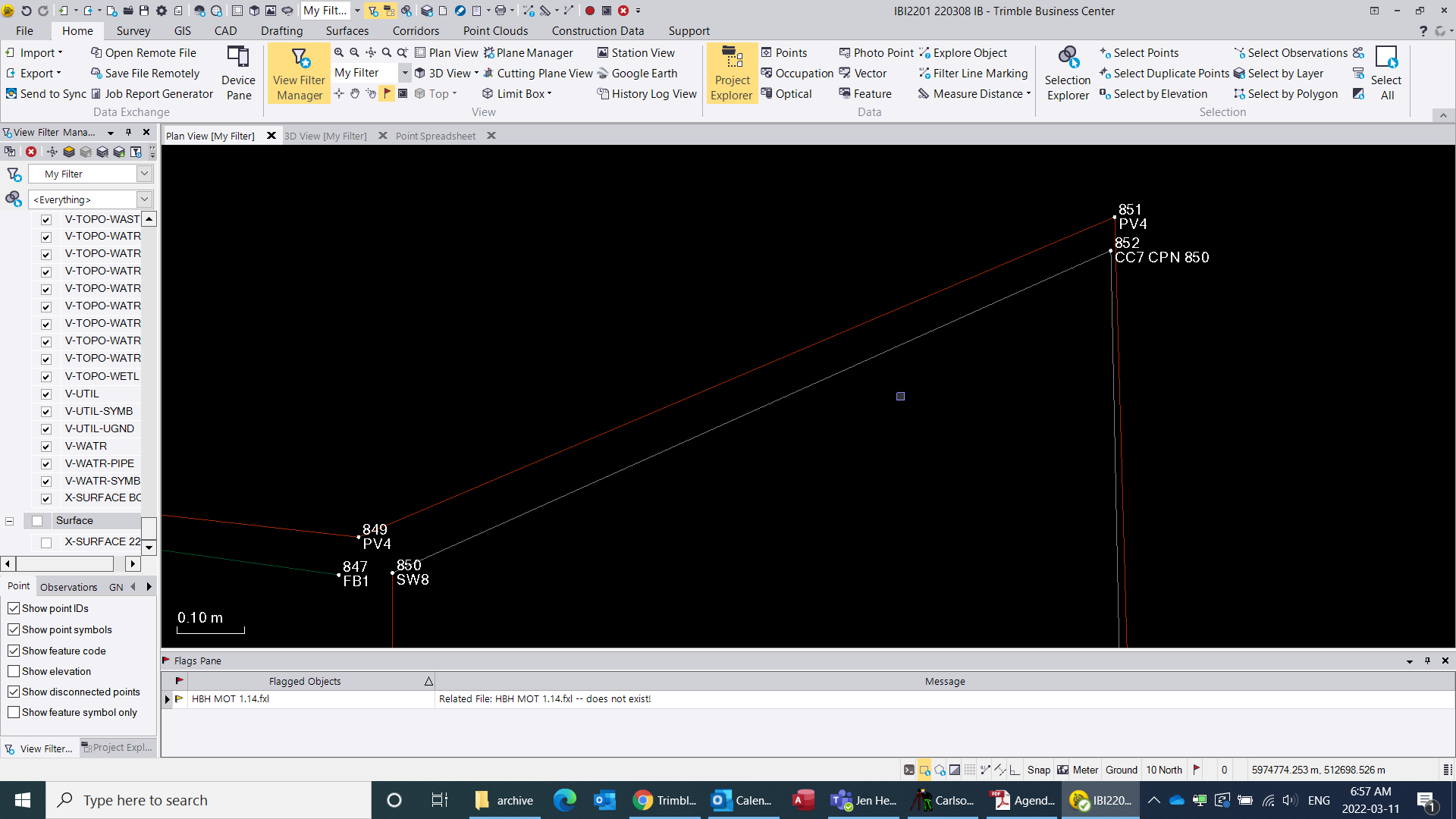
if your codes are numerical then i don't think you can have multiple strings running at the same time, plus there could be a conflict if you want to connect to a point which is also a Code. in your example if you tried to connect to a point 13, then thirteen is also used for a Code and the FXL and TBC would not know if you are prompting to have a second Code for the point or to Connect to point 13. i could be wrong here and it is smart enough to know to look to a point # and not a code.
and it could be that ben is right and the End command is not allowing a second line control. the advantage of having a numerical indicator on each string (7) in my example is that you don't need to end any lines. i was pretty against working this way when i started, but have found that there are lots of advantages.
another quick thing. you could try not using the end command, and only use the start command on your next 65 string. the software will auto end the previous string. and this way maybe you can get it to connect properly.
hope something in here might help. good luck
------------------------------
ian bissonnette
------------------------------
Original Message:
Sent: 03-09-2022 15:11
From: Francisco Guerrero
Subject: Feature Code : join points
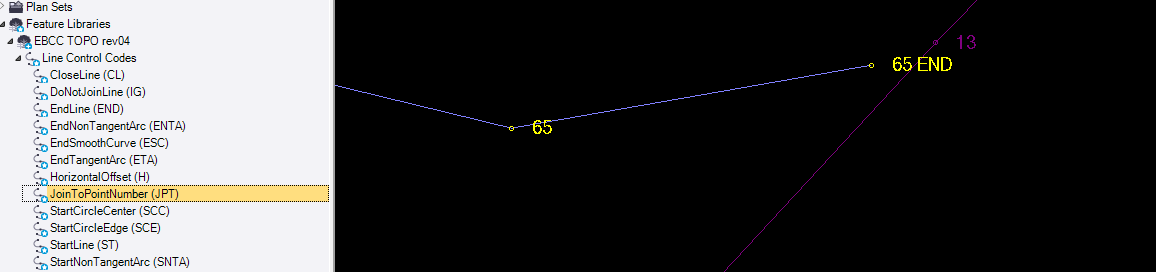
I have been trying to figure out how to use the FXL "join points" with no luck. Anyone use this line code and how did you write the code? I have been trying to close my driveway points to my edge of roadway. For my material site improvement purposes. See point 65 end and 13. My work around is to explode all the FXL linework and extend my 65 code before building my surface or if I have the extra time I will add code 65 to the code 13
------------------------------
Francisco Guerrero
------------------------------