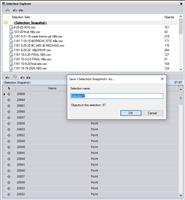
I will add to this. Selection Explorer will be a helpful command/tool when doing the table and exporting the data needed from those items. After seeing the Selection Explorer, its looks like a great command/tool to use when needed to select certain items from the same layer or varies layers.
------------------------------
Francisco Guerrero
------------------------------
Original Message:
Sent: 12-16-2020 17:19
From: Patrick L'heureux
Subject: Export Table to Excel
Thank you Rui. The other method I ended up using was the area length and count command which will generate pretty much the same data directly in excel.
This works but there are other tables that would be great to be able to grab and copy their data to excel that I don't think these methods would be applicable too.
------------------------------
Patrick L'heureux
Original Message:
Sent: 12-16-2020 15:34
From: Rui Wu
Subject: Export Table to Excel
Hi Patrick,
Not sure if this is the best way, but it works in this case if perimeter and area are the only attributes you need to export.
Select all the polygons, then go to Export -> GIS tab -> Shapefile exporter. You can leave all the settings as default.
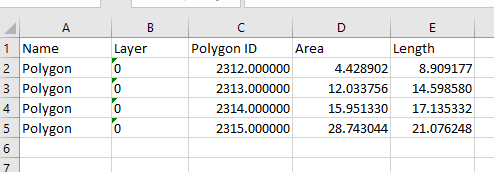
This export will create a folder containing 4 files. One of them is .DBF. You can open that file with Excel, and it should look something like below. Then you can resume the edit there.
------------------------------
Rui Wu
Original Message:
Sent: 12-15-2020 10:26
From: Patrick L'heureux
Subject: Export Table to Excel
Is there a way to export a table, in this case I am using a polygon table, to excel for further formatting or calculations?
In my example, I want to take the table shown into excel so that I can create some quick subtotals.
------------------------------
Patrick L'heureux
------------------------------