Trimble Business Center

 View Only
Expand all | Collapse all

Inability to Zoom in Close while in 3D View

  • 1.  Inability to Zoom in Close while in 3D View

    Posted 03-29-2022 12:02
    I've recently been updating driveways on a corridor model I created several months ago. I now can no longer zoom in to those edits I'm creating for those driveways without the 3D view disappearing on me.
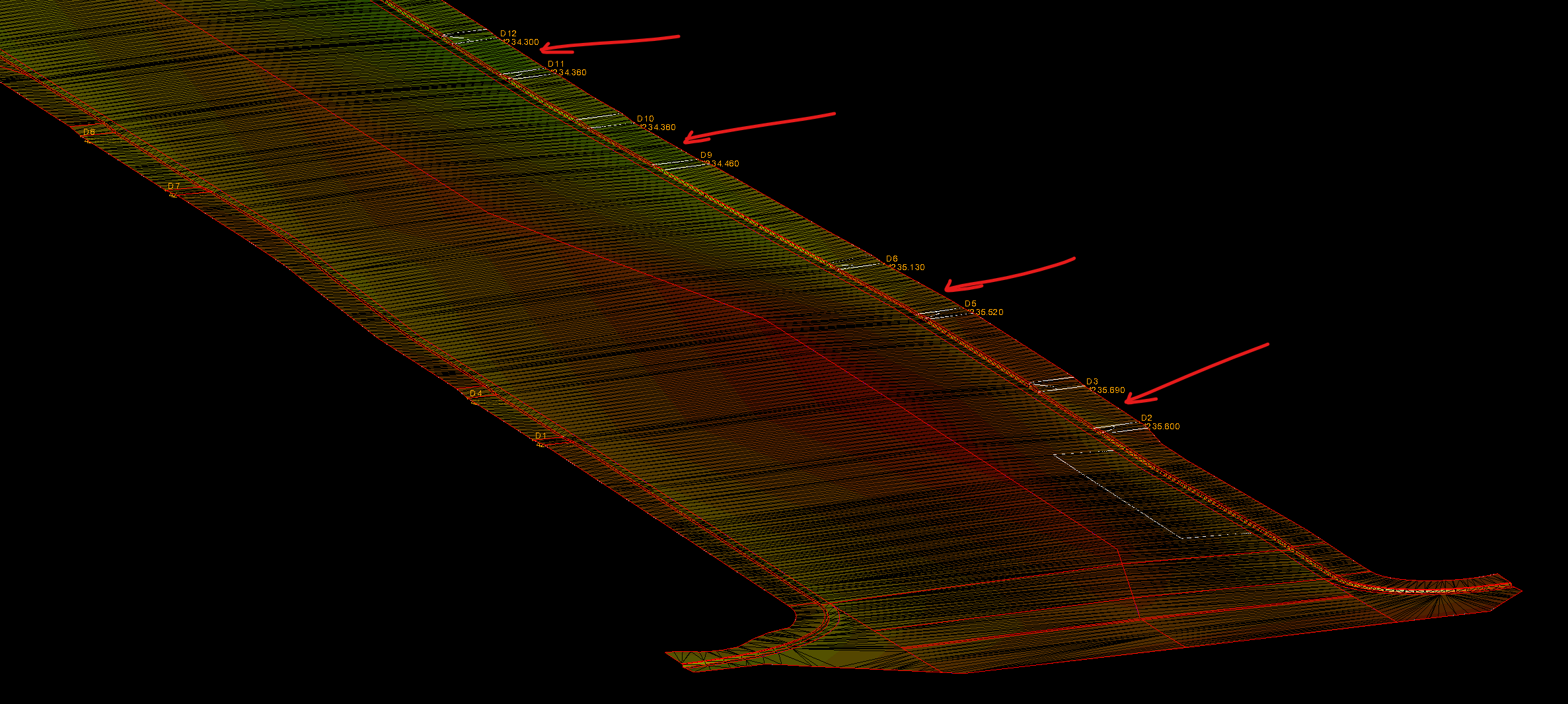
    When I use the wheel on my mouse to view these driveway edits I get to a certain point and BOOM... I can see my points, but the linework and surface disappear.  Here is the screenshot right before it disappears (red arrows are the resent driveway edits):
    Here is the next wheel turn of my mouse:
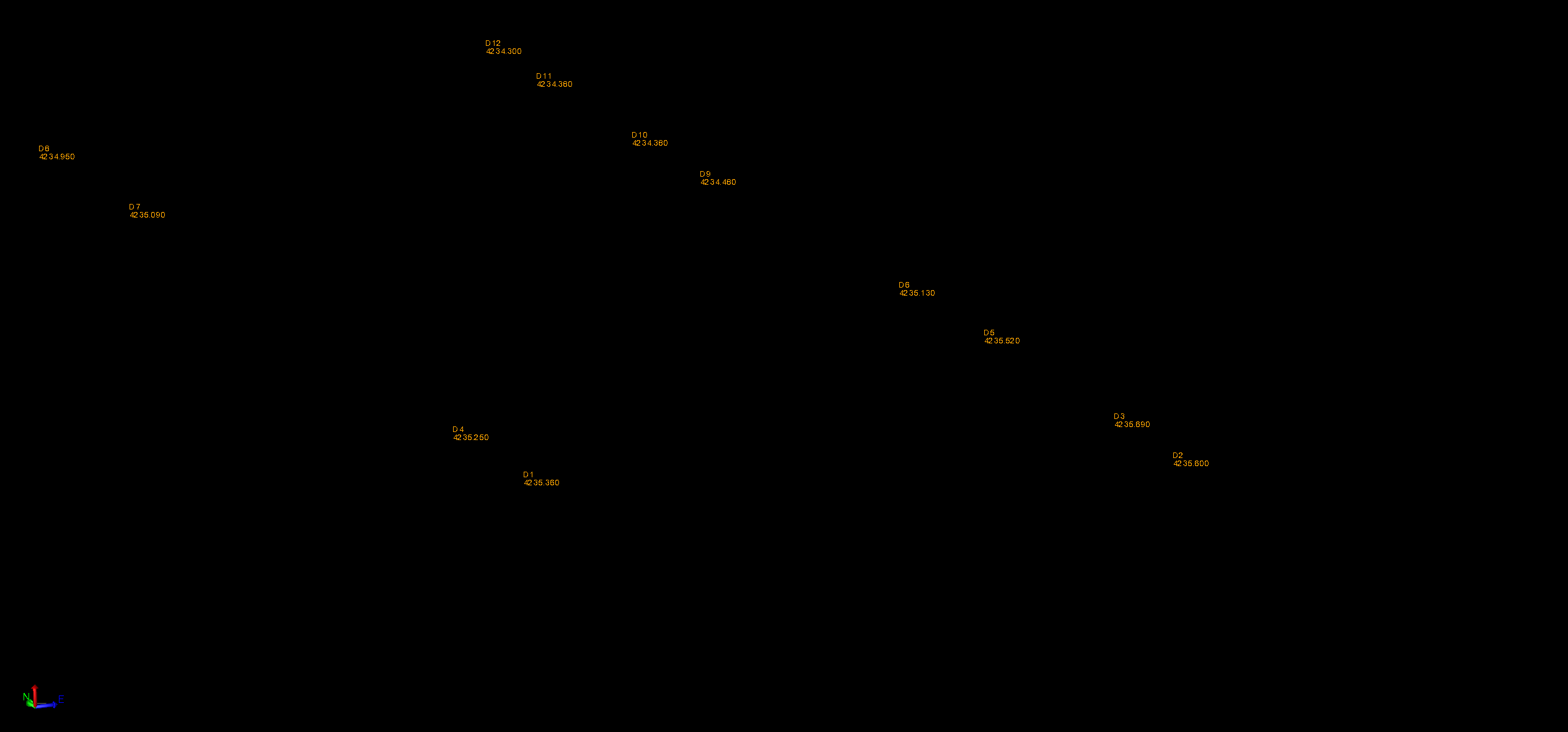
    Everything is gone but the point ID's and elevations.  I'm not even zooming in that tight.  Is this a graphics card issue? Is there a setting for this.  I don't see this happening on other projects that are much bigger with much more complicated corridors.

    -Brandon

    ------------------------------
    Brandon Knight
    ------------------------------


  • 2.  RE: Inability to Zoom in Close while in 3D View

    Posted 03-29-2022 12:57
    I had this same thing happen to me last month a few times.  Restart TBC work and then a computer restart helped a time or too.  I have not had that issue any more.  Its like Trimble does this on older versions so you can upgrade to their newest one.  I am on v5.52

    ------------------------------
    Francisco Guerrero
    ------------------------------


  • 3.  RE: Inability to Zoom in Close while in 3D View

    Posted 03-29-2022 14:09
    Usually it resolves itself if you close that View and re-open it.
    Also make sure you haven't got drawing elements in that view which are far away (0, 0) from your zoom location.

    ------------------------------
    Ronny Schneider
    ------------------------------


  • 4.  RE: Inability to Zoom in Close while in 3D View

    Posted 03-29-2022 14:21
    I even gave that a try with no luck.

    ------------------------------
    Francisco Guerrero
    ------------------------------


  • 5.  RE: Inability to Zoom in Close while in 3D View

    Posted 03-30-2022 10:10
    Just thought I'd give you a heads up.  I appreciate the replies.  I am currently running the latest version of TBS (5.62) yet I have seen this happen in previous versions.  I updated my drivers and took Francisco's advice and saved my work, closed TBC and rebooted my computer.  It worked.  I can now zoom in without any issues.  I suspect that this will happen in the future, but I suppose I can handle a 5-10 delay in a project as long as it fixes the issue (and this time it has).  
    Thank you Trimble Community!

    ________________________________

    I was going to include some screen shots of the correction but... it worked after the reboot and now it's broken again.  I'll try another reboot... 🤦‍♂️

    ------------------------------
    Brandon Knight
    ------------------------------


  • 6.  RE: Inability to Zoom in Close while in 3D View

    Posted 03-31-2022 05:32
    I've had this happen at times and not happen at times. It doesn't happen frequently.  I'm not sure if this is a memory issue (computer or GPU). And it's happened at times with previous versions too.

    ------------------------------
    Robert Hoy
    ------------------------------


  • 7.  RE: Inability to Zoom in Close while in 3D View

    Posted 05-03-2022 12:41
    You might try closing your 3D view window and open a new one and see if you can zoom in close again. I recently found that working when the density of points being displayed drops, doing this makes all points show up again.  It seems the program isn't refreshing the graphic view (the green progress bar on the bottom of the screen is indicating it's processing data to display).

    ------------------------------
    Robert Hoy
    ------------------------------