Trimble Business Center

 View Only
Expand all | Collapse all

Swapping Triangles on a Surface/Corridor-MAJOR FRUSTRATION

  • 1.  Swapping Triangles on a Surface/Corridor-MAJOR FRUSTRATION

    Posted 07-09-2021 11:25
    This is more of a new feature request or improvement I'd like to discuss.
    I spend most of my time building models for equipment.  I enjoy the features provided in TBC to do this and quickly get it exported to our machinery. HOWEVER, before I send a design out to the field I always use the "Swap Triangles" command to make the surface more smooth and more realistic to the actual design or plans.
    For instance I will change this:
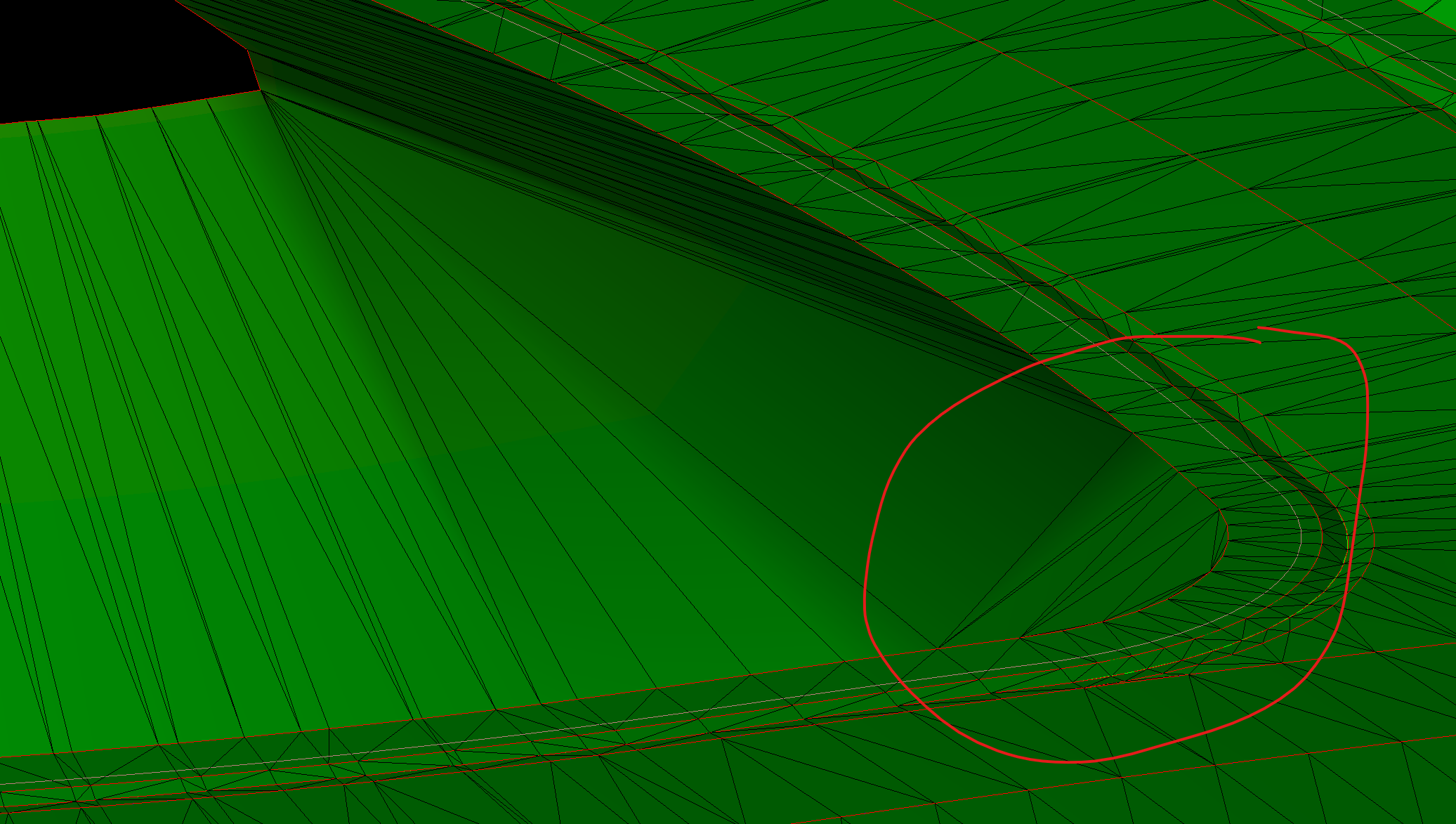
    To this:
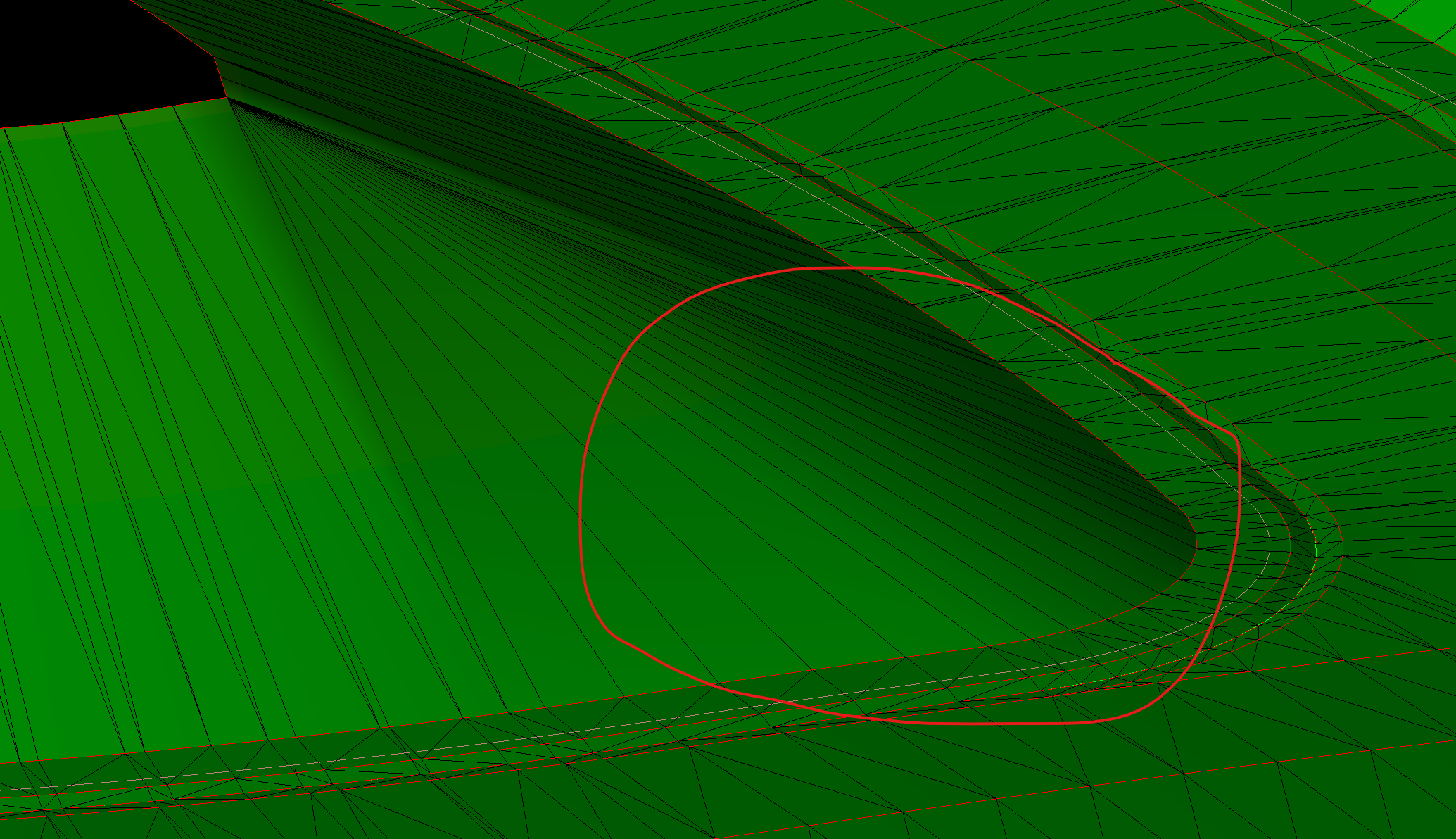
    When I am done with these changes I will make the surface update "By User" so that the swapped triangles will not go back to the previously undesirable triangles.
    Now for the issue.  I constantly get updated plans or changes that require me to update and change my models.  Well every time I do I need to rebuild the model and therefore go back to swapping triangles that I have previously swapped!!! This is maddening! I will have sometimes spent hours swapping triangles by the time a model is finalized.
    Can a simple option be made, perhaps in the properties of the surface/corridor, that I can click to "Maintain Swapped Triangles" and then rebuild and not have to do it all over again.
    Please thoughts and ideas.  Perhaps there is a solution and I am just not aware of it.

    ------------------------------
    Brandon Knight
    ------------------------------


  • 2.  RE: Swapping Triangles on a Surface/Corridor-MAJOR FRUSTRATION

    Posted 07-09-2021 11:45
    Brandon,
    Does your surface have "Adjust 'flat' triangles on?

    ------------------------------
    Erik Petersen
    ------------------------------


  • 3.  RE: Swapping Triangles on a Surface/Corridor-MAJOR FRUSTRATION

    Posted 07-09-2021 11:59
    It does. I've not noticed much a difference with that feature on or off.

    ------------------------------
    Brandon Knight
    ------------------------------


  • 4.  RE: Swapping Triangles on a Surface/Corridor-MAJOR FRUSTRATION

    Posted 07-09-2021 13:27
    Why not add additional breaklines? Minimize the swap triangles.

    ------------------------------
    Francisco Guerrero
    ------------------------------


  • 5.  RE: Swapping Triangles on a Surface/Corridor-MAJOR FRUSTRATION

    Posted 07-09-2021 20:15
    Do use the vertices snap mode to draw break lines using the surface vertices.

    ------------------------------
    Francisco Guerrero
    ------------------------------


  • 6.  RE: Swapping Triangles on a Surface/Corridor-MAJOR FRUSTRATION

    Posted 08-01-2021 16:14
    Edited by Rob Davidson 08-01-2021 16:15
    The default tolerance on 'Adjust flat triangles' is way low. I changed from 0.15m to 15m. Works a treat (make sure toe is a single string).

    Where this doesn't work, add a linestring down the batter and edit the property Override Segment Length to 1000m. I use this regularly to force/set triangular formation.

    ------------------------------
    Rob Davidson
    ------------------------------


  • 7.  RE: Swapping Triangles on a Surface/Corridor-MAJOR FRUSTRATION

    Posted 07-09-2021 16:04
    Once happy with your surface explode it to linestrings and create new surface using those line strings. Those triangles will never change.

    Or add a breakline as Francisco said.

    ------------------------------
    Marian Plucinski
    ------------------------------


  • 8.  RE: Swapping Triangles on a Surface/Corridor-MAJOR FRUSTRATION

    Posted 07-15-2021 14:05
    I used to deal with the same thing. my solution was breaklines, and you can keep the exact same triangulation as swapping the triangles if you set the 'override segment length' property of the breakline to any value greater than it's length (i just quickly type in 5000000). Otherwise you will get vertices generated along your breakline at whatever your global setting is and at least in the pic you posted it would be better without them. 


    ------------------------------
    Matthew Judice
    ------------------------------


  • 9.  RE: Swapping Triangles on a Surface/Corridor-MAJOR FRUSTRATION

    Posted 07-16-2021 09:51
    What version of TBC are you using? The current release does remember the "swap" edits and tries to reapply them if surface is rebuilt.

    ------------------------------
    Gary Lantaff
    ------------------------------


  • 10.  RE: Swapping Triangles on a Surface/Corridor-MAJOR FRUSTRATION

    Posted 07-16-2021 13:21
    Oh Oh! Nice!! Thanks @Gary Lantaff

    ------------------------------
    Richard Tyndall
    ------------------------------


  • 11.  RE: Swapping Triangles on a Surface/Corridor-MAJOR FRUSTRATION

    Posted 07-16-2021 14:37

    That is great news!!!  I am currently using 5.4 which is the reason that I was not aware of this issue being resolved.  Glad to hear it. I'll check it out once I update.


    Brandon Knight

    Survey Manager

    Granite Construction Company

    1000 Warm Spring Rd | North Salt Lake | UT 84111

    Cell 801.835.0280 | Office 801.526.6105

    Brandon.Knight@gcinc.com


  • 12.  RE: Swapping Triangles on a Surface/Corridor-MAJOR FRUSTRATION

    Posted 07-18-2021 14:37
    Why can't they include such important information in the release notes?

    ------------------------------
    Ronny Schneider
    ------------------------------


  • 13.  RE: Swapping Triangles on a Surface/Corridor-MAJOR FRUSTRATION

    Posted 07-18-2021 14:44
    I'm right there with you. Any changes to the software as little as they are should be in the release notes.

    ------------------------------
    Erik Petersen
    ------------------------------