Do all of your setups have instrument heights and elevations?
------------------------------
James McWha
Asia Pacific Regional Support Manager, Geospatial
------------------------------
Original Message:
Sent: 06-16-2023 07:53
From: Robert Hoy
Subject: 5.90 SX10 scans won't colorize
Exposure isn't the issue, it doesn't go through the colorize function upon import nor will choosing the colorize scans do anything. Station View shows the photos well.
------------------------------
Robert Hoy
------------------------------
Original Message:
Sent: 06-15-2023 23:39
From: Ronny Schneider
Subject: 5.90 SX10 scans won't colorize
How is the exposure of your images? Can you post a screenshot?
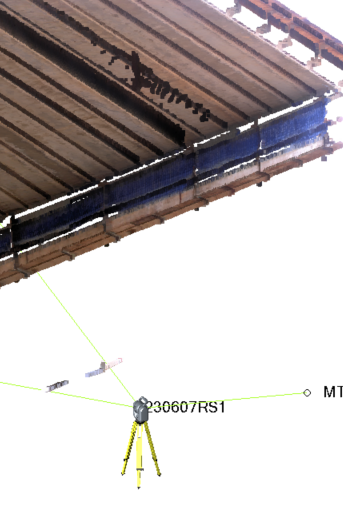
I saw that today on one of my scans, underside of girders against a very bright sky. The structure appears nearly black after colorizing, and "disappears" on a black background. I don't really use true color anyway.
First I thought, where the heck did my cloud go, and when I found it, completely black, I already thought I reported prematurely that the colorizing works for me. Until I had a closer look at the images.
------------------------------
Ronny Schneider
Original Message:
Sent: 06-13-2023 21:27
From: Ronny Schneider
Subject: 5.90 SX10 scans won't colorize
Works for me. During Import and also via post processing.
SX10
Latest TA
TBC 5.90
------------------------------
Ronny Schneider