Also, another trick that just popped to mind.
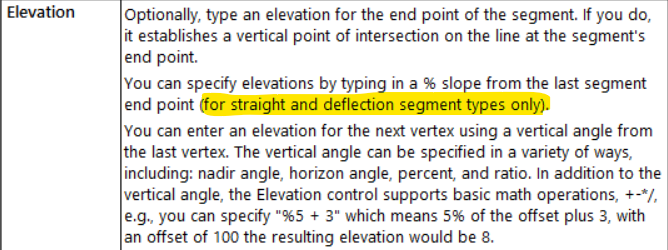
The following only works with straight line segments.
If you set one node with an elevation and then type a percent value i.e. "10%" into the elevation field for the next node it will compute the correct elevation for you, dependent on the length of that straight segment. Can be handy for drainage linework.
------------------------------
Ronny Schneider
------------------------------
Original Message:
Sent: 07-23-2024 06:25
From: Francisco Guerrero
Subject: Change slope on linestring
add to Ronny's post. add points to the ends which should pick up on the elevation from both ends of the line. Do a change elevation to the line "undefined". Then it will be use the command "Elevate Line" by using the point option. The line should then pick up the elevations from the points at each end.
------------------------------
Francisco Guerrero
------------------------------
Original Message:
Sent: 07-22-2024 15:50
From: Ronny Schneider
Subject: Change slope on linestring
Edit the linestring and change the elevation of the intermediate points to "?".
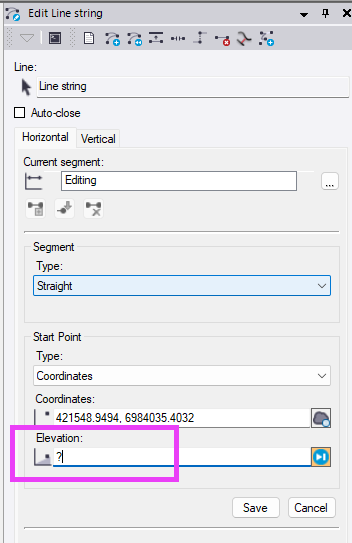
A ? forces TBC to interpolate between known elevations, or extrapolate if it's at the end of the line.
If it's a line with a lot of nodes you might want to use the "change elevation" command to set the whole line to "undefined" which means "?". And then just change start and end of the line to valid elevations.
------------------------------
Ronny Schneider