Ok, that wasn't 100% clear to me.
Are you using the builtin PDF printer or something like CutePDF or Bluebeam?
Are you using a Plotbox or a normal rectangle as source for the Dynaview?
Could this old forum thread be related to your problem? https://community.trimble.com/communities/community-homepage/digestviewer/viewthread?MessageKey=43161ce2-34df-48a6-8f35-32779a56e50f&CommunityKey=d961b046-1661-40f3-8d7e-0bde6866a14d#bm43161ce2-34df-48a6-8f35-32779a56e50f
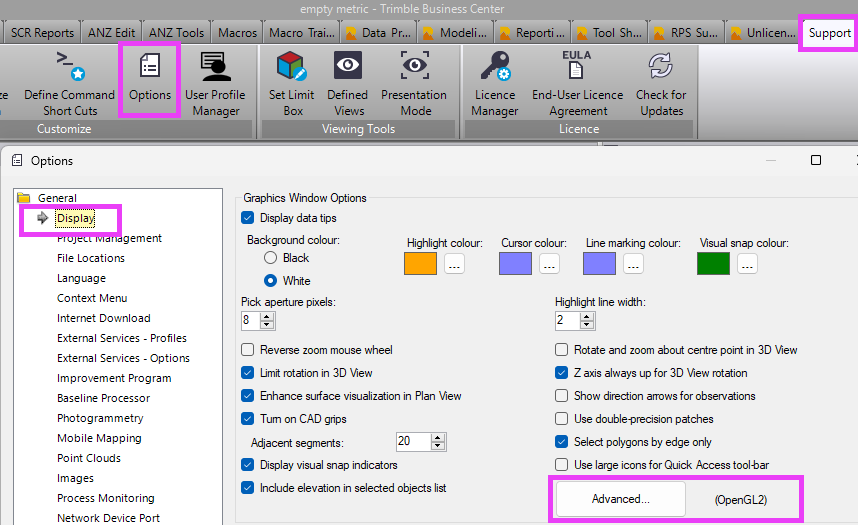
Have you got "double precision patches" enabled in the options?
------------------------------
Ronny Schneider
------------------------------
Original Message:
Sent: 05-01-2025 06:26
From: Matt Weller
Subject: Crash when text added to a sheet
The crash happens when I try to print to pdf, after I have added text
------------------------------
Matt Weller
------------------------------
Original Message:
Sent: 04-30-2025 21:46
From: Ronny Schneider
Subject: Crash when text added to a sheet
Does it crash while opening "Create Text" or the very second you pick the "text insertion point" on screen?
And no error message at all, it just shuts the window?
Which graphics mode do you use, DirectX or OpenGL? Try the other, usually you should run it with OpenGL. But text should always work.
Worst case scenario is an uninstall, using the cleanup utility and reinstall. I've seen posts here on the forum were this procedure solved some curious problems. I may have used it once several years back.
------------------------------
Ronny Schneider
Original Message:
Sent: 04-30-2025 06:48
From: Matt Weller
Subject: Crash when text added to a sheet
Thanks for the reply.
Standard text on layer "0" for testing purposes. When I first noticed it, it was a font name/setting I created on a drafting layer so it doesn't seem to be font setting related.
------------------------------
Matt Weller
Original Message:
Sent: 04-29-2025 16:32
From: Ronny Schneider
Subject: Crash when text added to a sheet
Works fine for me.
Any specifics about the text you try to add. Font name, font settings, layer?
------------------------------
Ronny Schneider