The screenshot is from Siteworks.
A site calibration with Siteworks is similar to a resection. You select your control point, observe it for a while and move on to the next one. Once this is done you click compute and are good to go in the field. Haven't used Siteworks in a while. I don't think you can observe the points multiple times and average.
https://siteworkshelp.trimble.com/en-us/measuring-gnss_calibrating-the-site.html?tocpath=Measuring%20with%20GNSS%7C_____4
Siteworks is designed to be easy to use. It's meant to be used be supervisors or leading hands who have usually no deep or any knowledge of surveying theory/practices.
Screenshot from an older Emulator once you've selected a control point to be measured.
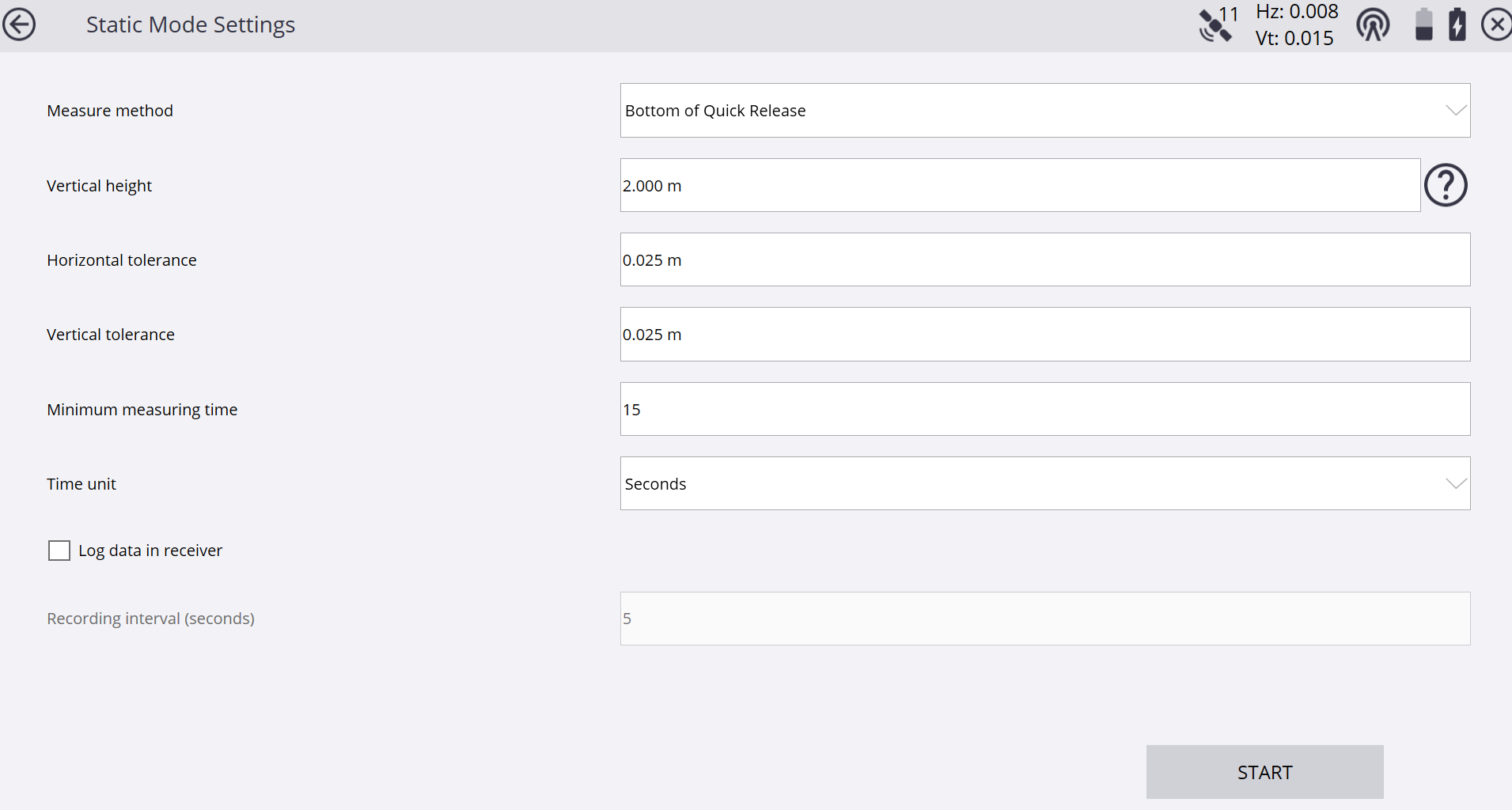
If you don't need the calibration straight away in the field you can just observe the control points multiple times with different point names, bring or send the data online to the office, run it through TBC and send the calibration back.
------------------------------
Ronny Schneider
------------------------------
Original Message:
Sent: 11-14-2024 06:13
From: Robert Hoy
Subject: Evaluating a GPS Calibration
I've only performed one site calibration, so I'm assuming this report is from TBC? Did you observe those control points only once? Since I'm assuming you're using TBC, I would have observed each of those points twice using the same point name each time choosing "store another" when prompted and choosing to -"reset satellites" in GNSS initialization in Trimble Access. And if the second observation was off by more than you think it should have been - then observe it a third time. That would improve your results since those points would have been averaged as you brought your JOB file into TBC.
------------------------------
Robert Hoy
------------------------------
Original Message:
Sent: 11-14-2024 04:21
From: David Martin
Subject: Evaluating a GPS Calibration
Ronny,
I sat on each point for 30 seconds.
------------------------------
David Martin
Original Message:
Sent: 11-13-2024 15:45
From: Ronny Schneider
Subject: Evaluating a GPS Calibration
PPM is parts per million, which makes it simple to read for metric units, since 1 km has 1 million mm. Not sure if there is a similar relation between inch/foot/mile.
You're looking at 18 mm per km, which is 0.7 inch per 0.621 miles, which is 1.12 inch per mile.
It all depends how the geoid in your area looks like and if those control marks have elevations based on the geoid or some other average/plane coordinate system.
If they follow the geoid than your resulting slope should in theory match the geoid slope. If they're based on some kind of plane, then they should in theory be near zero or match that plane.
What you need to avoid is measuring points in a long-stretched manor, i.e. along a road. Small vertical residuals can lead to extreme plane tilts, and you may have to choose vertical shift only, instead of tilted plane.
In your case, and just looking at the numbers, I'd say you're reasonably ok for GPS use within the area of those control points. And probably double check on a few or even other ones.
How long did you observe each of those points?
------------------------------
Ronny Schneider