Trimble Business Center

 View Only
Expand all | Collapse all

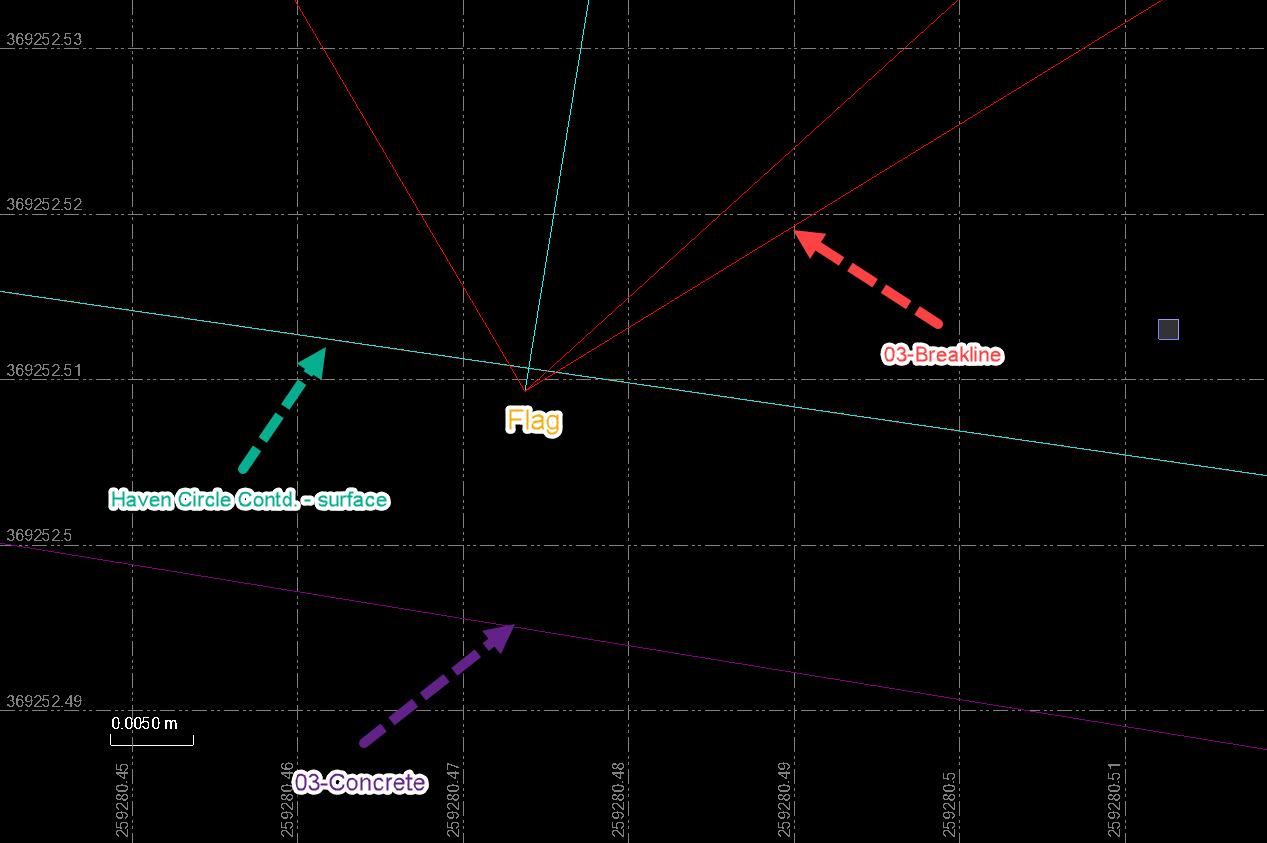
Flags on Surface I can't figure out

  • 1.  Flags on Surface I can't figure out

    Posted 04-26-2023 04:52
    Edited by Adam Bower 04-28-2023 04:24
      |   view attached

    When we build the surface this way I knew 2 things:
    1.) We were going to have flags
    2.) I would have no idea how to get rid of them

    We prefer not to explode surfaces but will if we have to. Just curious how to get rid of these flags.


    EDIT: Sorry, didn't realize the problems the VCL would have caused because of default project settings. It resulted in many seeing a bunch of extra flags. Here is a link to the VCE File and Folder structure if anyone wanted to check it out again: Cost Pointe Flag Problem on Egnyte

    Egnyte remove preview
    Cost Pointe Flag Problem on Egnyte
    Folder Cost Pointe Flag Problem shared using Egnyte
    View this on Egnyte >


    ------------------------------
    Adam Bower
    ------------------------------

    Attachment(s)

    zip
    Flags in Surface 2.zip   3.43 MB 1 version


  • 2.  RE: Flags on Surface I can't figure out

    Posted 04-26-2023 07:11
    Edited by Erik Petersen 04-26-2023 07:11

    I changed the templates for the corridors to 3' sampling distance to densify them. I turned the surface color for Haven Lane to 100,101,102 to see what it was doing. I think its catching stuff that really isn't there as its interpolating through. If you change this corridor from everything Finish, to Left and Right, create the corridor LT/RT surfaces and add them to the corridor it will fix it.


    ------------------------------
    Erik Petersen
    ------------------------------


  • 3.  RE: Flags on Surface I can't figure out

    Posted 04-26-2023 07:18

    It also looks like you can just density the corridor surface under the corridor surface properties so it adds more triangles around the curves if you want to keep your default 25' sampling distance. You still will have to do a Left/Right surface on Haven Lane though.


    ------------------------------
    Erik Petersen
    ------------------------------


  • 4.  RE: Flags on Surface I can't figure out

    Posted 04-27-2023 07:56

    One of my favorites, i just dont have to see them  😉😂😂


    ------------------------------
    Fredrik Bergstrom
    ------------------------------


  • 5.  RE: Flags on Surface I can't figure out

    Posted 04-28-2023 04:26

    We use 5' sampling so 3' would get you close to what we're seeing. Yes, I think you're right, only option is to create two corridors. Thank you!


    ------------------------------
    Adam Bower
    ------------------------------


  • 6.  RE: Flags on Surface I can't figure out

    Posted 04-26-2023 15:33
    Edited by Marian Plucinski 04-26-2023 15:33

    You have lines / surfaces occupying the same 2D location, but at different elevations.
    You are assigning different elevation to the same 2D location. Hence the flags.

    Try to review "Flags Pane". All issues are listed there.


    ------------------------------
    Marian
    ------------------------------


  • 7.  RE: Flags on Surface I can't figure out

    Posted 04-27-2023 05:19

    Very confused where you're finding a flag at that location. I'm only getting 4 flags and they're not near that corridor. They're near Haven Lane and there are 4 of them. Not near any Concrete lines either.


    ------------------------------
    Adam Bower
    ------------------------------


  • 8.  RE: Flags on Surface I can't figure out

    Posted 04-27-2023 14:15

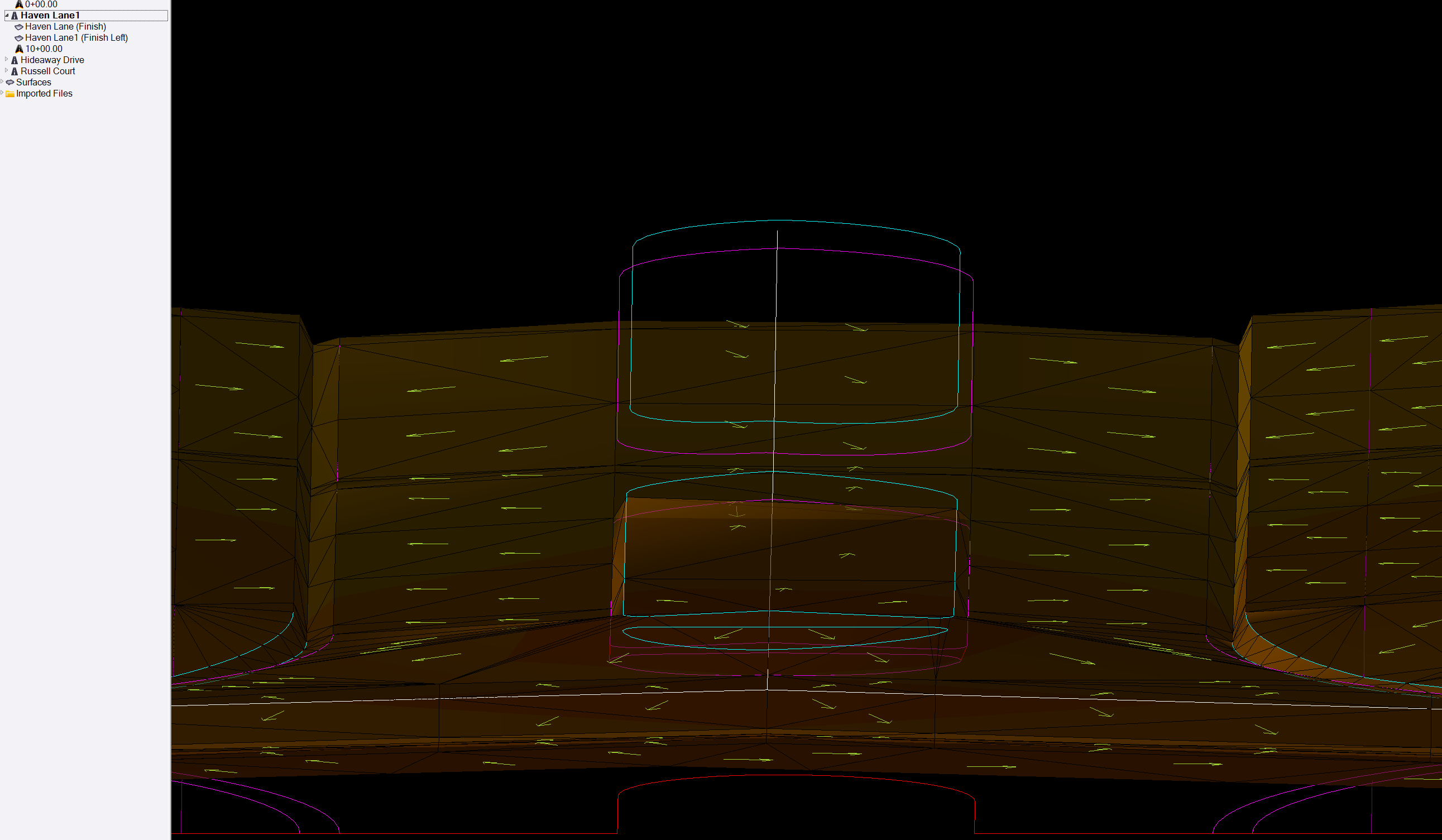
    You may not want to hear this.  You will want to make two corridors for this or make two different material layers for the left and right surface.  Seems that the corridor surface is trying to cross over the Linestring in the combined surface.  I did two surfaces from he Heaven Lane corridor and works with no flags.


    ------------------------------
    Francisco Guerrero
    ------------------------------


  • 9.  RE: Flags on Surface I can't figure out

    Posted 04-28-2023 04:27

    Yes, very simple solution to the problem. Going forward we'll remember for these specific situations to create 2 corridors.


    ------------------------------
    Adam Bower
    ------------------------------


  • 10.  RE: Flags on Surface I can't figure out

    Posted 04-27-2023 14:58

    If that's the case, then perhaps it has something to do with Project Settings (Calculations - Corridors).
    Corridors were set up to use "Project Settings" not "This Template Settings", I reckon we use different default settings.


    ------------------------------
    Marian
    ------------------------------


  • 11.  RE: Flags on Surface I can't figure out

    Posted 04-27-2023 16:12

    There are also flag in curve section of the roadway.  This is fixed by doing a densify of the surface in the corridor surface properties.


    ------------------------------
    Francisco Guerrero
    ------------------------------


  • 12.  RE: Flags on Surface I can't figure out

    Posted 04-27-2023 16:21

    Ohh that's becuase our project setting have corridors set to 5' where yours is probably default or whatnot. We stopped using densify when we realized it wouldn't let you add two densified surfaces to a common surface without losing the densify. I did just see it works now to add multiple corridors that have the surfaces densified. We might start using it again. 


    ------------------------------
    Adam Bower
    ------------------------------


  • 13.  RE: Flags on Surface I can't figure out

    Posted 04-27-2023 16:23

    Yeah I'm realizing everyone is looking at something different because of default settings. We use 5' sampling on corridors. Only 4 flags on my end 


    ------------------------------
    Adam Bower
    ------------------------------


  • 14.  RE: Flags on Surface I can't figure out

    Posted 04-27-2023 16:25

    Sorry everyone I'm going to post a VCE as soon as I can. Default project settings make everything look different. 


    ------------------------------
    Adam Bower
    ------------------------------


  • 15.  RE: Flags on Surface I can't figure out

    Posted 04-28-2023 04:28

    Here's a link to the full VCE file. Seems like the solution is to create two corridors. The only 4 flags we see with our project setting are on Haven Lane. https://abcivilconsulting.egnyte.com/fl/GibfTWshsW 


    ------------------------------
    Adam Bower
    ------------------------------


  • 16.  RE: Flags on Surface I can't figure out

    Posted 04-30-2023 22:01

    When you add a surface as a member to another surface, it basically does the explode (to get linework) and then adds those lines to the source surface. In this case, the corridor had a left section and a right section. In order to make the middle section empty/null, we have to add lines that close the corridor surface at each end. You can see this if you explode the corridor surface. Those "closing" lines are what's causing the flags (as they do cross other linework).
    For now, just explode the surface and add lines (ignoring the end lines).

    I will see if this can be fixed.


    ------------------------------
    Gary Lantaff
    ------------------------------