Depending on what provider you picked when connecting to the geodatabase in the GIS Connection Manager, ArcGIS Pro components could be involved. On the 'Select Geodatabase' dialog, what is selected for 'Data provider'? If it's 'ArcGISProProvider3', then this is going to use ArcGIS Pro components installed and licensed on the computer - via the Pro SDK which is used inside TBC GIS.
Original Message:
Sent: 04-17-2026 09:10
From: Andrew Haukaas
Subject: Geodatabase exported from TBC can't be Connected to TBC properly
Nope, ArcGIS isn't involved at all in this process. I can connect to the .gdb in GlobalMapper, Civil3D, or ArcGIS, but this intended workflow doesn't involve them at all. The specific issue is the .gdb saved from TBC can't be connected back to TBC and written to. The key detail being "written to". I want to "Write to GIS" while connected to a .gdb that was created in TBC and it doesn't work for me.
------------------------------
Andrew Haukaas
------------------------------
Original Message:
Sent: 04-16-2026 15:20
From: Matthew Morris
Subject: Geodatabase exported from TBC can't be Connected to TBC properly
@Andrew Haukaas Are you using ArcGIS Pro 3.6 by any chance? There's a known issue (reported to Esri - will be fixed in a Pro 3.6 patch) that changed how the coordinate system definition on a feature class is represented at the Pro SDK level (WKT2 vs WKT1). This was mentioned in a support bulletin sent to Trimble Geospatial distributors. In this case, as you have observed, TBC will not be able to perform any datum transformation (or likely projection) when writing data to the GIS. Are you able to revert to Pro 3.5 and retry this?
------------------------------
Matthew Morris
Original Message:
Sent: 04-13-2026 16:15
From: Andrew Haukaas
Subject: Geodatabase exported from TBC can't be Connected to TBC properly
I may haven't been clear enough. I can connect to the data just fine. But using the exact same fxl file and project that just created the GDB, I can't Write to GIS. The coordinate system is always wrong.
- Open blank TBC
- Import FXL
- Process field data
- Export GDB of features
- Connect to GDB just created
- Wrong Coordinate system warning
- Write to GIS
- Features indeed are in the wrong coordinate system.
I have tried exporting the GDB in state plane and global coordinates, but neither works. This gdb hasn't been opened in ESRI or any other program. Connecting isn't an issue, reading from it isn't an issue, writing IS an issue. The initial export is fine. Connecting and reading from it is fine. Writing to it afterward isn't fine. Maybe I'm off base thinking this should work. TBC 2025.20
------------------------------
Andrew Haukaas
Original Message:
Sent: 04-13-2026 15:33
From: Zach Edwards
Subject: Geodatabase exported from TBC can't be Connected to TBC properly
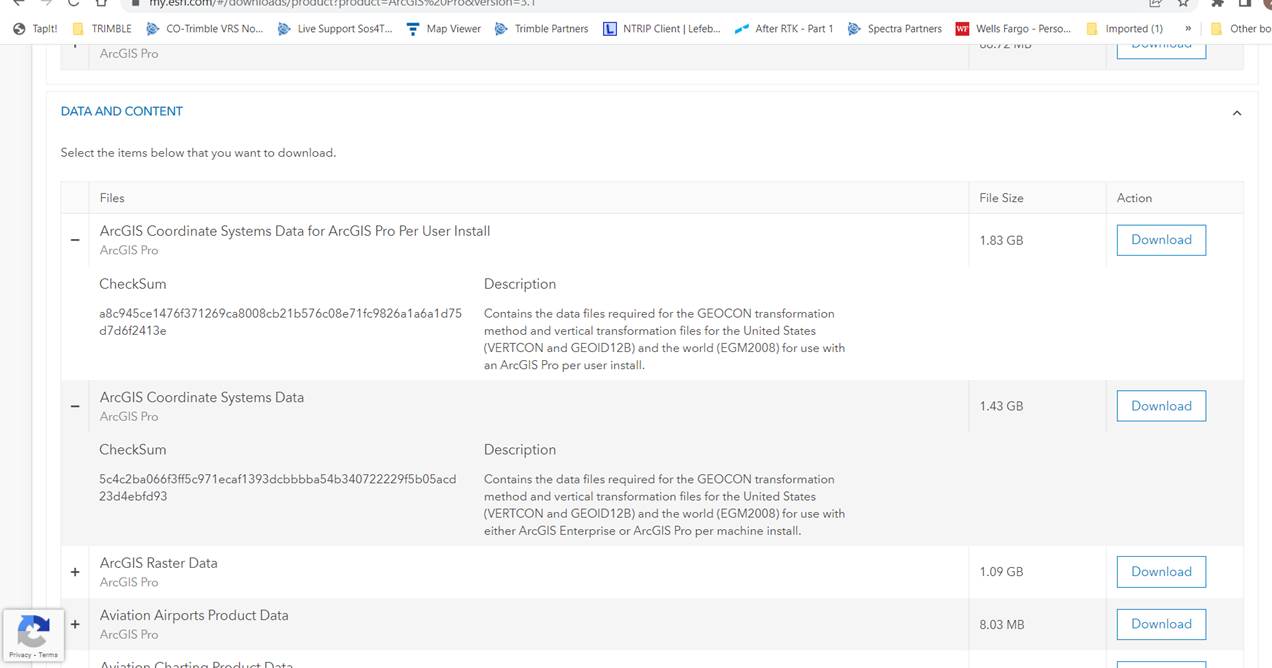
One more thing. You may be missing the ESRI vertical coordinate system library. It doesn't come with the typical ArcGIS pro installation. You can download it from My ESRI and it's called the "ArcGIS Coordinate Systems Data." This may be why you were seeing that warning.
Perhaps @Matthew Morris has a suggestion here? Perhaps it's as simple as how Andrew is connecting to the GDB? Perhaps saying to consider TBC and the GDB to be the same CRS, he'll be good to go?
------------------------------
Zach Edwards