No problem!, good to hear! They probably just don't want you messing with the parameters on the servers end of things...
Edit: I guess I could have said you could also do servername:1947 in the browser it just depends on how the IT department has things setup on their end
------------------------------
Erik Petersen
------------------------------
Original Message:
Sent: 10-23-2024 10:08
From: Bob Epstein
Subject: Licensing - find who checked out the license
Thanks Erik, it does indeed work! I should have dug a bit deeper.
It shows me the IP address of those connected, which in itself doesn't answer the question. We have about 200 users, and our IT department doesn't publish a list of IP addresses.
However, I discovered that I can run NSLOOKUP <IP Address> from the command prompt and it tells me the corresponding computer name!
Thanks again, it is great to have this ability, especially considering we were told it was not possible!
Original Message:
Sent: 10/23/2024 8:29:00 AM
From: Erik Petersen
Subject: RE: Licensing - find who checked out the license
Edit:
The information I put here before was from server.
Look under your computers Sentinel Admin Control Center License Manager>Sentinel Admin Control Center and does it have a IP address under Diagnostics>Access to Remote License Managers?
If it does put that IP into a browser with :1947 at the end. IT should give you access to the Servers Sentinel information unless the IT department changed the port.
We have our server mapped with a name instead of a IP so under The license manager>License server it shows tbc, instead of 192.0.x.x What does yours show under License server?
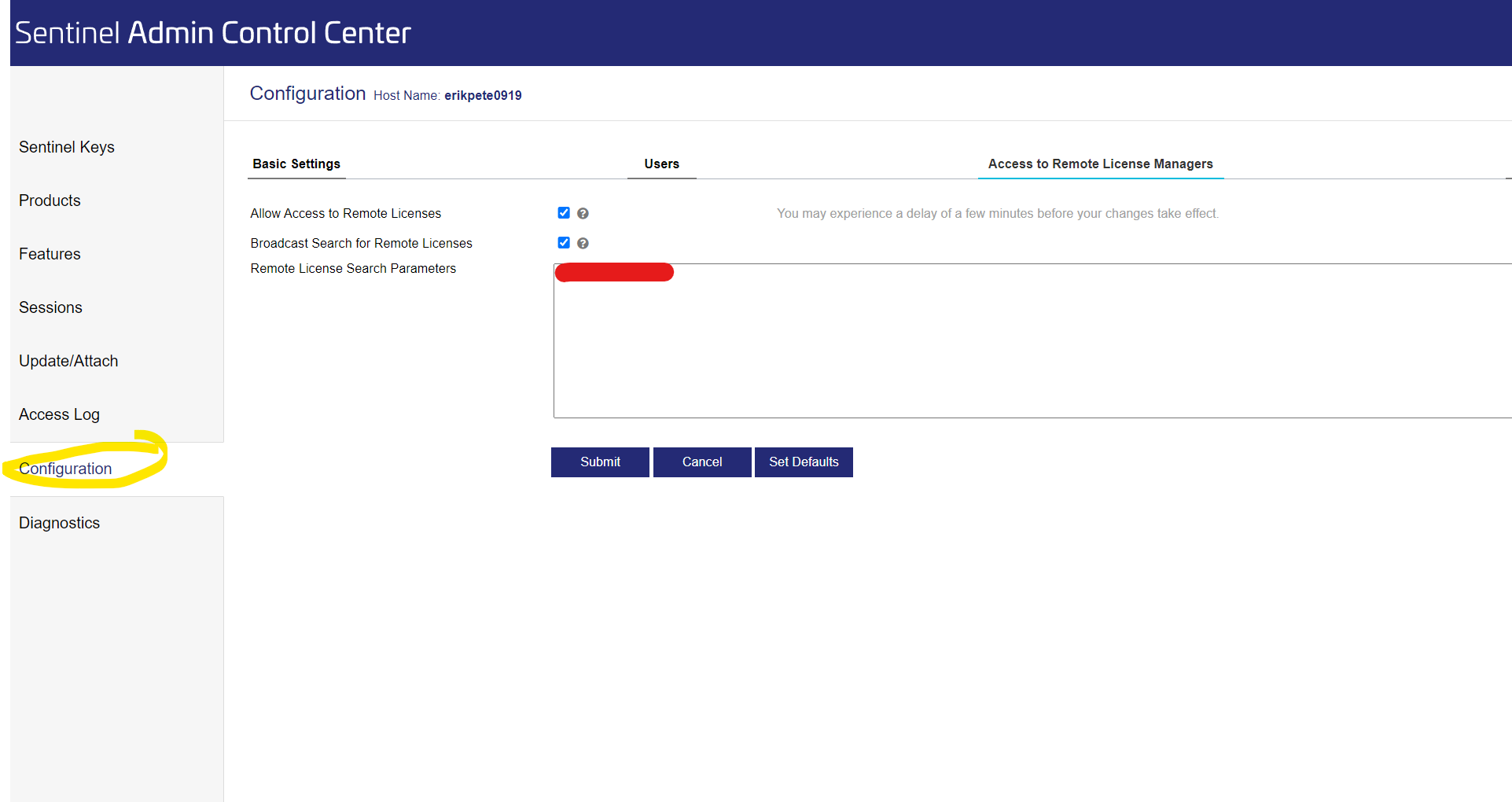
------------------------------
Erik Petersen
------------------------------
Original Message:
Sent: 10-22-2024 14:26
From: Bob Epstein
Subject: Licensing - find who checked out the license
I too would find it especially useful to be able to see who is occupying a network seat.
Can this be done by anyone who has TBC? I was given the impression that it could be looked up only on the TBC license server, which is locked up in a computer room and is accessible only by our IT department. It was actually easier just to make a bunch of phone calls to find out who it was.
Original Message:
Sent: 10/22/2024 8:51:00 AM
From: Mehul Choksi
Subject: RE: Licensing - find who checked out the license
Thanks much for replying. I do not see it in the Sentinel Admin control center (with server:1947) - I can only see it as detached Qty 1. I browsed thru all the links with the Sentinel control center . I also tried looking in the access log but nothing useful so far.
Thanks!
------------------------------
Mehul Choksi
Original Message:
Sent: 10-22-2024 05:24
From: Erik Petersen
Subject: Licensing - find who checked out the license
Does it not show up on the Sentinel manager on the server under ? IP of server:1947 in a browser. example 192.168.0.1:1947
------------------------------
Erik Petersen