It sounds like you need to manipulate your existing surface instead of worrying with the overexc command if you don't want the two materials to mix. If you know a region has significant unsuitable fill, try using an original site improvement region for the zones and program the thickness into your MSI Manager. I do the same thing with Demo quantities so TBC doesn't include an old concrete/gravel road in my usable fill material. You just need to create the material in your MSI manager and add that as the material in your site improvement region with the correct thickness. I wouldn't use any of the "Earthen" material options as TBC may use it somewhere and make your other quantities go wonky (I don't know this for a fact but stranger things have happened". If you do things right TBC should treat the unsuitable fill as any other demo material and exclude it from the site cut/fill calculations entirely. The quantity of "Overexcavation" should show up in the Existing in-ground Improvement Demolition section of the report. See screenshots below.
Alternatively, you can do the same thing by increasing the topsoil stripping thickness in the Define Topsoil Command for the area you are overexcavating. However, this mixes the overexc in with the topsoil which may or may not be what you need. I've used both options in the past.
Hope this helps!
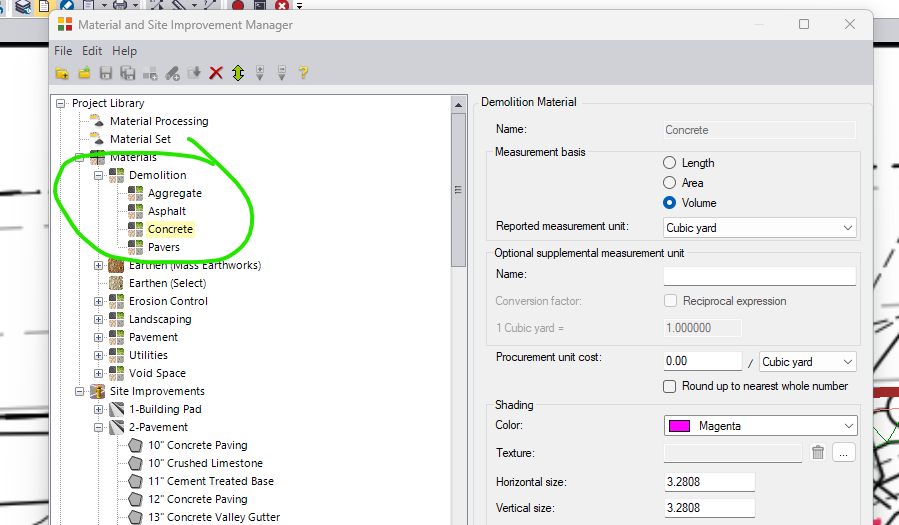
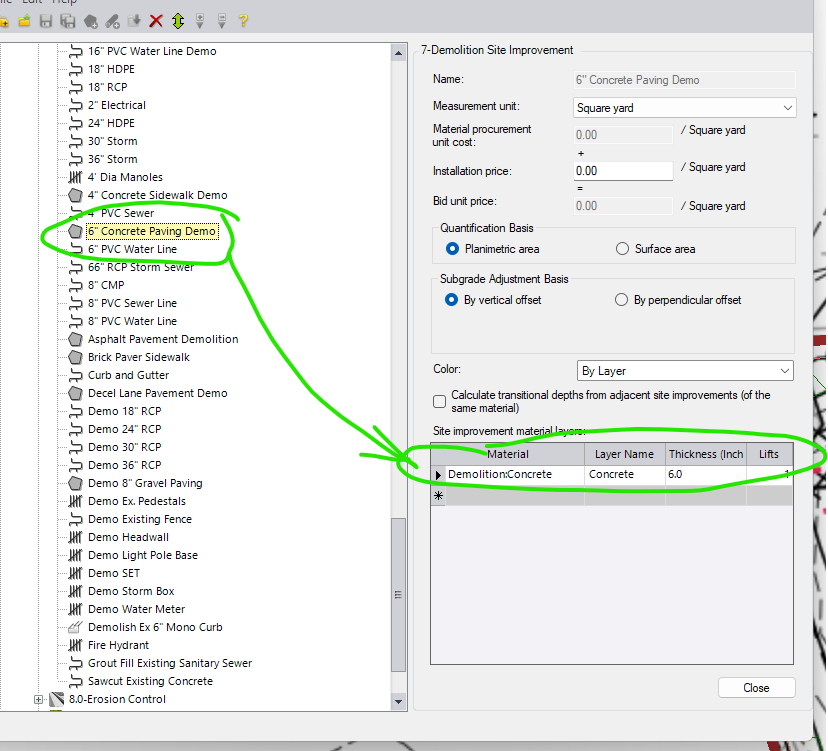
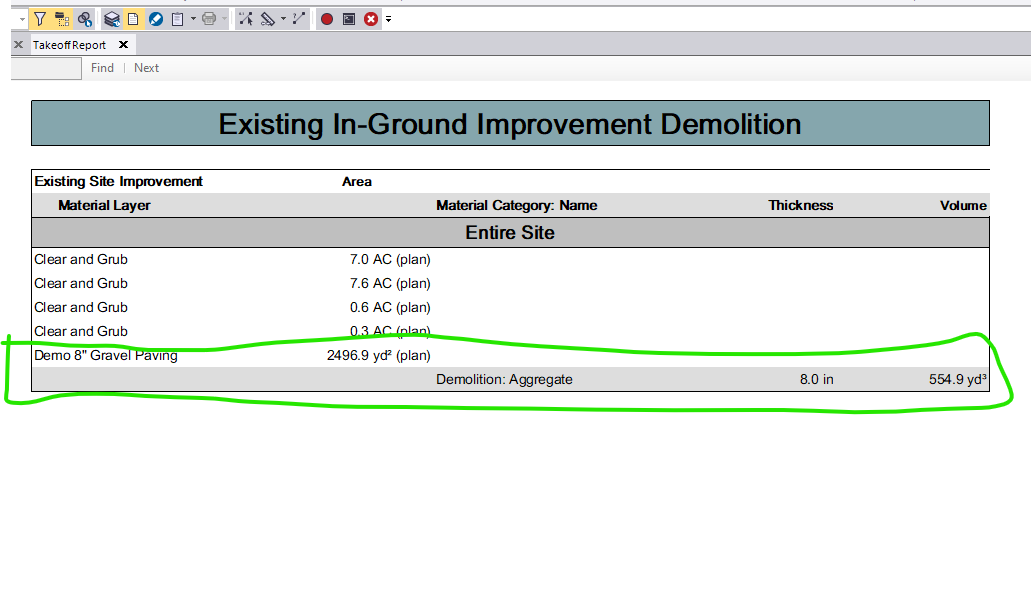
------------------------------
Ben Wall
------------------------------
Original Message:
Sent: 09-09-2024 09:16
From: Tony Dalla
Subject: Overexcavation with Replacement of Material
Thanks Ben. That is the function that I normally use. The problem is that the overexcavation doesn't have an option to replace existing material if it is unsuitable for reuse.
And if I add the structural fill as a 48" layer in the site improvement pavement subgrade, the overexcavation function starts at the bottom-most elevation of the site improvement and goes down 4-feet from there, over reporting the amount of overexcavation required. I was just hoping to find a trick to avoid having to run two different takeoff reports to get the numbers I need.
Thank you,
------------------------------
Tony Dalla
SWI Excavating
Denver, CO
------------------------------
Original Message:
Sent: 09-06-2024 12:45
From: Ben Wall
Subject: Overexcavation with Replacement of Material
Tony
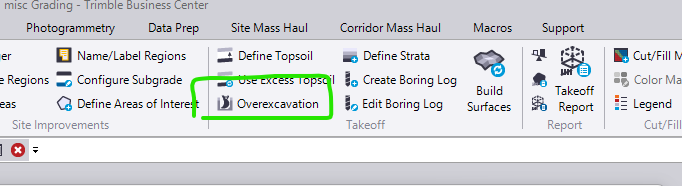
Have you tried the overexcavation tool under the takeoff tab? You should be able to specify a minimum excavation below existing grade using a closed polyline as the reference. TBC will calculate this quantity separate from the other site cut/fills and provide the quantity separately in the report, and it should consider proposed subgrade surfaces when calculating too. I recommend reading the TBC help page as it is more detailed and there are a few different options. Just be aware that I have had TBC go haywire while using this command so be sure to view the overexcavation surfaces in 3D and/or surface slicer to make sure they look like what you want.
------------------------------
Ben Wall