Finally sorted my whole plotting issue out. I'm not sure this shows up in any of the docs, but my problem was I happened to have both my plotboxes and my dynaviews on the same layer. TBC does NOT like this. If you use the drafting template provided in TBC and you use the automated plan and profile creator it all works because TBC automatically puts the plotboxes and the dynaviews on separate layers. But if you create your own plan sheet and happen to put them on the same layer, it's not gonna work.
------------------------------
Michael Shipione
------------------------------
Original Message:
Sent: 10-05-2023 07:26
From: Katie Byron
Subject: PDF plotting getting wrong view filter
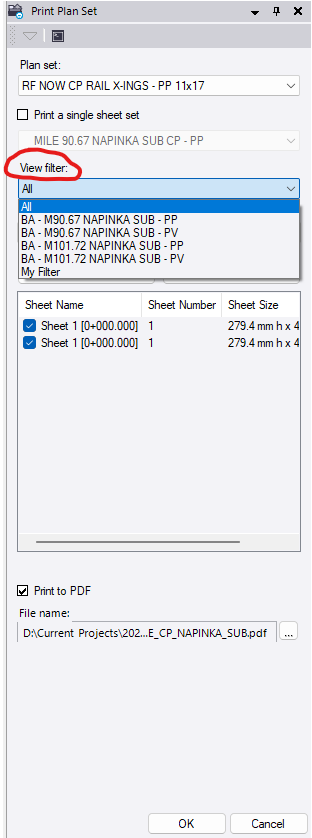
Make sure the correct view filter is selected when you are printing to PDF. If I have multiple sheets or even a single sheet with different view filters selected for different dynaviews, I usually put this setting to "All".
------------------------------
Katie Byron
------------------------------